- التسوق ، اصبح سهلا.
- /
- احصل على التطبيق!


Imperial Note.
◆This product does not come with a manual. Please watch the procedure on YouTube.
◆Installation requires a certain amount of knowledge, so if you're an amateur, it's better to hire professional services.
◆Please test the product after you receive it.
◆We will not be responsible for any damage or failure caused by installation errors. Please use the product at your own risk.
◆This product is an imported product and may have minor stains. Please note that this is an imported product.
◆The screen is covered with a transparent film to prevent the screen from being scratched in transit.
Once the installation is complete and normal use is confirmed, please remove the film and apply our screen protector.
Package Contents
1* For iPad Air 3 10.5" 2019 repair LCD assembly
1* Repair Tools
1* Enhanced Screen Protector
1 * 3mm double-sided tape
Tips
◆Screen replacement parts are very fragile products and must be carefully used when opening and installing.
Be careful not to press it against the edges or four corners of the screen. It is easily torn.
◆Do not bend the LCD cable too far; it will be black if it exceeds 90 degrees.
◆Before installing, turn off the IPad and disconnect the battery cable.
◆Clean the LCD connector with cleaning paper (included in the package).
◆When replacing the LCD assembly, pay attention to the position of the screws and place them in the correct position, as they are of different dimensions and lengths.
◆Carefully connect the touchline and connect the battery flexible cable. Connect the battery, reboot the IPad, and check it.
◆If there are lines on the screen or the screen does not respond to touch after installation, remove the LCD display, clean the connector, and reinstall it.
 A-MIND لجهاز iPad Pro 9.7 2016 A1673 A1674 A1675 قطع غيار مجموعة شاشة LCD تعمل باللمس، اللوحة الأمامية للكمبيوتر اللوحي وإصلاح شاشة LCD، مع مجموعة أدوات مجانية + واقي شاشة (أبيض)
KWD 39
A-MIND لجهاز iPad Pro 9.7 2016 A1673 A1674 A1675 قطع غيار مجموعة شاشة LCD تعمل باللمس، اللوحة الأمامية للكمبيوتر اللوحي وإصلاح شاشة LCD، مع مجموعة أدوات مجانية + واقي شاشة (أبيض)
KWD 39
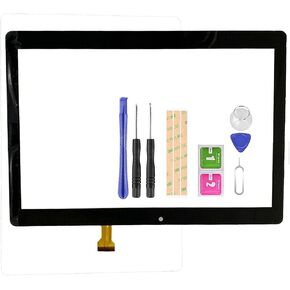 استبدال الشاشة لـ Plum Z711 Optimax 13 10.1 بوصة محول الأرقام بشاشة تعمل باللمس للكمبيوتر اللوحي الزجاجي مجموعة أجزاء إصلاح كاملة مع أدوات مجانية + شريط
KWD 9
استبدال الشاشة لـ Plum Z711 Optimax 13 10.1 بوصة محول الأرقام بشاشة تعمل باللمس للكمبيوتر اللوحي الزجاجي مجموعة أجزاء إصلاح كاملة مع أدوات مجانية + شريط
KWD 9
 لعدسات لوحة استشعار الزجاج الخارجي الأمامي من آي باد برو 12.9 الجيل الرابع (2020) A2229 A2069 A2232 لآيباد برو 12.9 الجيل الرابع (2020) (لا تعمل باللمس محول رقمي للشاشة ، بدون LCD)
KWD 10
لعدسات لوحة استشعار الزجاج الخارجي الأمامي من آي باد برو 12.9 الجيل الرابع (2020) A2229 A2069 A2232 لآيباد برو 12.9 الجيل الرابع (2020) (لا تعمل باللمس محول رقمي للشاشة ، بدون LCD)
KWD 10
 شاشة بديلة لجهاز ايباد اير 4 الجيل الرابع A2324 A2072 A2325 A2316 لايباد اير 4 (2020) شاشة LCD 10.9 انش تعمل باللمس، مجموعة قطع غيار لوحة زجاجية مع ادوات مجانية + واقي شاشة
KWD 65.500
شاشة بديلة لجهاز ايباد اير 4 الجيل الرابع A2324 A2072 A2325 A2316 لايباد اير 4 (2020) شاشة LCD 10.9 انش تعمل باللمس، مجموعة قطع غيار لوحة زجاجية مع ادوات مجانية + واقي شاشة
KWD 65.500




