- التسوق ، اصبح سهلا.
- /
- احصل على التطبيق!
✿Compatible ink cartridge replacement for HP 904 XL ink cartridges
✿Compatible with printer cartridges
- Compatible for HP OfficeJet Pro 6970
✿Why choose our ink cartridges?
- Strict quality control: precise specifications ensure proper installation.
- Brilliant printing: Premium ink delivers crisp text and graphics.
- Latest chips: Highly compatible with the latest printer firmware.
✿Color contains
- Black ink cartridge
- Cyan ink cartridg
- Magenta ink cartridge
- Yellow ink cartridge(black and color combo pack).
✿Installation Manual
1. When the printer is turned on, open the front cover of the printer and press the ink button.
2. Return the ink cartridge to the replacement ink cartridge position.
3. Open the ink cartridge cover
4. Remove the original ink cartridge
5. Push the ink cartridge downward until it is in place
6. Close the box cover and printer cover
7. After the above operations are completed, press the ink button on the printer and all the ink cartridge replacement processes will be completed.
✿Sales services:
- If you have questions, please contact us directly. We are committed to providing high-quality customer service to ensure a positive shopping experience for our customers.
 -22%
مجموعة خرطوشة حبر SANUNE 63XL مُعاد تصنيعها لحبر HP 63 لطابعة HP Officejet 3830 4650 5255 5258 5200 4652 4655 Envy 4520 4512 DeskJet 2130 2132 (خراطيش حبر 63XL أسود وثلاثي الألوان)
KWD 9
-22%
مجموعة خرطوشة حبر SANUNE 63XL مُعاد تصنيعها لحبر HP 63 لطابعة HP Officejet 3830 4650 5255 5258 5200 4652 4655 Envy 4520 4512 DeskJet 2130 2132 (خراطيش حبر 63XL أسود وثلاثي الألوان)
KWD 9
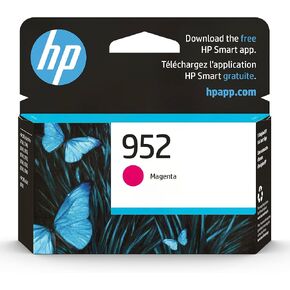 خرطوشة حبر ازرق سيان اصلية HP 952 | تعمل مع HP OfficeJet 8702، HP OfficeJet Pro 7720، 7740، 8210، 8710، 8720، 8730، 8740 | مؤهلة للحبر الفوري | L0S49AN
KWD 11.500
خرطوشة حبر ازرق سيان اصلية HP 952 | تعمل مع HP OfficeJet 8702، HP OfficeJet Pro 7720، 7740، 8210، 8710، 8720، 8730، 8740 | مؤهلة للحبر الفوري | L0S49AN
KWD 11.500
 استبدال خرطوشة الحبر عالية الإنتاجية المتوافقة مع TK-8507 TK-8509 من GREENBOX لـ Kyocera TK-8507 TK-8509 لـ TASKalfa 4550ci TASKalfa 4551ci TASKalfa 5550ci TASKalfa 5551ci (4 عبوات) GB-KC-TK8507-1B3C
KWD 53.500
استبدال خرطوشة الحبر عالية الإنتاجية المتوافقة مع TK-8507 TK-8509 من GREENBOX لـ Kyocera TK-8507 TK-8509 لـ TASKalfa 4550ci TASKalfa 4551ci TASKalfa 5550ci TASKalfa 5551ci (4 عبوات) GB-KC-TK8507-1B3C
KWD 53.500
 -10%
كانون CL-276 AMR
KWD 9
-10%
كانون CL-276 AMR
KWD 9




