- التسوق ، اصبح سهلا.
- /
- احصل على التطبيق!
Product Overview:
The PS5 Controller Dual Charging Dock Is A Dedicated Charging Dock For The PS5 Controller. It Connects To The PS5 Console's Usb Port Via The Included Charging Cable, Allowing Simultaneous Charging Of Two PS5 Controllers (Compatible With PS5 Elite Controllers). The Front Features A Blue And Orange Dual-Color Charging Display Window, Providing Real-Time Charging Status Updates. Its Aesthetically Pleasing Design And User-Friendly Operation Make It An Essential Accessory For Gamers.
Product Function Description For Useing PS5 Controller Dual Charging Dock:
1. Power Connection: First, Connect One End Of The Usb Charging Cable To The Type-C Power Port On The Back Of The Dock And The Other End To The Usb Port Of The PS5 Console. Turn On The Main Power, At This Point, The Atmosphere Lights In The Charging Display Windows For Both Controllers Will Show Blue.
2. Correct Placement For Charging: Insert The Controller Into The Front (Or Back) Charging Slot Of The Product According To The Illustration.
The Corresponding Charging Indicator Window Will Turn Orange, Indicating That The Controller Is Charging.
3. Charging Completion: When The Charging Indicator Window Turns Blue, It Signifies That The Controller Is Fully Charged.
4. Charging Options: The Product Can Charge A Single Controller Independently Or Two Controllers Simultaneously.3.5 Compatibility: This Charger Is Compatible With Both PS5 Controllers And PS5 Elite Controllers.
Important Note: If The Battery Charge Of The PS5 Controller Reaches Approximately 80% Or More And You Disconnect And Reconnect It For Charging, It May Not Charge Due To Battery Protection Features. Charging Will Resume Only When The Battery Level Falls Below 80%.
Precautions For Useing PS5 Controller Dual Charging Dock:
1. Power Disconnection: Disconnect The Input Power When The Product Is Fully Charged Or Not In Use.
2. Storage Conditions: This Product Should Not Be Used Or Stored In Humid Environments. Avoid Dust And Heavy Pressure During Use Or Storage To Prevent Affecting Its Lifespan.
3. Improper Use: If The Product Is Damaged Due To Improper Use, Such As Water Exposure, Impact, Or Dropping, Please Stop Using It Immediately.
4. Drying Methods: Do Not Use External Heating Devices, Such As Microwaves, To Dry The Product.
5. Repairs: If Damaged, Please Send It To A Repair Department For Handling; Do Not Attempt To Disassemble It Yourself.
6. Child Safety: Keep This Product Out Of Reach Of Children To Prevent Accidents.
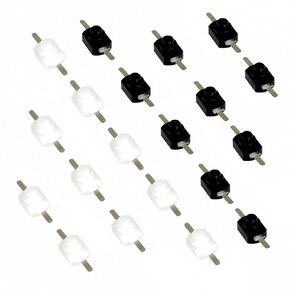 20 قطعة 1208YD تيار مستمر 30 فولت 1 أمبير أسود + أبيض مفتاح زر ضغط صغير قفل ذاتي صغير مفتاح تشغيل وإيقاف مفتاح صغير لمصباح يدوي ومنفذ حائط إلكتروني يمكنك صنعه بنفسك
KWD 3
20 قطعة 1208YD تيار مستمر 30 فولت 1 أمبير أسود + أبيض مفتاح زر ضغط صغير قفل ذاتي صغير مفتاح تشغيل وإيقاف مفتاح صغير لمصباح يدوي ومنفذ حائط إلكتروني يمكنك صنعه بنفسك
KWD 3
 6 قطعة SPST 16 مللي متر R13-507 مفتوح عادة (ON) 3A 250 فولت التيار المتناوب مفتاح زر الضغط المؤقت (أحمر)
KWD 3
6 قطعة SPST 16 مللي متر R13-507 مفتوح عادة (ON) 3A 250 فولت التيار المتناوب مفتاح زر الضغط المؤقت (أحمر)
KWD 3
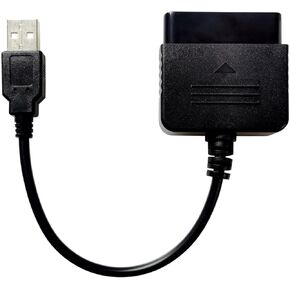 متوافق/بديل لوحدة تحكم PS2 إلى كابل محول محول USB، متوافق/بديل لوحدة تحكم PlayStation 2 PS2 إلى وحدة تحكم PS3/PC
KWD 3.500
متوافق/بديل لوحدة تحكم PS2 إلى كابل محول محول USB، متوافق/بديل لوحدة تحكم PlayStation 2 PS2 إلى وحدة تحكم PS3/PC
KWD 3.500
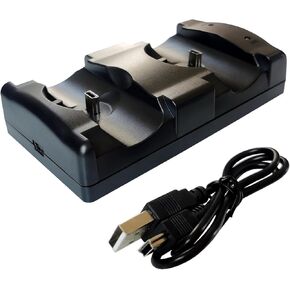 محطة شاحن وحدة تحكم PS3 متوافقة/بديلة 2 في 1 مع مؤشر ضوء LED، وكابل شحن، وقاعدة شحن لجهاز PlayStation 3 PS3 المزدوج ووحدة التحكم المتحركة
KWD 4
محطة شاحن وحدة تحكم PS3 متوافقة/بديلة 2 في 1 مع مؤشر ضوء LED، وكابل شحن، وقاعدة شحن لجهاز PlayStation 3 PS3 المزدوج ووحدة التحكم المتحركة
KWD 4




