- التسوق ، اصبح سهلا.
- /
- احصل على التطبيق!
Upgraded Wireless Charging Case Compatible with AirPods 4 (NO AIRPODS)
Specifications:
Compatible Model: AirPods 4
Color: White
Shell Material: ABS
Battery Capacity: 600mah
Charging Methods: Charging Cable or Qi-Standard Wireless Charging Mat
Packing Include:
1* Charging Case Compatible for Air Pods 4
1* User Manual
Bluetooth Pairing Steps:
1. Activate Bluetooth setting on your iPhone in "Settings-Bluetooth-On".
2. Put your original Airpods 4 in to our Airpods 4 charging case and open the lid, then long press the sync button on the front of the case uLightweight and Portable: Our replacement charging case is only 0.24 ounces, which is very light and can be used for travel.ntil the green flashing.
3. When the pop-up window shows ”Airpods ” or the name you set for your Airpod , click”Connecting” and wait for the cess to complete.
4. Click the sync button to stop the flashing light or wait for it to automatically stop.
Common Fault and Eliminating Methods:
1. Single-sided Airpods does not charge:
1) Clean the earbuds as well as and the charging case.
2) After the charging case is fully charged, put one headphone into charging case, wait for indicator light to go off for 3 seconds, and then put the other side of the headphones.
2. The headphones disconnect as soon as take them out from the charging case:
Charge the charging case for half an hour (put the earphones in), then press and hold the sync button for more than 20 seconds, then pair it again.
3. The iPhone didn't pop up the pairing window:
1) Check whether the iPhone has bluetooth enabled.
2) Due to some abnormal functions caused by the long running of the iPhone, please restart the iPhone.
3) Unlock the phone after the lock screen, remove the earbuds and put them back in.
 حافظة سماعات الأذن CASETIFY - قلوب كروم - أسود
KWD 13.500
حافظة سماعات الأذن CASETIFY - قلوب كروم - أسود
KWD 13.500
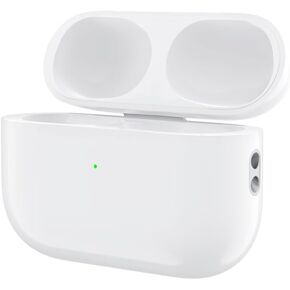 حافظة شحن لـ AirPods Pro 2، منفذ شحن T-C بديل لـ Airpod Pro 2 وبطارية مدمجة 660 مللي أمبير في الساعة تدعم السلكية واللاسلكية - (بدون سماعات أذن)، أبيض
KWD 11.500
حافظة شحن لـ AirPods Pro 2، منفذ شحن T-C بديل لـ Airpod Pro 2 وبطارية مدمجة 660 مللي أمبير في الساعة تدعم السلكية واللاسلكية - (بدون سماعات أذن)، أبيض
KWD 11.500
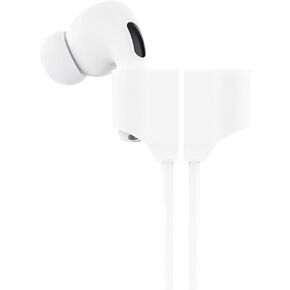 سماعة أذن بديلة فردية لسماعات AirPods pro1st Generation مع خطافات أذن قابلة للفصل من جانب الأذن اليمنى (A2084)
KWD 6.500
سماعة أذن بديلة فردية لسماعات AirPods pro1st Generation مع خطافات أذن قابلة للفصل من جانب الأذن اليمنى (A2084)
KWD 6.500
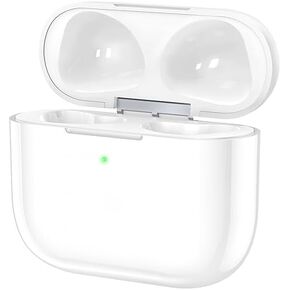 حالة الشحن اللاسلكية لـ AirPod الثالث ، واستبدال حالة الشاحن مع زر المزامنة وبطارية مدمجة 600 مللي أمبير في الساعة ، لا توجد سماعات أذن
KWD 10.500
حالة الشحن اللاسلكية لـ AirPod الثالث ، واستبدال حالة الشاحن مع زر المزامنة وبطارية مدمجة 600 مللي أمبير في الساعة ، لا توجد سماعات أذن
KWD 10.500




