- التسوق ، اصبح سهلا.
- /
- احصل على التطبيق!
What is this?
The PCIe Gigabit Network Card is used to add a high-speed wired network connectivity option to a desktop computer or server. It is commonly used in situations where a stable and fast Ethernet connection is required.
What will I get?
The Ethernet Port, we provide here, is in size of:
Color: Green
Interface: M.2 A+E
Port Type: RJ45
Cable Length: 200mm/7.87-inch
RJ45 Port Size: 30 x 21 x 14mm/1.18 x 0.83 x 0.55-inch (L*W*H)
Card Size: 30 x 22 x 13mm/1.18 x 0.87 x 0.51-inch (L*W*H)
In the package of: 1 x PCIe Gigabit Network Card
Are there any advantages of the product?
The gigabit network card supports speeds up to 1000 Mbps, providing significantly faster data transfer rates compared to standard Ethernet connections.
It ensures a consistent and uninterrupted network connection, reducing the chance of signal interference.
How to use it?
Steps of installation: 1. Open your computer case and identify an available PCIe slot; 2. Remove the protective coverings from the network card and align it with the PCIe slot; 3. Once the card is properly inserted, use the screw or latch provided with your computer case to secure the network card in place.
What should I notice?
Before installing the network card, make sure to shut down your computer properly and disconnect the power cord.
 بطاقة شبكة جيجابت بمنفذ PCIe X4 ثنائي المنافذ 1000 متر محول ايثرنت بي سي اي اكسبريس مع انتل 82576 بمنفذي بطاقة شبكة LAN NIC لدعم PXE لويندوز/ويندوز سيرفر/لينكس/فريبسد/دوس مع مظهر منخفض
KWD 13.500
بطاقة شبكة جيجابت بمنفذ PCIe X4 ثنائي المنافذ 1000 متر محول ايثرنت بي سي اي اكسبريس مع انتل 82576 بمنفذي بطاقة شبكة LAN NIC لدعم PXE لويندوز/ويندوز سيرفر/لينكس/فريبسد/دوس مع مظهر منخفض
KWD 13.500
 بيست بارتس 5 قطع جديد قوس ارتفاع كامل لـ Intel E10G42BTDA X520-DA2 E10G42BFSR X520-SR2 X520-LR2 X710-DA2 JL82599ES E3052-003
KWD 5
بيست بارتس 5 قطع جديد قوس ارتفاع كامل لـ Intel E10G42BTDA X520-DA2 E10G42BFSR X520-SR2 X520-LR2 X710-DA2 JL82599ES E3052-003
KWD 5
 Sedna - PCI Express USB 3.1 Gen I (5Gbps) 4 مهايئ (3 × نوع A، 1 × نوع C) مع دعامة منخفضة الملف - يدعم أنظمة ويندوز، لينكس وماك برو (الإصدار المتأخر 2008 إلى 2012)، لا تحتاج إلى موصل طاقة
KWD 14
Sedna - PCI Express USB 3.1 Gen I (5Gbps) 4 مهايئ (3 × نوع A، 1 × نوع C) مع دعامة منخفضة الملف - يدعم أنظمة ويندوز، لينكس وماك برو (الإصدار المتأخر 2008 إلى 2012)، لا تحتاج إلى موصل طاقة
KWD 14
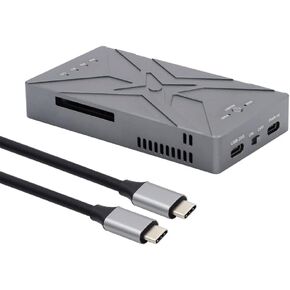 اكس واي ذاكرة مستديمة مزدوجة 20 جيجابايت في الثانية M.2 NGFF M-Key الى USB-C Raid0 Raid1 JOBD مع محول مروحة رايد0 هايبر
KWD 53
اكس واي ذاكرة مستديمة مزدوجة 20 جيجابايت في الثانية M.2 NGFF M-Key الى USB-C Raid0 Raid1 JOBD مع محول مروحة رايد0 هايبر
KWD 53




