- التسوق ، اصبح سهلا.
- /
- احصل على التطبيق!
WIRELESS DO NOT EQUAL TO CORDLESS
Troubleshooting
1.How to ensure the camera gets power?
2.How to pair up the camera with monitor
3.If your camera do not have the pairing button, what should you do?
Answer: We provide customers with the video to solve this problem.
Installation Guide
►A: MONITOR GET POWER
►1. Find out the car charger to plug into the monitor firstly , then other side plug into your car cigaratte lighter,then monitor will get power now
►B: CAMERA GET POWER
►1. Find out four pcs power cable for each camera to connect to your camera
►2. Red power to connect to power + , like revresing light's power + for one of them , so that this camera can work as reversing camera .
►3. Second camera to get another power + from other power source like the continues power if you want it work as monitor
► 4. Connect to headlight or turn light's power + according what you want this camera wokring as
Packing List
►1.One Wireless Monitor
►2.Four Wireless Backup Camera
►3. Five Wireless Signal Antenna
►4. 5 Pcs Hard Power Cable
►5. One Car Charger
►6. One Monitor Bracket
►7.Fitting Kits Like Scew
Note: Pls set up the camera to the channel you needed before installing it on your vehicle.
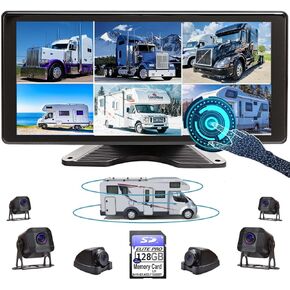 شاشة صوت كبيرة 10.36 بوصة 6 سبليت قابلة للمس 128 جيجابايت، شاشة كاميرا احتياطية 1080 بكسل ومسجل فيديو DVR مدمج لمقطورة شاحنة RV، الجانب الخلفي الأمامي، عرض عكسي، صورة نظام سلكي مقاوم للماء DCM106
KWD 105.500
شاشة صوت كبيرة 10.36 بوصة 6 سبليت قابلة للمس 128 جيجابايت، شاشة كاميرا احتياطية 1080 بكسل ومسجل فيديو DVR مدمج لمقطورة شاحنة RV، الجانب الخلفي الأمامي، عرض عكسي، صورة نظام سلكي مقاوم للماء DCM106
KWD 105.500
 شاشة قابلة للمس 128 جيجابايت صوت كبير 1080 بكسل 2 صورة مقسمة 11 بوصة كاميرا احتياطية مدمجة فيديو DVR لمقطورة شاحنة RV الجانب الخلفي الأمامي عكس الرؤية السلكية نظام مقاوم للماء D102
KWD 53
شاشة قابلة للمس 128 جيجابايت صوت كبير 1080 بكسل 2 صورة مقسمة 11 بوصة كاميرا احتياطية مدمجة فيديو DVR لمقطورة شاحنة RV الجانب الخلفي الأمامي عكس الرؤية السلكية نظام مقاوم للماء D102
KWD 53
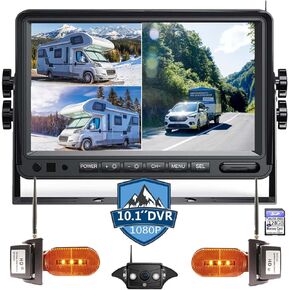 شاشة صوت كبيرة 10 بوصة 3 سبليت 128 جيجا بايت وشاشة كاميرا احتياطية 1080 بكسل ومسجل فيديو DVR مدمج متوافق مع نظام العربة المنزلية المتنقلة من فئة ABC من Furrion مسبق السلكية RV
KWD 182
شاشة صوت كبيرة 10 بوصة 3 سبليت 128 جيجا بايت وشاشة كاميرا احتياطية 1080 بكسل ومسجل فيديو DVR مدمج متوافق مع نظام العربة المنزلية المتنقلة من فئة ABC من Furrion مسبق السلكية RV
KWD 182
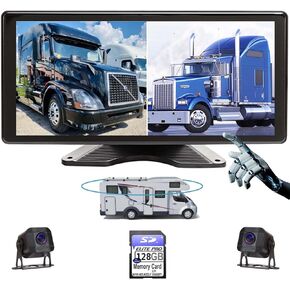 2 شاشة قابلة للمس مقسمة 128 جيجابايت صوت كبير 1080 بيكسل صورة 11 بوصة كاميرا احتياطية مدمجة فيديو DVR لمقطورة شاحنة RV الجانب الخلفي الأمامي عكس الرؤية السلكية نظام مقاوم للماء، RV102
KWD 53
2 شاشة قابلة للمس مقسمة 128 جيجابايت صوت كبير 1080 بيكسل صورة 11 بوصة كاميرا احتياطية مدمجة فيديو DVR لمقطورة شاحنة RV الجانب الخلفي الأمامي عكس الرؤية السلكية نظام مقاوم للماء، RV102
KWD 53




