- التسوق ، اصبح سهلا.
- /
- احصل على التطبيق!
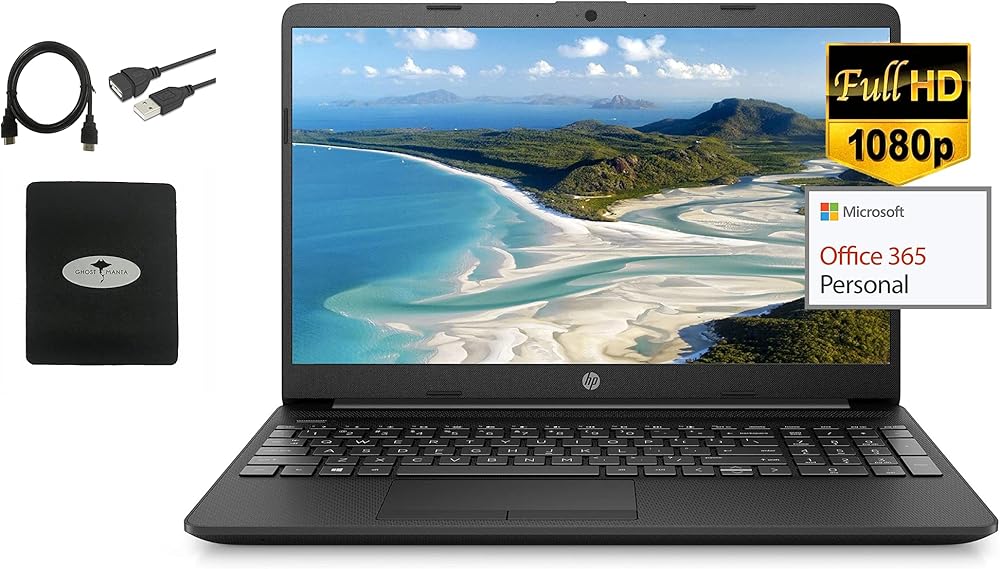
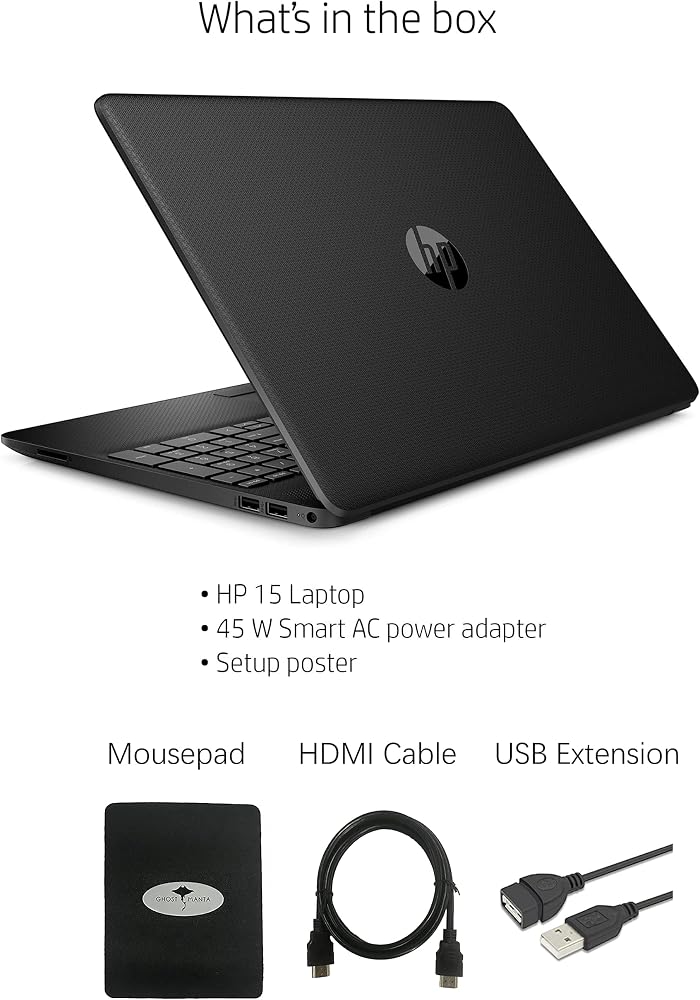
We sells computers with upgraded configurations. If the computer has modifications (listed above), then the manufacturer box is opened for it to be tested and inspected and to install the upgrades to achieve the specifications as advertised. If no modifications are listed, the item is unopened and untested. Defects & blemishes are significantly reduced by our in depth inspection & testing.
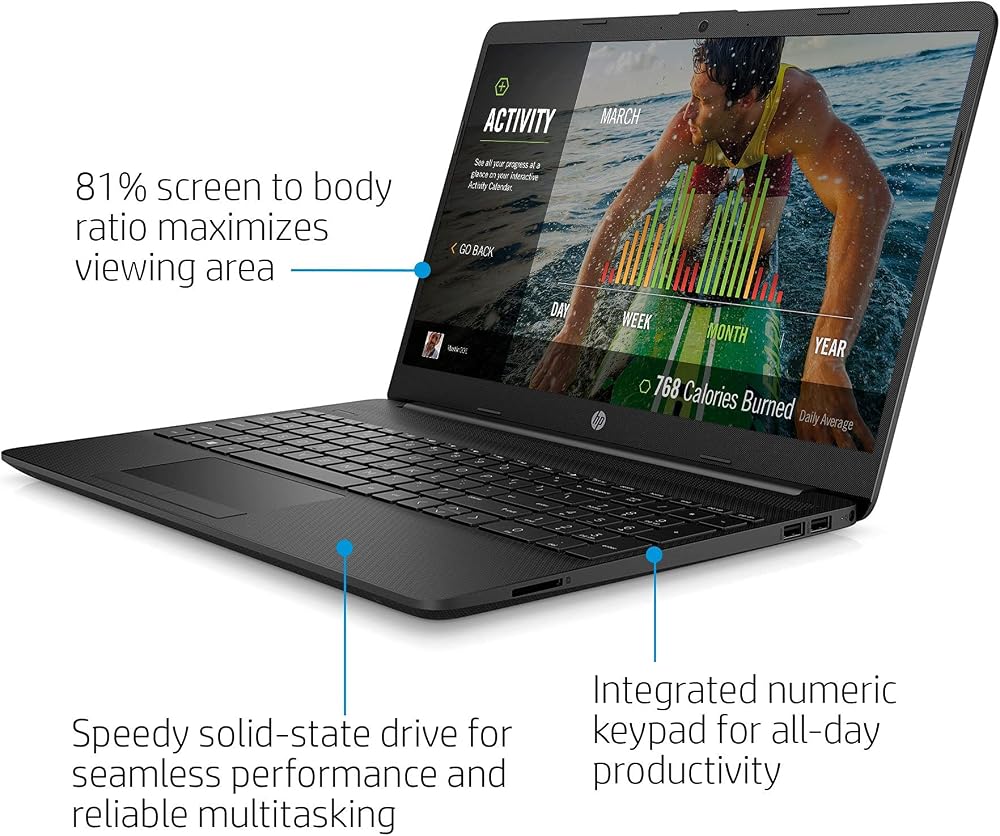
CPU: Intel Celeron Processor N4020 (4MB Cache, up to 2.8 GHz)
Memory: 4GB DDR4 SDRAM
Storage: 256GB Solid State Drive
System: Windows 10 in S mode
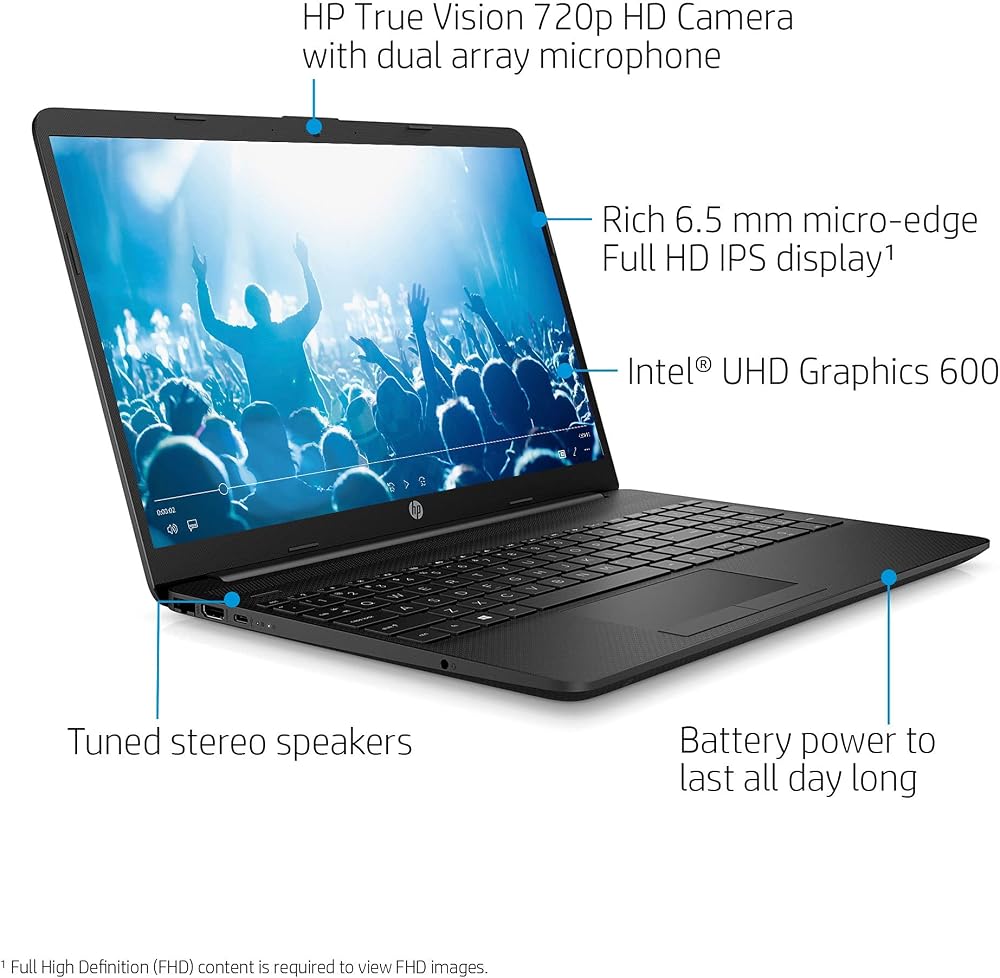
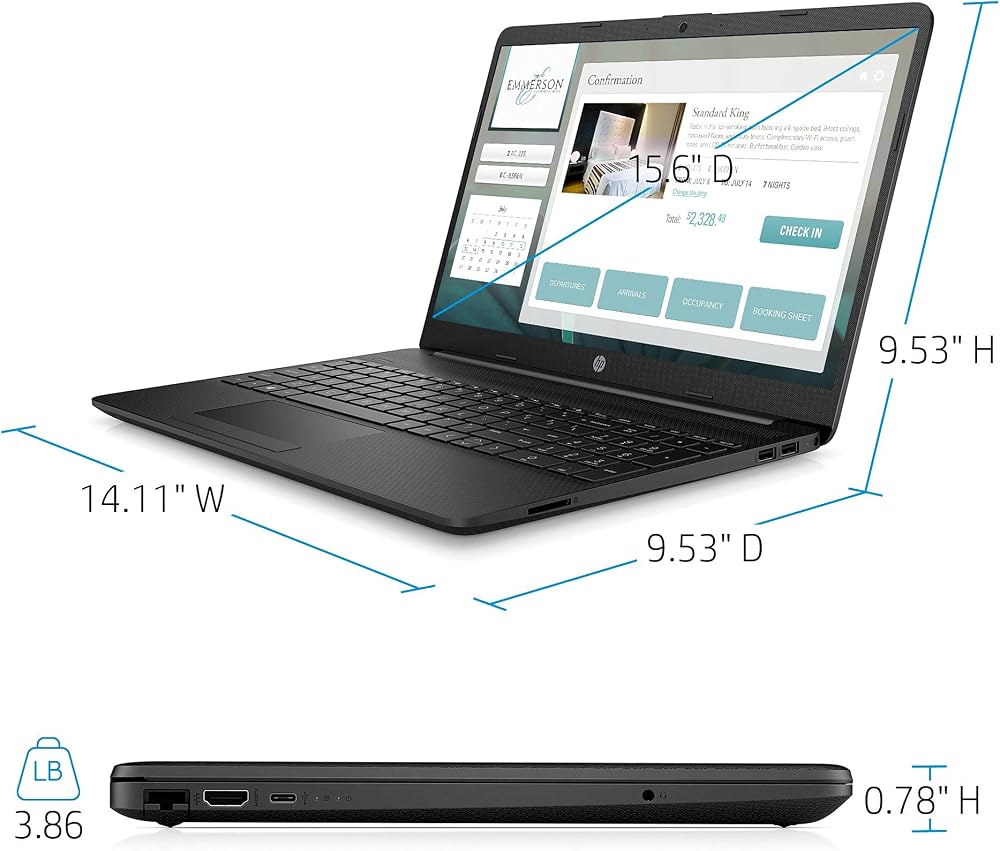
Display: 15.6-inch diagonal, FHD (1920 x 1080 Resolution), IPS, micro-edge, anti-glare, Non-touch Display
Backlit Keyboard: No
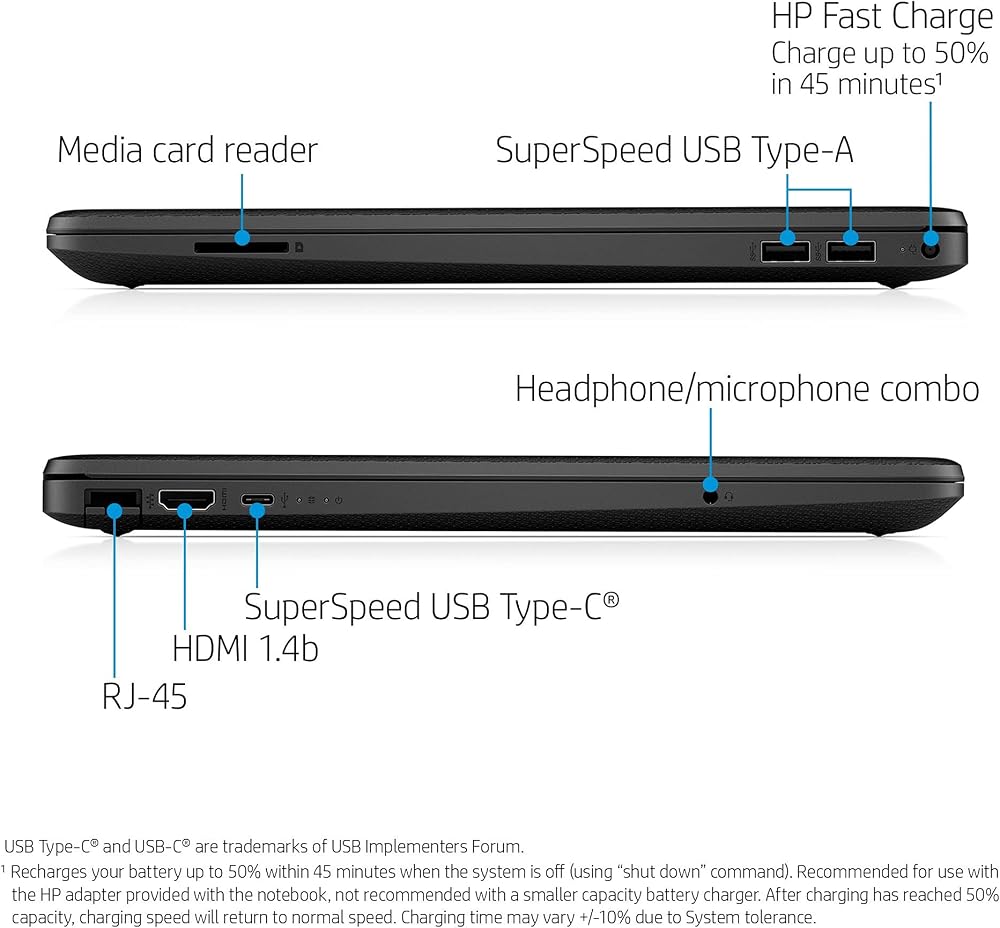
Ports: 1 X SuperSpeed USB Type-C; 2 X SuperSpeed USB Type-A; 1 X HDMI 1.4b; 1 X RJ-45; 1 X AC smart pin; 1 X headphone/microphone combo
Video: Intel UHD Graphcis
Audio: Dual Speakers
Media Drive: Multi-format SD Media Card Reader
Wireless: 802.11a/b/g/n/ac WiFi and Bluetooth
Network interface: Integrated 10/100/1000 GbE LAN
Camera: HP True Vision 720p HD camera with integrated dual array digital microphones
Battery: 3-Cell, 41 WHr, Integrated battery
Weight: 3.86 Pounds
How to switch s mode to windows 10
1. On your PC running Windows 10 in S mode, open Settings > Update & Security > Activation.
2. In the Switch to Windows 10 Home or Switch to Windows 10 Pro section, select Go to the Store. (If you also see an "Upgrade your edition of Windows" section, be careful not to click the "Go to the Store" link that appears there.)
3. On the Switch out of S mode (or similar) page that appears in the Microsoft Store, select the Get button. After you see a confirmation message on the page, you'll be able to install apps from outside of the Microsoft Store.
 -16%
لاب توب اتش بي كرومبوك 11 بوصة ، ميديا تيك MT8183 ، ميديا تيك رسومات مدمجة، 4 جيجابايت رام، تخزين 32 جيجابايت اي ام ام سي، كروم (11a-na0021nr، أبيض ثلجي)
KWD 78
-16%
لاب توب اتش بي كرومبوك 11 بوصة ، ميديا تيك MT8183 ، ميديا تيك رسومات مدمجة، 4 جيجابايت رام، تخزين 32 جيجابايت اي ام ام سي، كروم (11a-na0021nr، أبيض ثلجي)
KWD 78
 HP OMEN - 16.1 بوصة 1920 × 1080 (Full HD)، 144 هرتز - كمبيوتر محمول للألعاب - AMD Ryzen 7 - NVIDIA GeForce RTX 3050 Ti - لوحة مفاتيح RGB - Thunderbolt - HDMI 2.1 - فضي ميكا - مع HDMI (ذاكرة الوصول العشوائي 32 جيجابايت | 2 تيرابايت PCIe SSD)
KWD 566.500
HP OMEN - 16.1 بوصة 1920 × 1080 (Full HD)، 144 هرتز - كمبيوتر محمول للألعاب - AMD Ryzen 7 - NVIDIA GeForce RTX 3050 Ti - لوحة مفاتيح RGB - Thunderbolt - HDMI 2.1 - فضي ميكا - مع HDMI (ذاكرة الوصول العشوائي 32 جيجابايت | 2 تيرابايت PCIe SSD)
KWD 566.500
 أحدث كمبيوتر محمول HP مقاس 14 بوصة FHD لعام 2022، وAMD Ryzen 3 3250U، وذاكرة وصول عشوائي DDR4 سعة 16 جيجابايت، ومحرك أقراص SSD سعة 512 جيجابايت، ورسومات AMD Radeon، وواي فاي، ومنفذ USB من النوع C، وبلوتوث، ونظام التشغيل Windows 11 Home، وعمر بطارية طويل،
KWD 425.500
أحدث كمبيوتر محمول HP مقاس 14 بوصة FHD لعام 2022، وAMD Ryzen 3 3250U، وذاكرة وصول عشوائي DDR4 سعة 16 جيجابايت، ومحرك أقراص SSD سعة 512 جيجابايت، ورسومات AMD Radeon، وواي فاي، ومنفذ USB من النوع C، وبلوتوث، ونظام التشغيل Windows 11 Home، وعمر بطارية طويل،
KWD 425.500
 2022 HP 14 بوصة HD IPS تعمل باللمس Chromebook، معالج Intel يصل إلى 3.0 جيجا هرتز، 4 جيجا رام، 64 جيجا SSD، رسومات 4K، الجيل السادس فائق السرعة واي فاي، نظام تشغيل Chrome، Dale Silver (متجدد) (Dale Silver)
KWD 74
2022 HP 14 بوصة HD IPS تعمل باللمس Chromebook، معالج Intel يصل إلى 3.0 جيجا هرتز، 4 جيجا رام، 64 جيجا SSD، رسومات 4K، الجيل السادس فائق السرعة واي فاي، نظام تشغيل Chrome، Dale Silver (متجدد) (Dale Silver)
KWD 74