- التسوق ، اصبح سهلا.
- /
- احصل على التطبيق!
How to repair:
Step 1:Studio 3 Wireless Repair, Get Crowbar,Screwdriver (package included in)
Step 2: Use a crowbar to pry the headphone cover adhesive tape.
Step 3: Use a screwdriver to remove the 7 screws on the earphone shell.
Step 4: Remove the broken Headphone charging board from the Beats Studio3 Wireless Noise Cancelling Over-Ear Headphones.
Step 5: Get the new Headphone charging board and use soldering iron to solder firmly.
Step 6: Install the shell and screws.
Step 7: Install back the headphone cover.
Step 8: Now everything is back to normal, charging---turn on the headphones and listen to the wonderful music.
Perfect Compatible with::
➤Beats Studio3 Wireless Headphones.
➤Beats Studio3 bluetooth Headphones.
➤Beats A1914 Headphones
INSTALLATION EASY:
➤Installation in less than 10 minutes.
Specification:
➤Replace Part Number: 820-01010-A USB Charging port Board Assembly.
Package includes:
➤ 1 x USB Charging port Board Assembly.
➤ 1 x Phillips screwdriver.
➤ 1 x 1 x Crowbar.
 Besoar لـ Airpods الجيل الأول/الثاني، زجاجة رمادية ثلاثية الأبعاد للأولاد والبنات والأطفال والمراهقين، تصميم لطيف من السيليكون الناعم والمرح من السيليكون الناعم لأغطية Airpod 1/2، غطاء مضحك فريد من نوعه Hypebeast لأغطية Air Pods 1/2
KWD 4.500
Besoar لـ Airpods الجيل الأول/الثاني، زجاجة رمادية ثلاثية الأبعاد للأولاد والبنات والأطفال والمراهقين، تصميم لطيف من السيليكون الناعم والمرح من السيليكون الناعم لأغطية Airpod 1/2، غطاء مضحك فريد من نوعه Hypebeast لأغطية Air Pods 1/2
KWD 4.500
 -13%
حامل سماعات الرأس MANMUVIMO، حامل سماعات الرأس المكتبي حامل سماعات الرأس من الألومنيوم حامل حامل سماعات الرأس لحمل سماعات الأذن مثل Airpods Max وSony وBeats وBose وRazer وHyperX (وردي)
KWD 3.500
-13%
حامل سماعات الرأس MANMUVIMO، حامل سماعات الرأس المكتبي حامل سماعات الرأس من الألومنيوم حامل حامل سماعات الرأس لحمل سماعات الأذن مثل Airpods Max وSony وBeats وBose وRazer وHyperX (وردي)
KWD 3.500
 مهايئ سماعات رأس آيفون 3.5 ملم إلى لايتننج من موفو IMA-2 - محول سماعات أذن أبل لهاتف آيفون - محول صوتي لمايكروفون وسماعات الرأس - كابل صوت 3.5 ملم إلى محول إضاءة لمنتجات آبل
KWD 8.500
مهايئ سماعات رأس آيفون 3.5 ملم إلى لايتننج من موفو IMA-2 - محول سماعات أذن أبل لهاتف آيفون - محول صوتي لمايكروفون وسماعات الرأس - كابل صوت 3.5 ملم إلى محول إضاءة لمنتجات آبل
KWD 8.500
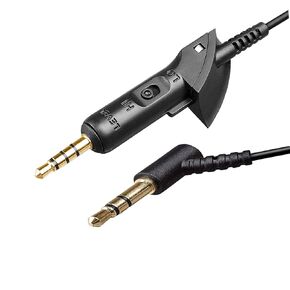 خط سلك كابل الصوت البديل QC15 متوافق مع سماعات الرأس Bose QC15 QuietComfort 15
KWD 4
خط سلك كابل الصوت البديل QC15 متوافق مع سماعات الرأس Bose QC15 QuietComfort 15
KWD 4




