- التسوق ، اصبح سهلا.
- /
- احصل على التطبيق!
TSA2500 is a 2x100W Stereo Bluetooth 5 multipoint audio amplifier board. It has perfect class-D architecture(Based on TDA7498) and each channel has maximum 100W power output. Both of channels are capable of outputting nominal power simultaneously and continuously. This board can be powered by any DC14V-39V power supply. it can be used to drive any 4Ω or 8Ω passive speakers.
The highlight point is BT 5 integrated. You can have many TSA2500 boards paired and work together, this makes it possible to build a wireless surround sound system by using the TSA2500.
How to Use:
Master board:
1.Power up the TSA2500, Blue LED slow blink. (Voice: Power ON)
2.Double click PAIR button to set the TSA2500 into Pairing mode. Blue LED fast blink. (Voice: Pairing)
3.Now, Your smartphone will be able to find a new Bluetooth device which name is "TSA2500". Connect it. (Voice: Pairing successful)
4.You can play the music now. If you only use one amplifier board. You don't need do the following steps.
5.Click TX button, set the board to transmitter mode, Red LED ON.(Voice: Broadcast mode)
Slave board:
1.Power up another TSA2500. Blue LED slow blink.
2.Make sure master board already working correct and in transmitter mode. Click RX button to set slave board into receiver mode. It will auto searching the master board. Green LED ON (Voice: Broadcast audio enabled)
3.Double click the RX button on the Slave board, double click the TX button on the Master board. The master board will auto searching(30s) slave board. Both master and slave board will be connected. (Voice: Pairing successful)
4.The slave board will have music out now.
5.If there have new board want join as slave board. Just click RX on new board into receiver mode then Double click RX, and Double click TX on Master module.
6.If a slave board want quit., click TX button on that board.
 2 × 50 وات + 100 وات 2.1 قناة بلوتوث + لوحة مكبر صوت DSP - TSA7800B(Apt-X)
KWD 32.500
2 × 50 وات + 100 وات 2.1 قناة بلوتوث + لوحة مكبر صوت DSP - TSA7800B(Apt-X)
KWD 32.500
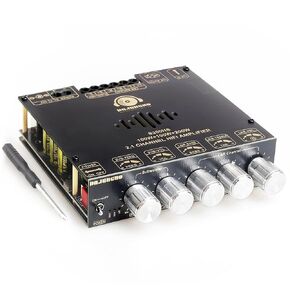 100W+100W+200W لوحة مضخم طاقة ، شريحة TPA3221 مع مدخلات Bluetooth 、 AUX و USB ، مضخم طاقة صوتية 2.1 قناة
KWD 12.500
100W+100W+200W لوحة مضخم طاقة ، شريحة TPA3221 مع مدخلات Bluetooth 、 AUX و USB ، مضخم طاقة صوتية 2.1 قناة
KWD 12.500
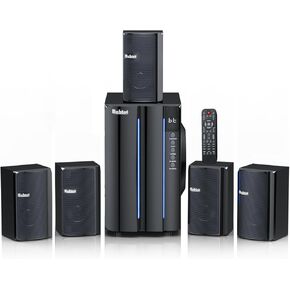 نظام الصوت المحيطي للمسرح المنزلي Bobtot للتلفزيون - 6.5 بوصة مضخم صوت 800W Peak Deep Bass 5.1 مكبرات صوت سلكية سلكية الدعم السلكية الدعم Stereo Systems HDMI ARC Optical Bluetooth Aux
KWD 64
نظام الصوت المحيطي للمسرح المنزلي Bobtot للتلفزيون - 6.5 بوصة مضخم صوت 800W Peak Deep Bass 5.1 مكبرات صوت سلكية سلكية الدعم السلكية الدعم Stereo Systems HDMI ARC Optical Bluetooth Aux
KWD 64
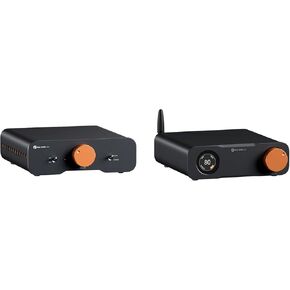 FOSI Audio ZD3 سطح المكتب DAC preamp ، رقمي متوازن تمامًا إلى محول الصوت التناظري و FOSI Audio ZA3 مضخم صوت مستريمي متواز
KWD 109.500
FOSI Audio ZD3 سطح المكتب DAC preamp ، رقمي متوازن تمامًا إلى محول الصوت التناظري و FOSI Audio ZA3 مضخم صوت مستريمي متواز
KWD 109.500




