- التسوق ، اصبح سهلا.
- /
- احصل على التطبيق!
Features:
1. This colorful is with a resolution of 480x320 dots.
2. Compatible and can be directly plugged into all versions of for motherboards.
3. It is a with , convenient and easy to use.
4. Built to strict quality control standards, design improved for more durability.
5. Long service life, not easy to damage, you can use for a long time.
Specification:
Item Type:
Resolution: 480x320 (dots)
Type:
Size: Approx. 85.42x55.60mm/3.36x2.19in
Package List:
1 x
1 x
Instructions:
This product supports the custom installation of for Raspbian, for Ubuntu image, which can be fully driven in just two steps:
Step 1: Install the for Raspbian official image
1) Download the latest for Raspbian image from the official for .
2) Format the TF card with for SDFormatter.
3) Use for Win32DiskImager to burn the official image to the TF card.
Step 2: Install the LCD driver

 شاشة ألعاب سامسونج Odyssey G3 مقاس 27 بوصة بدقة FHD 1080 بكسل، 144 هرتز، 1 مللي ثانية، حدود ثلاثية الجوانب، متوافقة مع معايير VESA، حامل قابل لضبط الارتفاع، FreeSync Premium (LF27G35TFWNXZA)
KWD 77.500
شاشة ألعاب سامسونج Odyssey G3 مقاس 27 بوصة بدقة FHD 1080 بكسل، 144 هرتز، 1 مللي ثانية، حدود ثلاثية الجوانب، متوافقة مع معايير VESA، حامل قابل لضبط الارتفاع، FreeSync Premium (LF27G35TFWNXZA)
KWD 77.500
 -20%
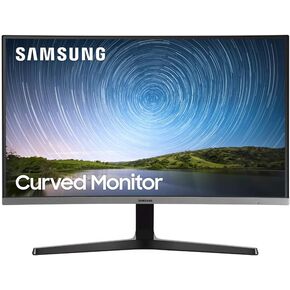
شاشة كمبيوتر سامسونج فل اتش دي 1080 بيكسل
KWD 66.500
-20%
شاشة كمبيوتر سامسونج فل اتش دي 1080 بيكسل
KWD 66.500
 شاشة LG 28MQ750-C مقاس 28 بوصة SDQHD (2560 x 2880) Nano IPS DualUp مع حامل قابل للإمالة/الارتفاع/الدوران، DCI-P3 98% (Typ.) HDR10، USB Type-C (90W PD) - أسود
KWD 253.500
شاشة LG 28MQ750-C مقاس 28 بوصة SDQHD (2560 x 2880) Nano IPS DualUp مع حامل قابل للإمالة/الارتفاع/الدوران، DCI-P3 98% (Typ.) HDR10، USB Type-C (90W PD) - أسود
KWD 253.500
 شاشة مؤتمرات الفيديو ASUS مقاس 23.8 بوصة بدقة 1080 بكسل (BE24EQSK) - دقة عالية كاملة، IPS، كاميرا ويب مدمجة قابلة للتعديل بدقة 2 ميجابكسل، ميكروفون بتقنية الذكاء الاصطناعي لإلغاء الضوضاء، مكبرات صوت، العناية بالعين، منفذ DisplayPort، HDMI، قابل للتثبيت عل
KWD 66.500
شاشة مؤتمرات الفيديو ASUS مقاس 23.8 بوصة بدقة 1080 بكسل (BE24EQSK) - دقة عالية كاملة، IPS، كاميرا ويب مدمجة قابلة للتعديل بدقة 2 ميجابكسل، ميكروفون بتقنية الذكاء الاصطناعي لإلغاء الضوضاء، مكبرات صوت، العناية بالعين، منفذ DisplayPort، HDMI، قابل للتثبيت عل
KWD 66.500




