- التسوق ، اصبح سهلا.
- /
- احصل على التطبيق!
This adapter is compatible with the following MacBook models:
Note: Requires macOS 10.13 High Sierra or later
MacBook Pro:
2013 MacBook Pro Retina A1398 A1502 ME864 ME865 ME866 ME293 ME294
2014 MacBook Pro Retina A1502 A1398 MGX72 MGX82 MGX92 MGXA2 MGXC2
MacBook Pro Retina A1398 2015 MF839 MF840 MF841 MJLU2 MJLT2 MJLQ2
MacBook Air:
2013 to 2014 MacBook Air A1465 A1466 (MD711 MD712 MD760 MD761
MacBook Air A1465 A1466 2015 MJVM2 MJVP2 MJVE2 MJVG2 MMGF2 MMGG2
2017 MacBook Air A1466 MQD32 MQD42 MQD52
and MacBook Pro ME252 MD878 for iMAC A1419 later 2013 onwards
Support for M.2 PCIe SSD NGFF
Samsung: 960 Evo, 960 Pro, 970 Evo, 970 Pro
Intel: 600p, 660p, 760p, etc
WD Black NVME SSD V1, V2, V3
Fundamental: P1
Corsair: MP500, MP510
KingSton: A1000, A2000, KC1000
HP: ex920, ex950
How to use
1. Make sure to install High Sierra on your old drive, so that newer firmware is installed that can handle NVME
2. For your old driver, make a full backup via Time Machine; Create a High Sierra installer on a bootable USB stick
3. Open the MacBcook and turn off the power while you turn off the drive and make sure both the adapter and the new SSD are in place
4. Reconnect the power before closing the shell
5. Insert the USB stick installer from step 2 and press the option key while the machine starts
6. Finally, once finished, you can now access the disk utilities to format and install the MAC operating system
If you are not sure whether the SSD adapter is compatible with your SSD drive, please consult customer service
 بطاقة Riser VER009S-PLUS PCI-E 1X إلى 16X، 8 مكثفات صلبة، كابل طاقة SATA 6PIN، كابل تمديد USB 3.0 بطول 60 سم، مناسب لتعدين GPU Bitcoin Ethereum (6 عبوات)
KWD 7
بطاقة Riser VER009S-PLUS PCI-E 1X إلى 16X، 8 مكثفات صلبة، كابل طاقة SATA 6PIN، كابل تمديد USB 3.0 بطول 60 سم، مناسب لتعدين GPU Bitcoin Ethereum (6 عبوات)
KWD 7
 بطاقة PCIE Riser، بطاقة PCI-E 1X إلى 16X Extender Riser مع كابل تمديد USB3.0 24 بوصة، للتعدين GPU (أبيض - 6 قطع
KWD 4
بطاقة PCIE Riser، بطاقة PCI-E 1X إلى 16X Extender Riser مع كابل تمديد USB3.0 24 بوصة، للتعدين GPU (أبيض - 6 قطع
KWD 4
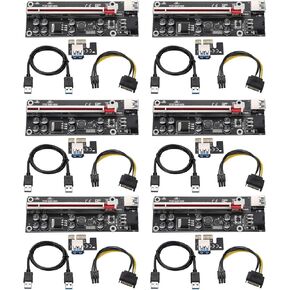 بطاقة Riser PCI-E 1X إلى 16X، وكابل تمديد PCIE، وبطاقة محول Riser V009S-PLUS لتعدين GPU مع كابل تمديد USB3.0 24 بوصة وكابل SATA 6Pin (أسود-6 قطع)
KWD 3.500
بطاقة Riser PCI-E 1X إلى 16X، وكابل تمديد PCIE، وبطاقة محول Riser V009S-PLUS لتعدين GPU مع كابل تمديد USB3.0 24 بوصة وكابل SATA 6Pin (أسود-6 قطع)
KWD 3.500
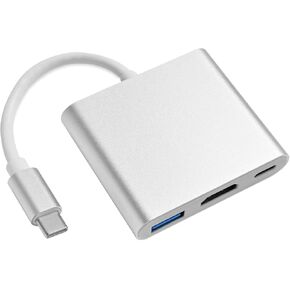 محول USB C إلى HDMI، محول متعدد المنافذ من النوع C إلى HDMI مع مخرج HDMI 4K، 3 في 1 USBC إلى 4K HDMI، منفذ شحن USB3.0 وUSB C، محول USB-C رقمي AV متعدد المنافذ للتلفزيون وجهاز العرض
KWD 2.500
محول USB C إلى HDMI، محول متعدد المنافذ من النوع C إلى HDMI مع مخرج HDMI 4K، 3 في 1 USBC إلى 4K HDMI، منفذ شحن USB3.0 وUSB C، محول USB-C رقمي AV متعدد المنافذ للتلفزيون وجهاز العرض
KWD 2.500




