- التسوق ، اصبح سهلا.
- /
- احصل على التطبيق!
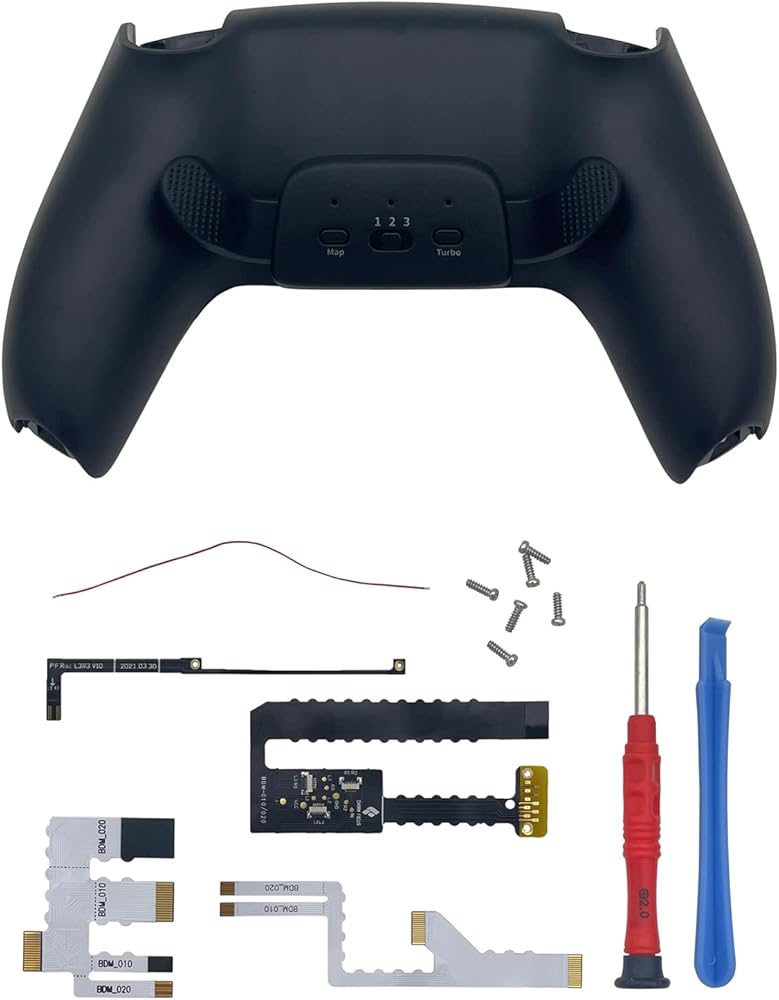
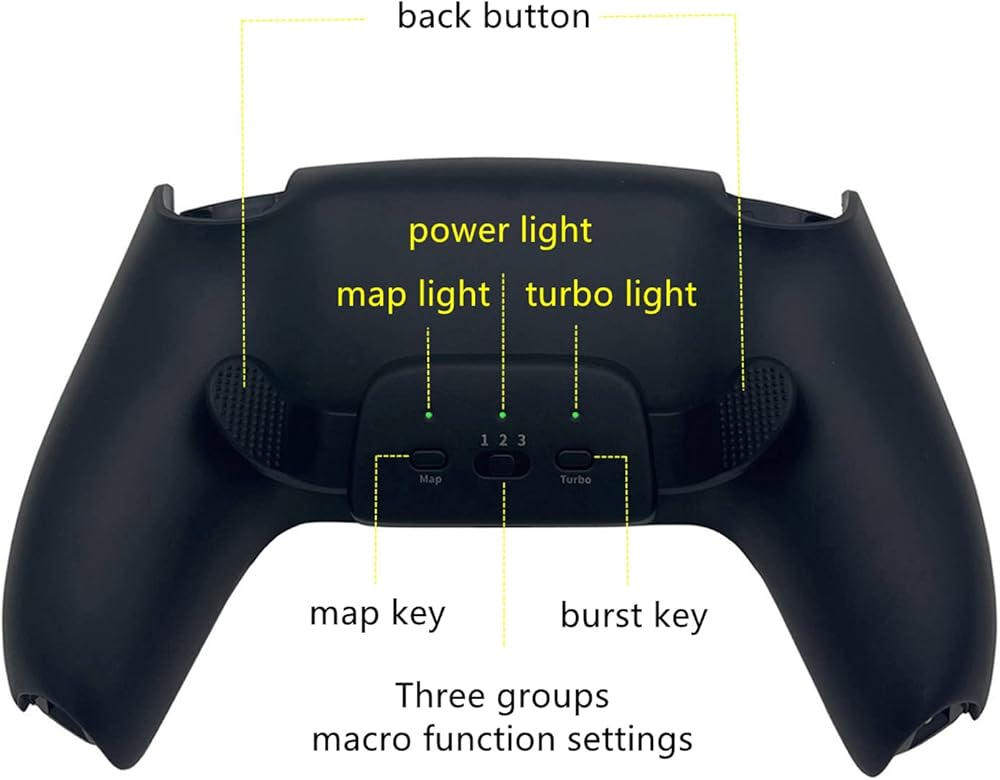
【Mapping function】
① Short press the 'mapping' button, the light bar is always on in orange, which means that the button mapping function can be set.
②Press and hold one of the back clip buttons and any function key of the handle for 1S at the same time, the light bar flashes orange; for 3 times and turns steady on, indicating that the back clip key mapping setting is successful.
③ After the setting is completed, short press the 'mapping' button again, the orange light bar will turn off,and exit the mapping function setting. At this time, you can use the back clip button to play the game normally.
【Burst function】
The burst function can be set to any back clip button, and supports three-speed burst speed adjustment.
① Short press the 'Burst' button, the blue light bar is always on, which means that the button burst function can be set.
②Shortly press one of the back clip buttons, the burst speed of the back clip button will be switched according to the cycle of 'slow-fast-ultra-fast-off';The blue of the light bar is indicated by the corresponding cycle switching of 'slow flashing-fast flashing-ultra-fast flashing-steady on'.
③ After the setting is completed, short press the 'Burst' button again, the blue light bar will turn off, and exit the button burst function setting.At this time, you can use the back clip button to play the game normally.
【Clear reset】
Press and hold the 'Mapping' and 'Burst' buttons for 2S at the same time, the blue and orange will light up for 2S at the same time indicating that all button settings are successfully cleared.
【memory function】
After the product is powered off, the mapping function is saved, but the burst function is not saved,
and the last mapping function is used by default when the product is turned on again. The burst function needs to be reset.
 4 قطع إصدار أفقي من Onyehn دعامة رفع مضادة للانزلاق لجهاز Xbox one/S/X Console الأفقية ألعاب تبريد الساقين حامل الملحقات (أخضر مضيء)
KWD 5
4 قطع إصدار أفقي من Onyehn دعامة رفع مضادة للانزلاق لجهاز Xbox one/S/X Console الأفقية ألعاب تبريد الساقين حامل الملحقات (أخضر مضيء)
KWD 5
 اونيهن 20 قطعة من مستشعر الجهد البديل لذراع تحكم Xbox One وPS3 وPS4 وسويتش برو، قطع غيار حشية لاصلاح عصا التحكم التناظرية لعصا الابهام
KWD 4.500
اونيهن 20 قطعة من مستشعر الجهد البديل لذراع تحكم Xbox One وPS3 وPS4 وسويتش برو، قطع غيار حشية لاصلاح عصا التحكم التناظرية لعصا الابهام
KWD 4.500
 حقيبة بديلة لعجلة القيادة الصغيرة ثلاثية الأبعاد من أونيان، نموذج سائق محاكاة عجلة ألعاب لمفاتيح ألعاب إكس بوكس ون / ون إس/ ون إكس / إيليت
KWD 7
حقيبة بديلة لعجلة القيادة الصغيرة ثلاثية الأبعاد من أونيان، نموذج سائق محاكاة عجلة ألعاب لمفاتيح ألعاب إكس بوكس ون / ون إس/ ون إكس / إيليت
KWD 7
 مجموعة أدوات إصلاح لواجهة فتحة بطاقة SD صغيرة من Onyehn لنظام ألعاب نينتندو سويتش NS TF SD فتحة بطاقة SD
KWD 4.500
مجموعة أدوات إصلاح لواجهة فتحة بطاقة SD صغيرة من Onyehn لنظام ألعاب نينتندو سويتش NS TF SD فتحة بطاقة SD
KWD 4.500