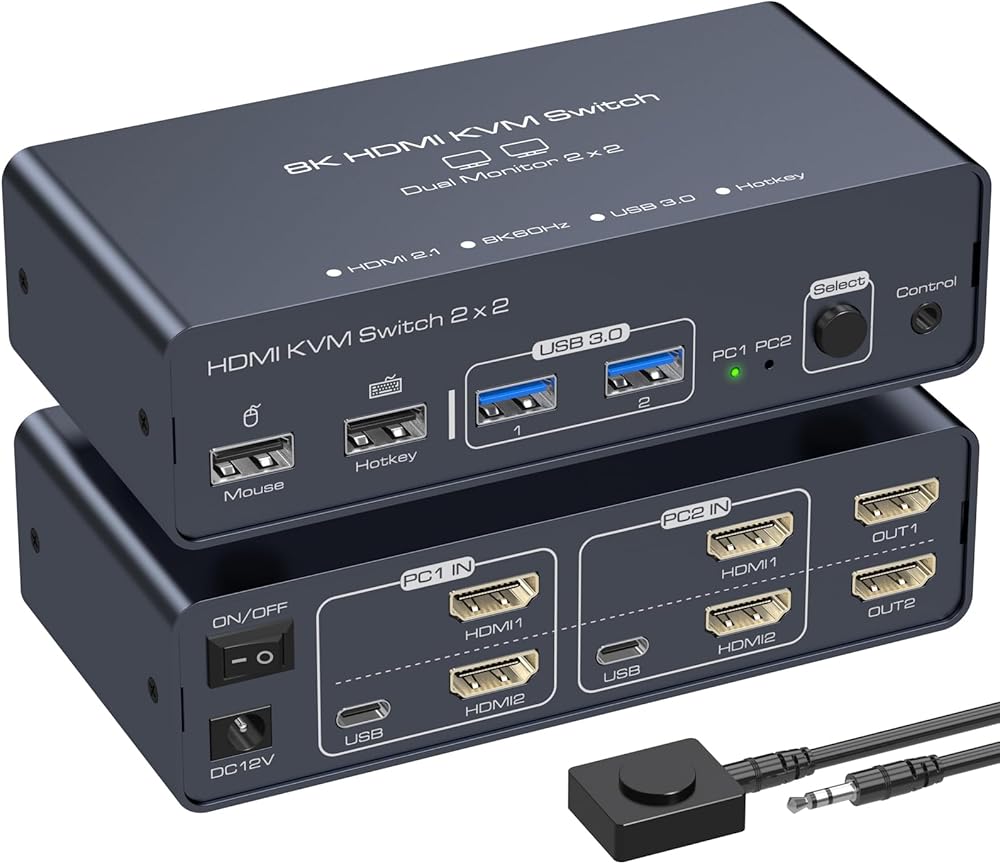
KVM Switch 2 شاشات 2 أجهزة كمبيوتر 8K60 هرتز 4K120 هرتز KVM Switches HDMI KVM Switch شاشة مزدوجة تسمح لجهازي كمبيوتر بمشاركة شاشتين و4 أجهزة USB مع دعم تبديل مفتاح التشغيل السريع
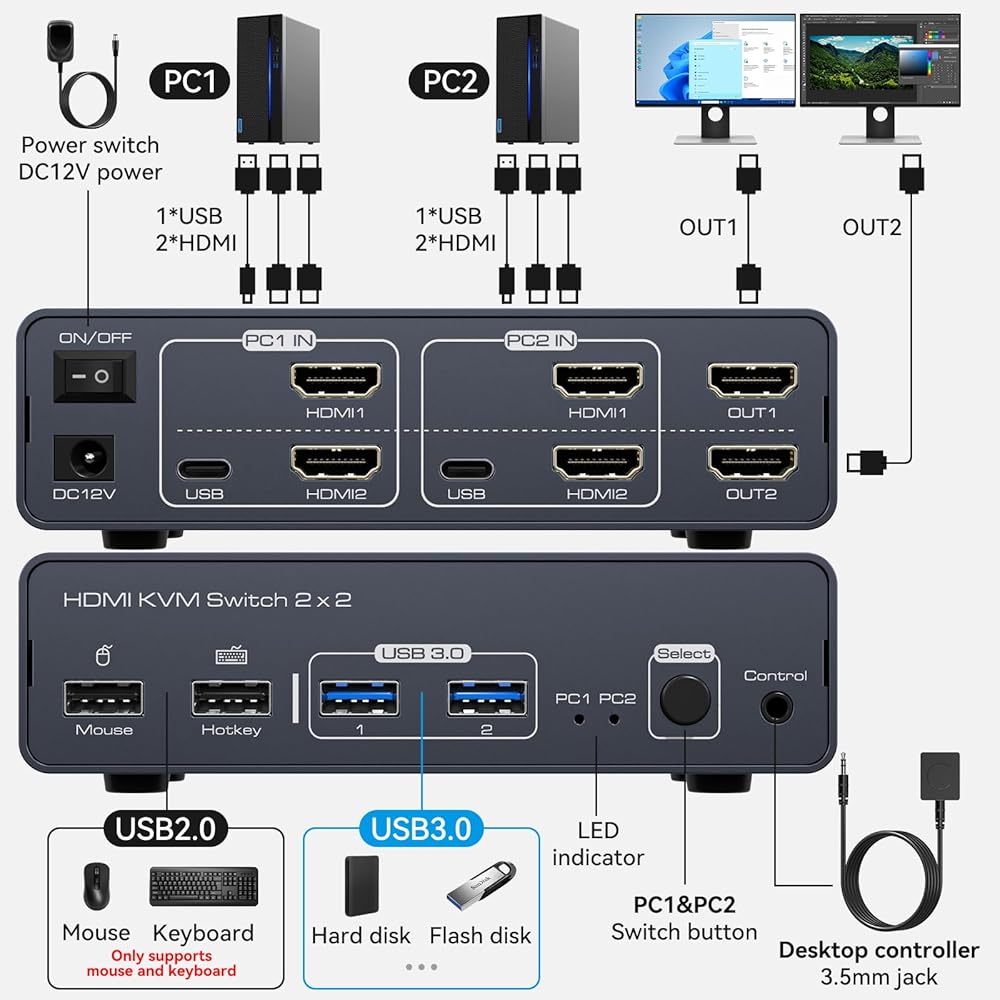
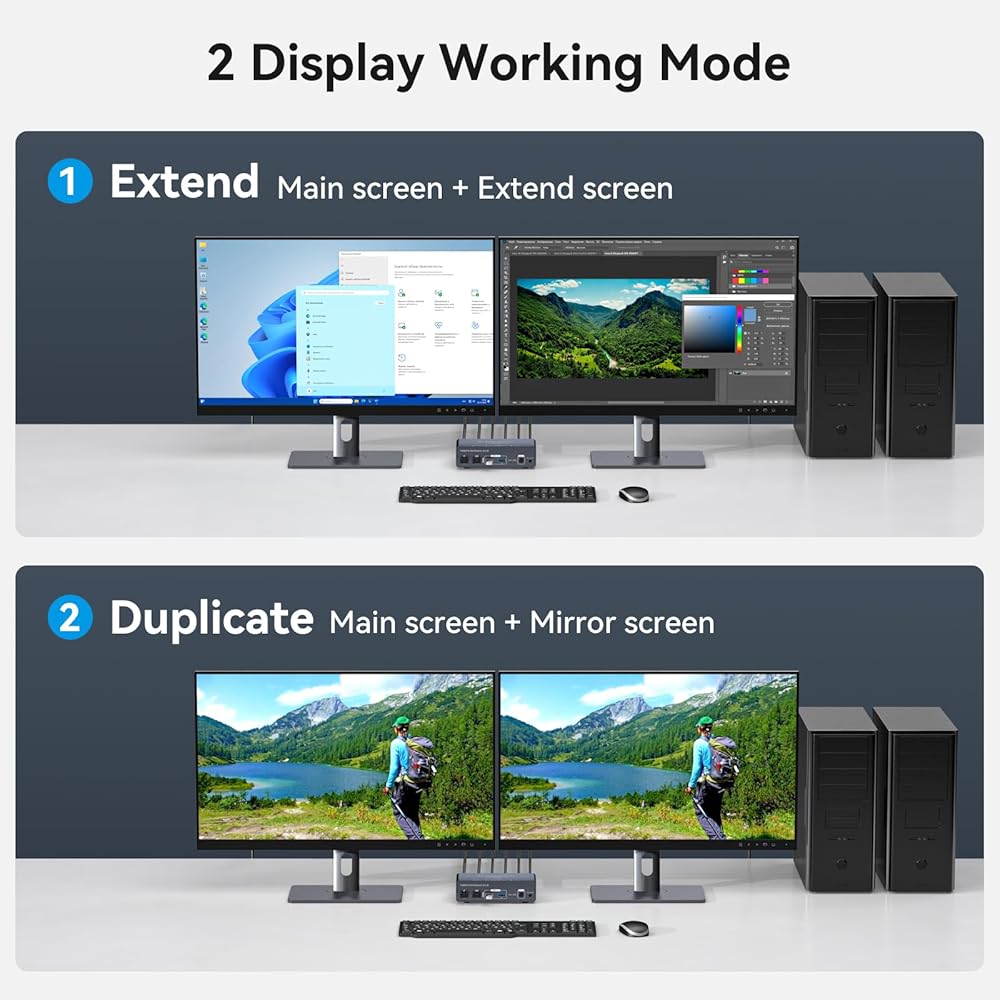
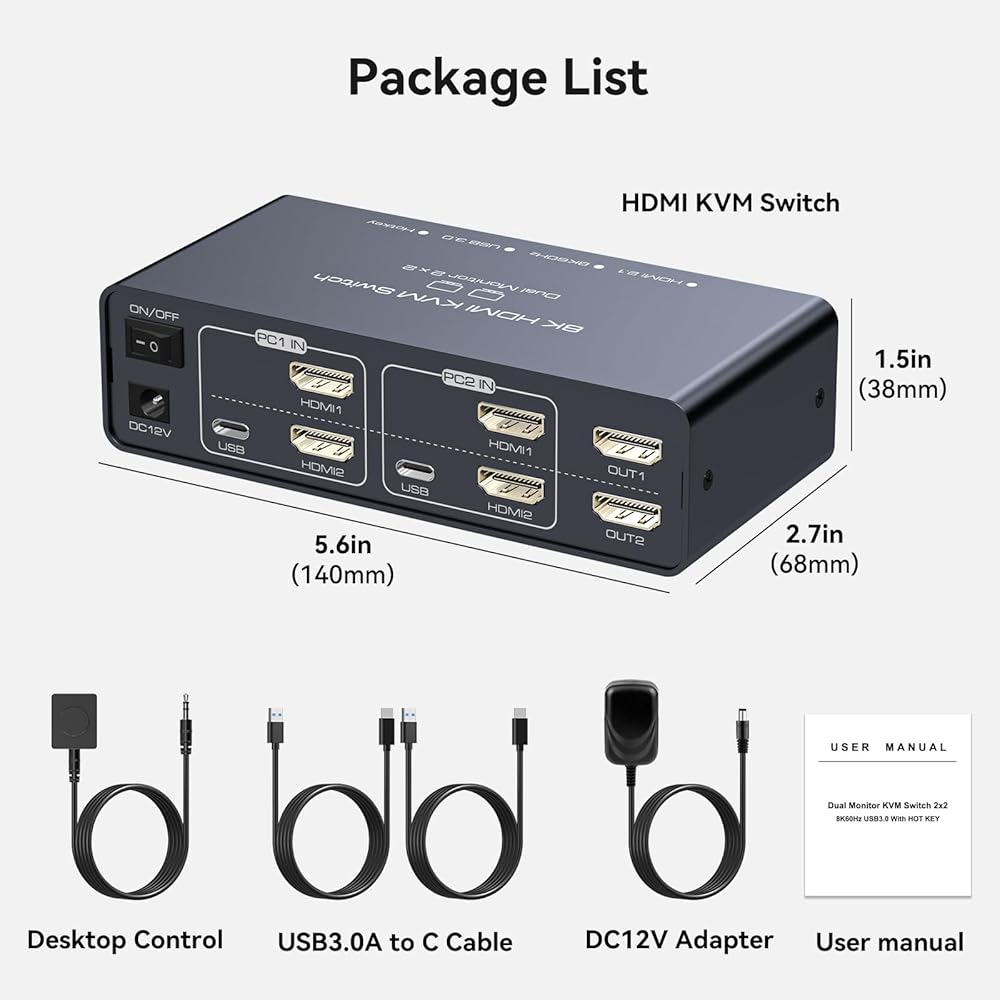
【KVM Switch 2 Monitors 2 Computers】The kvm switch dual monitor allows 2 computers or laptops to share 2 displays and 4 USB ports, such as for a mouse, keyboard, printer, hard drive, etc. It also supports extended and duplicate modes. In extended mode, you can move some application windows from the main screen to the secondary screen, improving work efficiency. In duplicate mode, the two displays will output the same screen. Note: Please ensure that your computer supports multi-screen displays and has at least 2 HDMI ports.
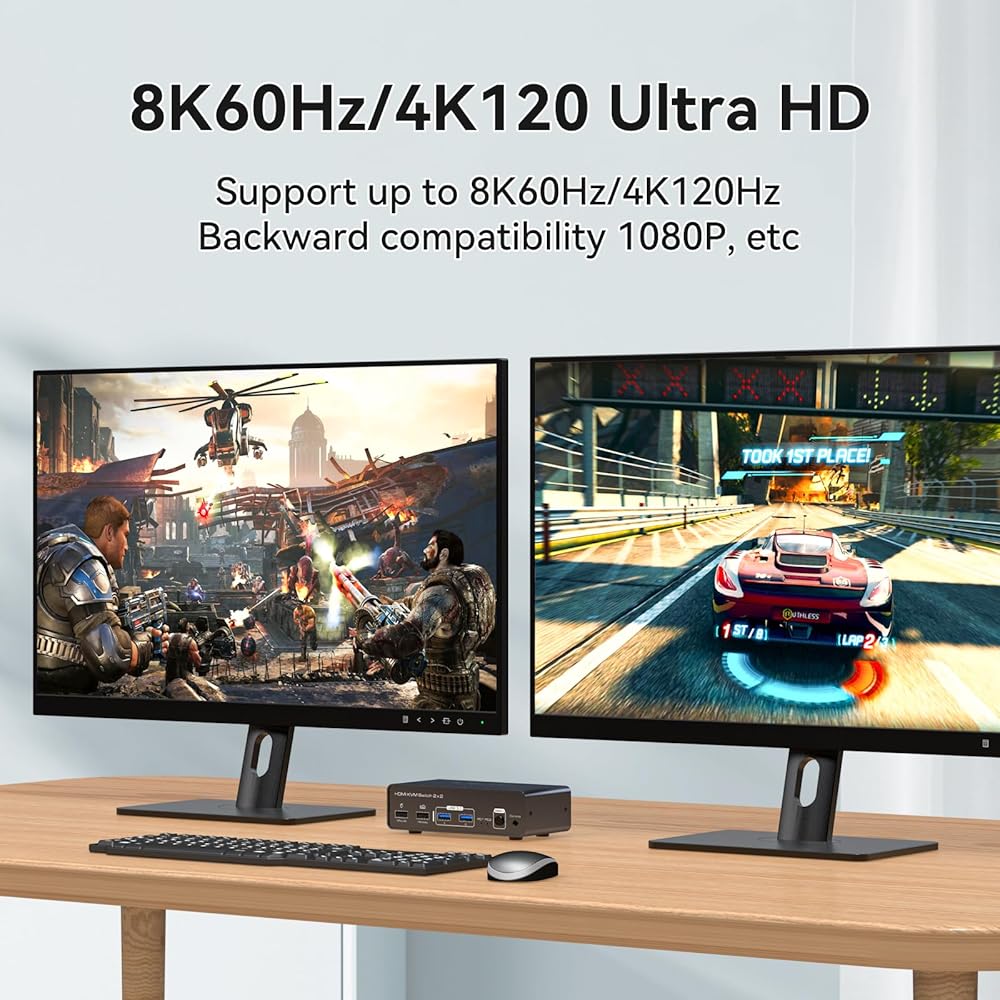
【Ultra HD 8K@60HZ】The dual monitor kvm switch supports resolutions up to 8K@60Hz and is backward compatible with 4K@120Hz, 1440P@60Hz, 3D, and 1080P@60Hz or lower resolutions. Enjoy unprecedented vibrant colors and exquisite details, and experience immersive viewing pleasure. When switching signal sources, the kvm switch 2 monitors automatically recognizes the display resolution. Note: To achieve the highest resolution, please make sure the signal source, display, and HDMI cable all support 8K@60Hz.
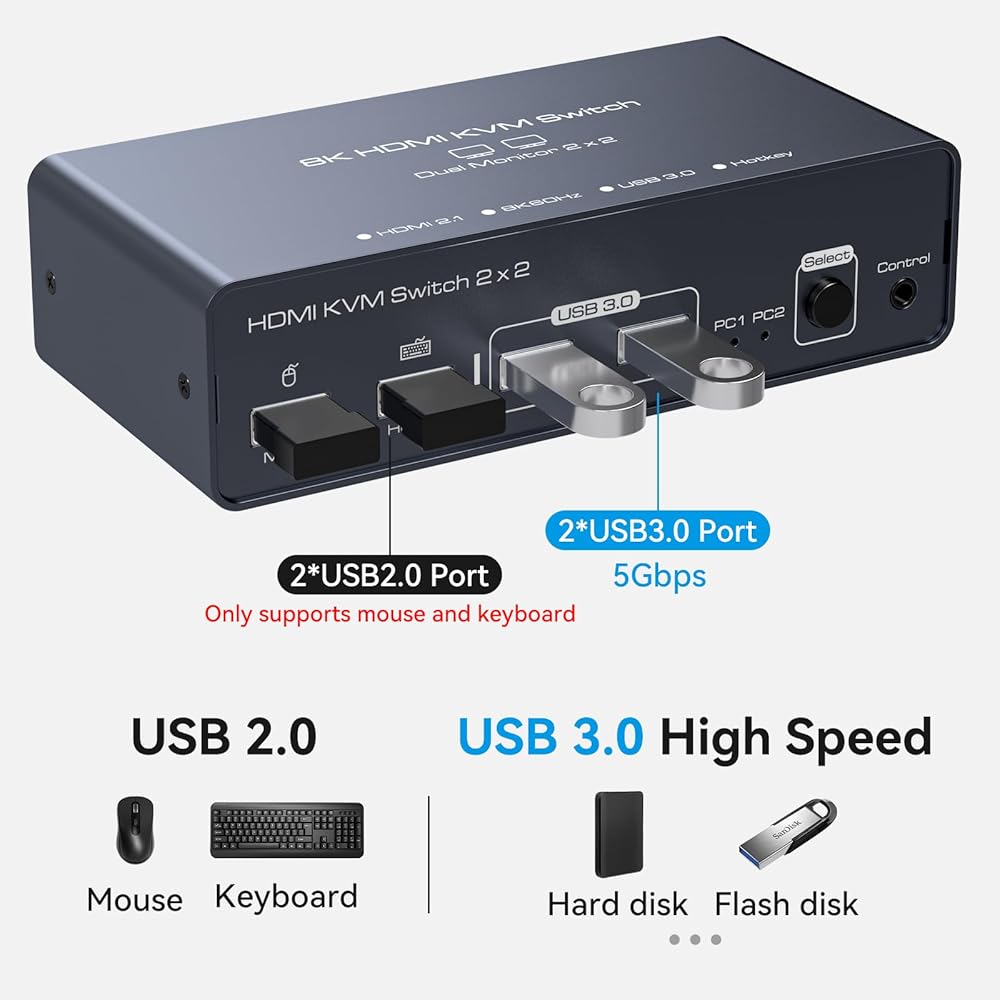
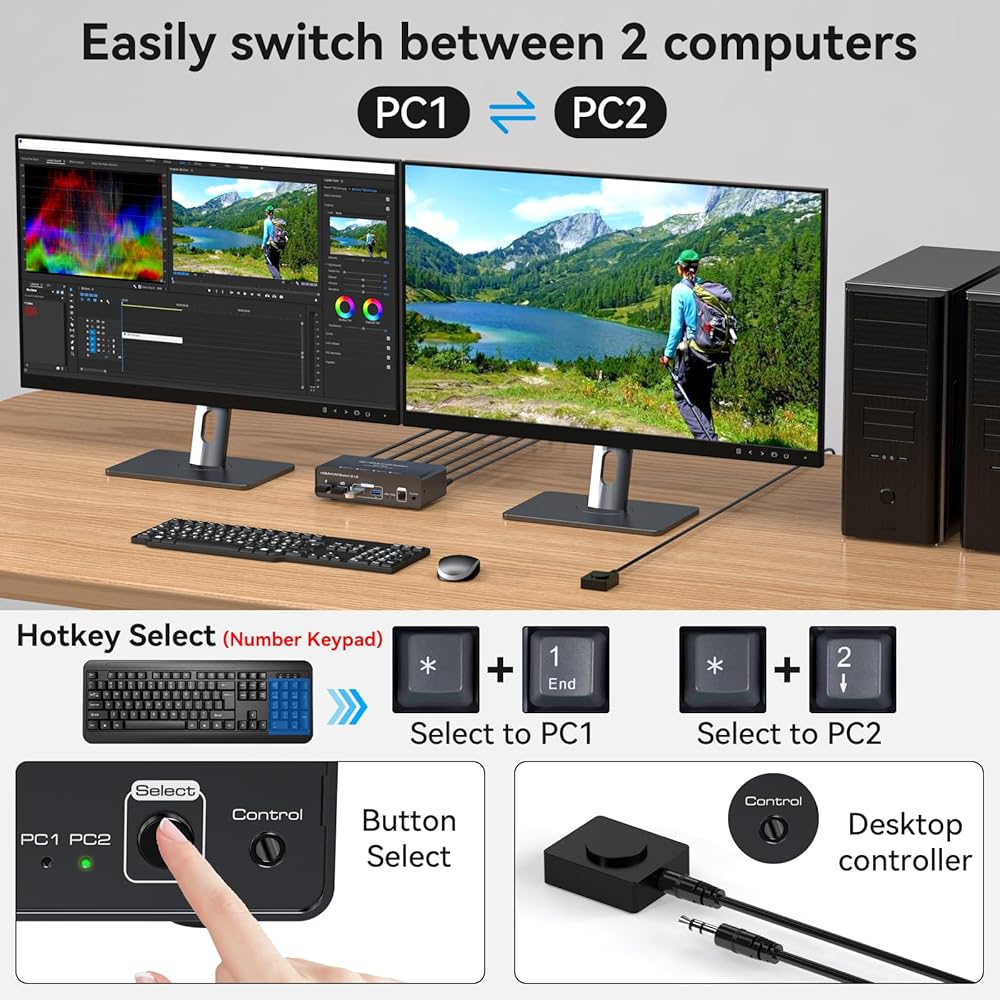
【Support Hotkey Switching and Multiple USB Ports】The 2 computer 2 monitor switch supports hotkey switching - pressing the "*" and "1" keys on the NumPad switches to PC1, while pressing "*" and "2" keys switches to PC2. The kvm switch has 2 USB 1.1 ports and 2 USB 3.0 ports. USB 1.1 ports can only connect mice and keyboards, while USB 3.0 ports can connect USB drives or hard drives. The USB 3.0 interface has a transfer speed of up to 5 Gbps, allowing for faster access to external device data, while also being backward compatible with USB 2.0.
【Two Switching Options】The 8k hdmi kvm switch provides two switching options: 1. Simply press the selection button on the device to switch the signal source. The signal indicator next to the selection button will display the active signal source. 2. You can use the wired remote button to place the KVM switch outside of your work area and switch with a single button press. Note: Switching via hotkeys is not supported.
【Wide Compatibility】The kvm switches is compatible with Windows, Vista, XP, Linux, and Unix operating systems, making it suitable for office, meeting room, and multimedia classroom environments. If you encounter any problems during use, please contact our after-sales support team for professional solutions.
 YOTUO محرك أقراص DVD خارجي USB 3.0 نوع C محمول قارئ أقراص DVD ROM إعادة كتابة محرك الأقراص الضوئية RW لاعب الكاتب مع كمبيوتر محمول سطح المكتب لنظام التشغيل Windows 7/11/10 Mac Pro/Air MacBook
KWD 7
YOTUO محرك أقراص DVD خارجي USB 3.0 نوع C محمول قارئ أقراص DVD ROM إعادة كتابة محرك الأقراص الضوئية RW لاعب الكاتب مع كمبيوتر محمول سطح المكتب لنظام التشغيل Windows 7/11/10 Mac Pro/Air MacBook
KWD 7
 محرك أقراص DVD Vicue Blu-Ray لجهاز PS3 Slim 160GB CECH-2501A KEM-450DAACECH-2501 CECH-2502A CECH-2503A
KWD 25
محرك أقراص DVD Vicue Blu-Ray لجهاز PS3 Slim 160GB CECH-2501A KEM-450DAACECH-2501 CECH-2502A CECH-2503A
KWD 25
 Nooelec Lana - وحدة مضخم صوت منخفض الضوضاء للغاية (LNA) للترددات اللاسلكية والراديو المحدد بالبرمجيات (SDR) مع العلبة والملحقات. قدرة تردد عريضة النطاق 20 ميجاهرتز - 4000 ميجاهرتز مع خيارات طاقة USB وBias Tee
KWD 14.500
Nooelec Lana - وحدة مضخم صوت منخفض الضوضاء للغاية (LNA) للترددات اللاسلكية والراديو المحدد بالبرمجيات (SDR) مع العلبة والملحقات. قدرة تردد عريضة النطاق 20 ميجاهرتز - 4000 ميجاهرتز مع خيارات طاقة USB وBias Tee
KWD 14.500
 1080P HDMI KVM Fiber Extender دقة الفيديو تصل إلى 2K @ 60 هرتز HDMI إلى محول الألياف مسافة نقل تصل إلى 20 كم 4.25 جيجابت في الثانية يدعم لوحة مفاتيح ماوس USB RS232 GPIO إشارة صوت ستيريو ثنائي الاتجاه
KWD 97.500
1080P HDMI KVM Fiber Extender دقة الفيديو تصل إلى 2K @ 60 هرتز HDMI إلى محول الألياف مسافة نقل تصل إلى 20 كم 4.25 جيجابت في الثانية يدعم لوحة مفاتيح ماوس USB RS232 GPIO إشارة صوت ستيريو ثنائي الاتجاه
KWD 97.500