- التسوق ، اصبح سهلا.
- /
- احصل على التطبيق!
Power Strip Details:
Power Rating: 1250W (10A Max)
2 AC Input: 100-240V 50/60 Hz
2 USB Output: 1 USB-A + 1 USB-C,5V/3.4A 17W(Max)
Wireless Charging: 15w
Cord Length: 6FT
Alarm Clock Details:Robust Digital Clock: Dimmable Alarm Clock with Dual Alarms, LED digital and snooze function
Time Setting:
To adjust the time, press and hold the DIMMER/SNOOZE/CLOCK button for 2 seconds.
The hour will begin flashing first. Use the UP and DOWN buttons to select the desired hour.
Once you have finished adjusting the hour, press the DIMMER/SNOOZE/CLOCK button again to switch to minute adjustment mode. Use the UP and DOWN buttons to set the desired minute.
Finally, press the DIMMER/SNOOZE/CLOCK button to confirm and complete the time adjustment.
Alarm Setting:
To set the alarm, press and hold AL1 to enter the alarm setting mode.
The display will flash, and you can use the UP or DOWN buttons to select the desired hour.
Press AL1 again to confirm the selected hour and enter the minute setting mode. Once the screen is flashing, use UP or DOWN to select the desired minute.
Press AL1 again to confirm the selected minute, exit the setting mode, and then press AL1 briefly once more.
AL2 can be set in the same way as AL1.
Power failure: Install 2 AAA batteries in the battery compartment to help keep track of the time and alarm settings during a power failure or disconnection of the power cord. During battery-backup mode, the screen will go blank, but the time will continue to run and the alarms will still go off. (The clock display needs to be plugged into electricity to activate.)
Note: The charging station does not support charging function during battery backup mode.


 -18%
الريار لافتات بعبارة No Speed Limit Signs Vintage Reproduction Funny Garage Man Cave لافتة معدنية من الألومنيوم 8 × 12 بوصة
KWD 4.500
-18%
الريار لافتات بعبارة No Speed Limit Signs Vintage Reproduction Funny Garage Man Cave لافتة معدنية من الألومنيوم 8 × 12 بوصة
KWD 4.500
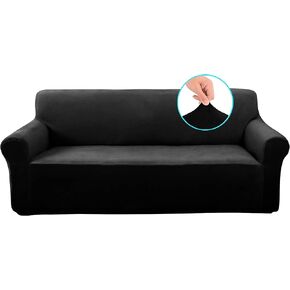 أغطية كراسي مخملية من U-NICE HOME، غطاء كرسي قابل للتمدد، غطاء أريكة قابل للتمدد، واقي أثاث للأريكة، أغطية أريكة للكلاب (كرسي، رمادي داكن)
KWD 11.500
أغطية كراسي مخملية من U-NICE HOME، غطاء كرسي قابل للتمدد، غطاء أريكة قابل للتمدد، واقي أثاث للأريكة، أغطية أريكة للكلاب (كرسي، رمادي داكن)
KWD 11.500
 ديكور الساحرة - ساحرة سالم - الساحرة الطائرة العتيقة - ديكور الحائط القوطي - فن الجدار القوطي - الهدايا الوثنية - الوثنية - ديكور الساحرة المخيف المخيف - ديكور الويكا الويكا - لوازم السحر - السحر الأسود
KWD 5.500
ديكور الساحرة - ساحرة سالم - الساحرة الطائرة العتيقة - ديكور الحائط القوطي - فن الجدار القوطي - الهدايا الوثنية - الوثنية - ديكور الساحرة المخيف المخيف - ديكور الويكا الويكا - لوازم السحر - السحر الأسود
KWD 5.500
 لؤلؤة LWQYHTT لحشو المزهرية والمواد الهلامية المائية الشفافة بدون ثقب حبات اللؤلؤ لديكور طاولة المنزل المركزية لحفلات الزفاف، واللؤلؤ لحامل الفرشاة 130 قطعة (أبيض كريمي، أحمر)
KWD 3.500
لؤلؤة LWQYHTT لحشو المزهرية والمواد الهلامية المائية الشفافة بدون ثقب حبات اللؤلؤ لديكور طاولة المنزل المركزية لحفلات الزفاف، واللؤلؤ لحامل الفرشاة 130 قطعة (أبيض كريمي، أحمر)
KWD 3.500




