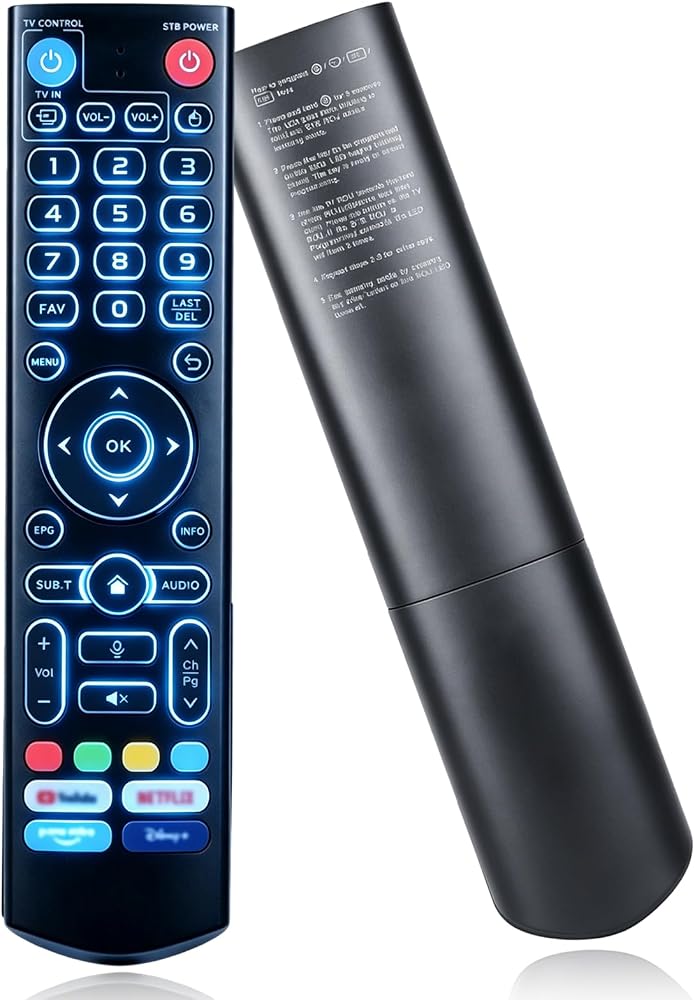
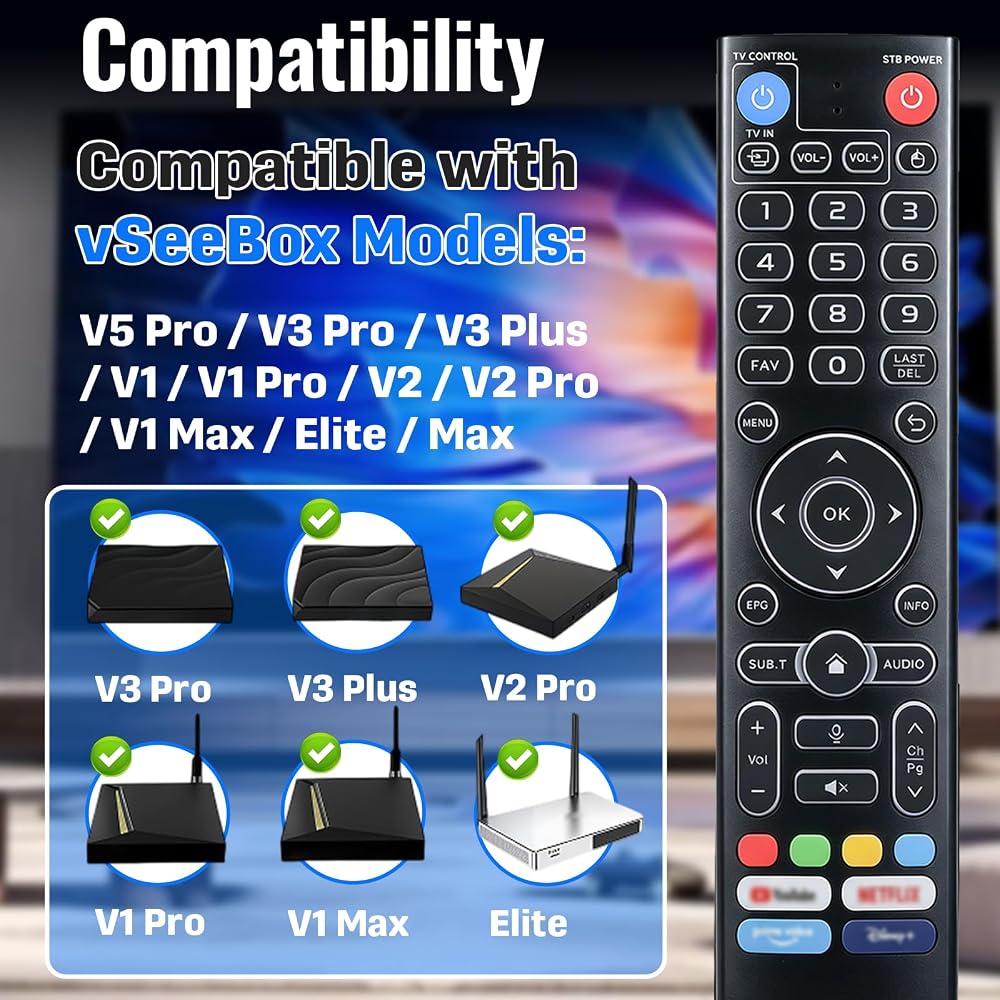
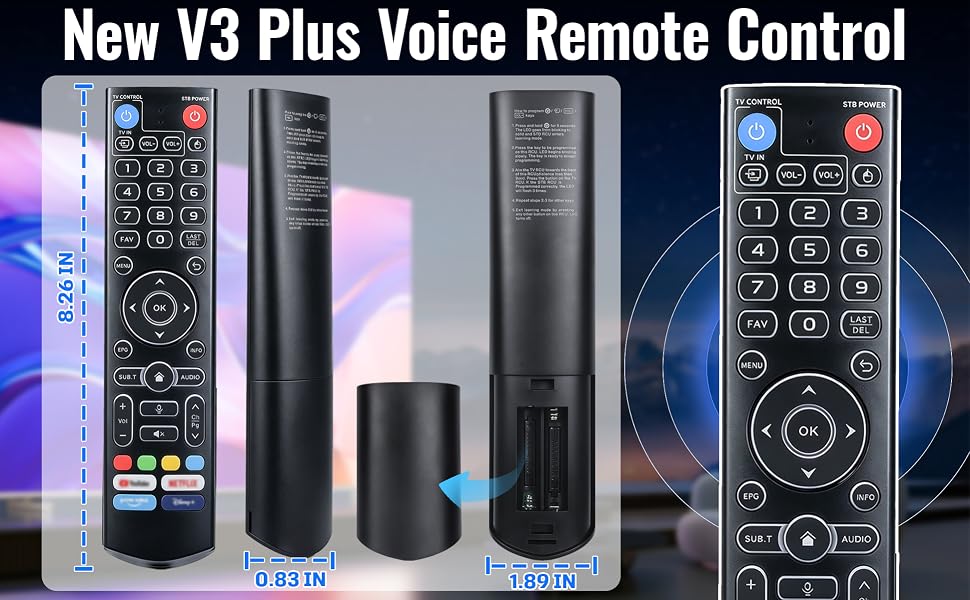
توافق واسع: متوافق مع vSeeBox V5 Pro، V3 Pro، V3 Plus، V1، V1 Pro، V2، V2 Pro، V1 Max، Elite، Max series
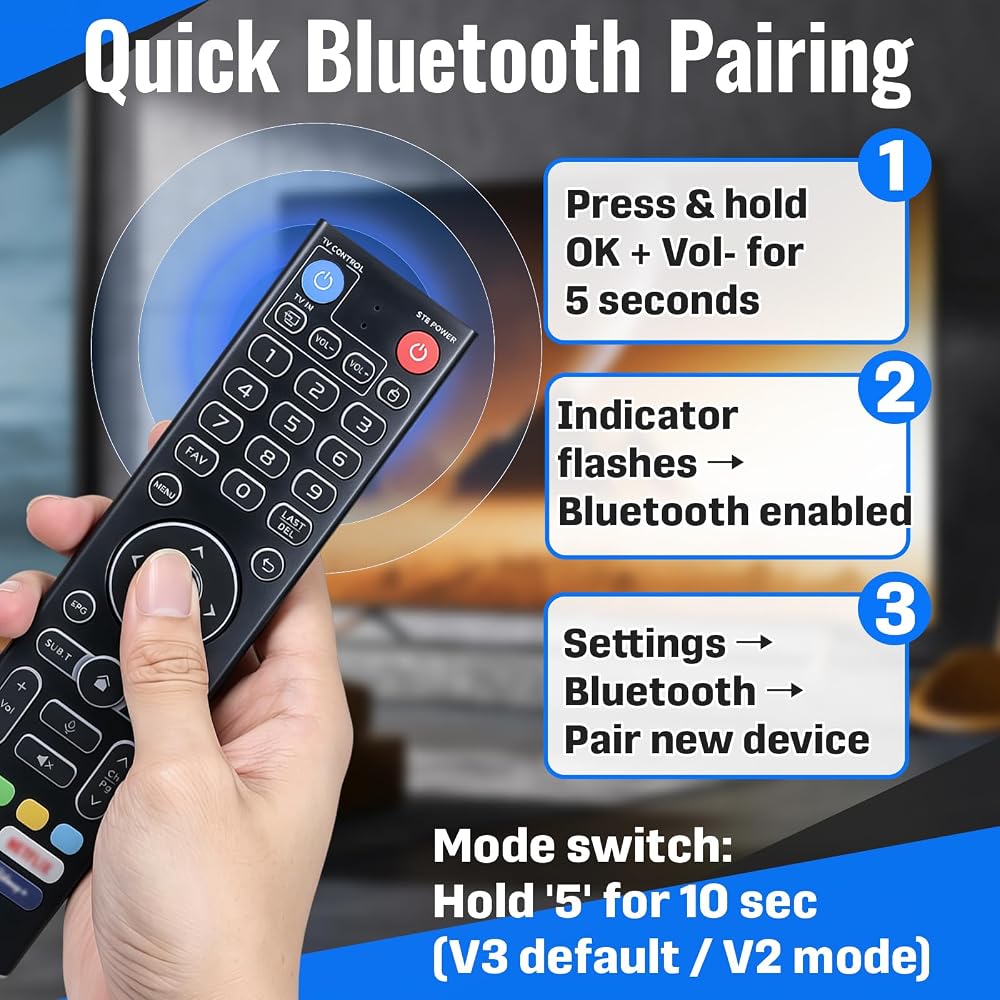
الاقتران السريع بالبلوتوث: اضغط مع الاستمرار على الزرين OK وVol لمدة 5 ثوانٍ حتى يومض المؤشر. انتقل إلى إعدادات النظام - Bluetooth - إقران جهاز جديد. لتبديل وضع V3/V2، اضغط مع الاستمرار على الزر رقم 5 لمدة 10 ثوانٍ (V3 الافتراضي). قم بإزالة الجهاز القديم من النظام في حالة فشل الاقتران
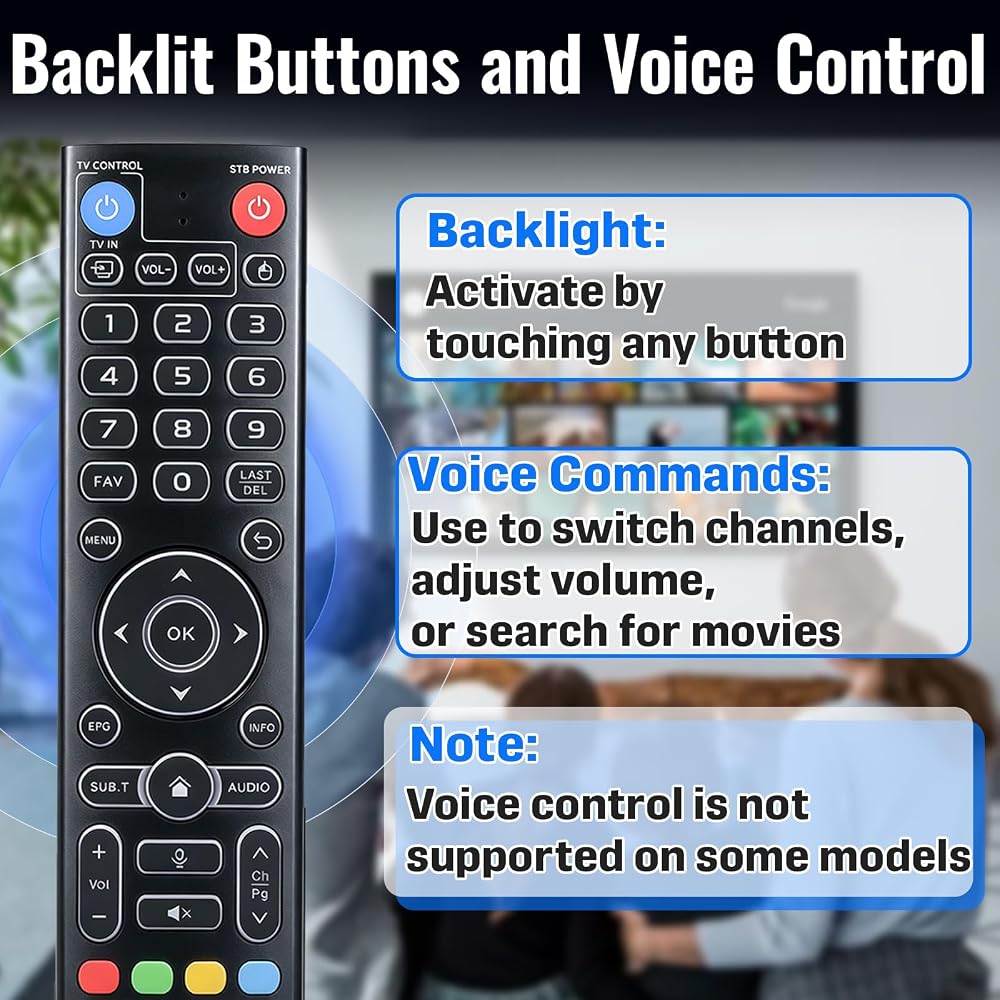
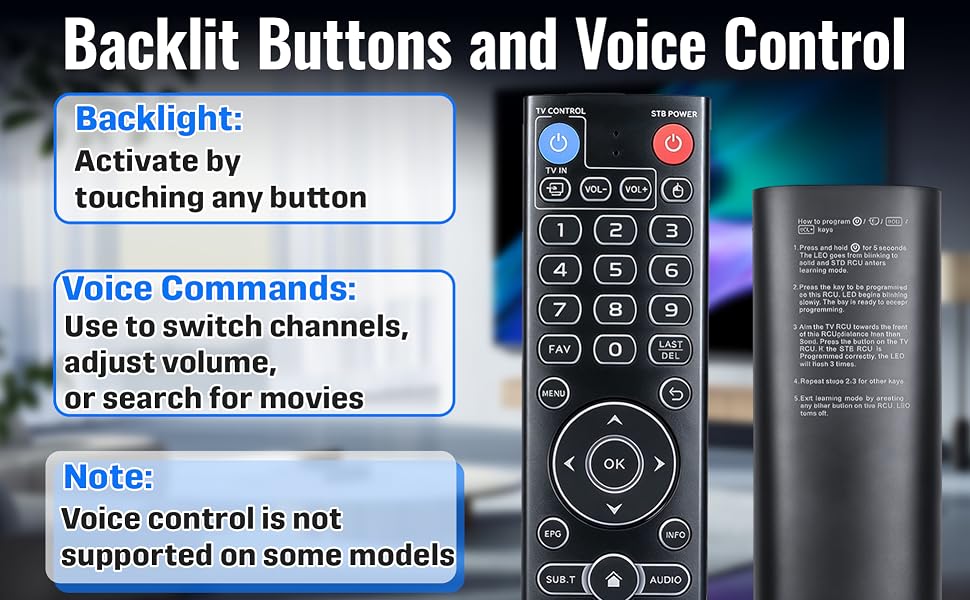
مفاتيح الإضاءة الخلفية والتحكم الصوتي: المس أي زر لتنشيط الإضاءة الخلفية لسهولة الرؤية في الظلام. تسمح الأوامر الصوتية بتبديل القنوات أو تعديل مستوى الصوت أو البحث عن الأفلام. ملحوظة: التحكم الصوتي غير مدعوم في بعض الطرز
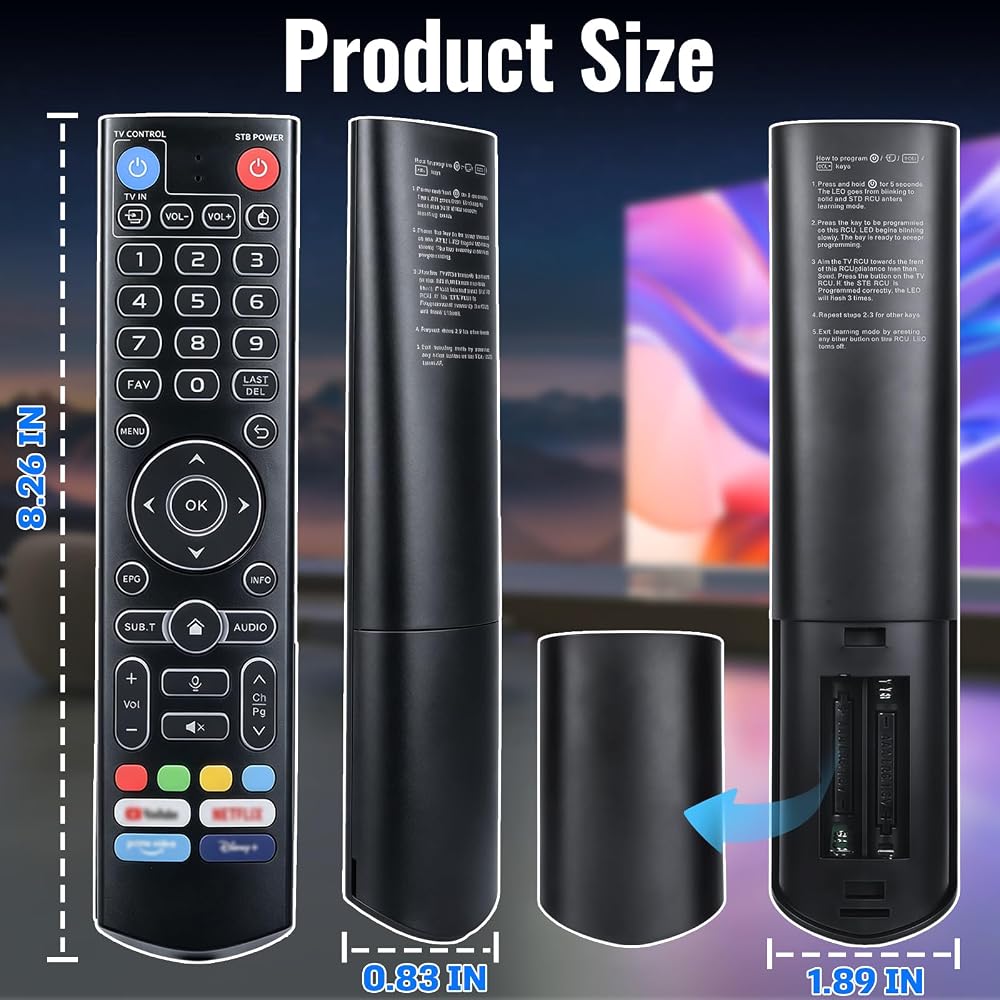
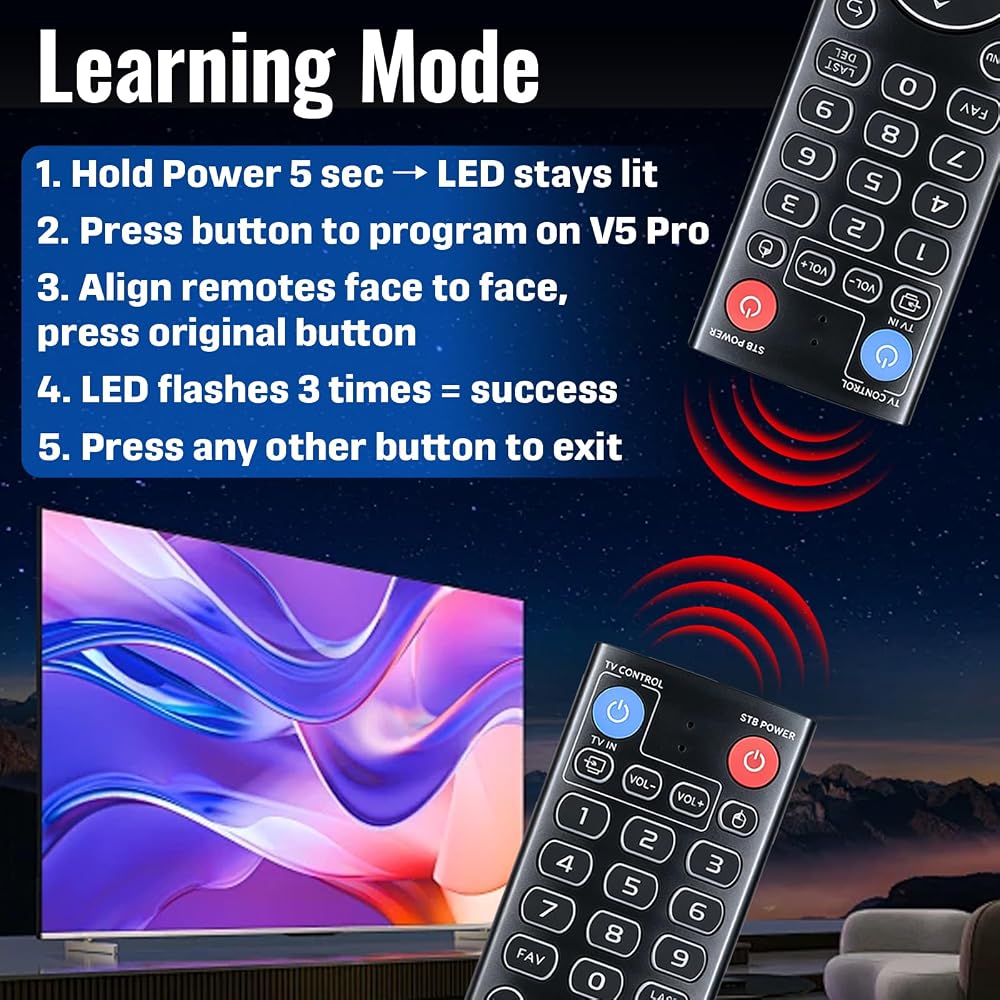
برمجة التعلم: اضغط مع الاستمرار على زر الطاقة لمدة 5 ثوانٍ حتى يظل مؤشر LED مضاءً. اضغط على زر الهدف للبرمجة، وقم بمحاذاة أجهزة التحكم عن بعد وجهاً لوجه، ثم اضغط على الزر المقابل. يومض مؤشر LED 3 مرات عند النجاح. كرر للأزرار الأخرى. اضغط على أي زر آخر للخروج من وضع التعلم
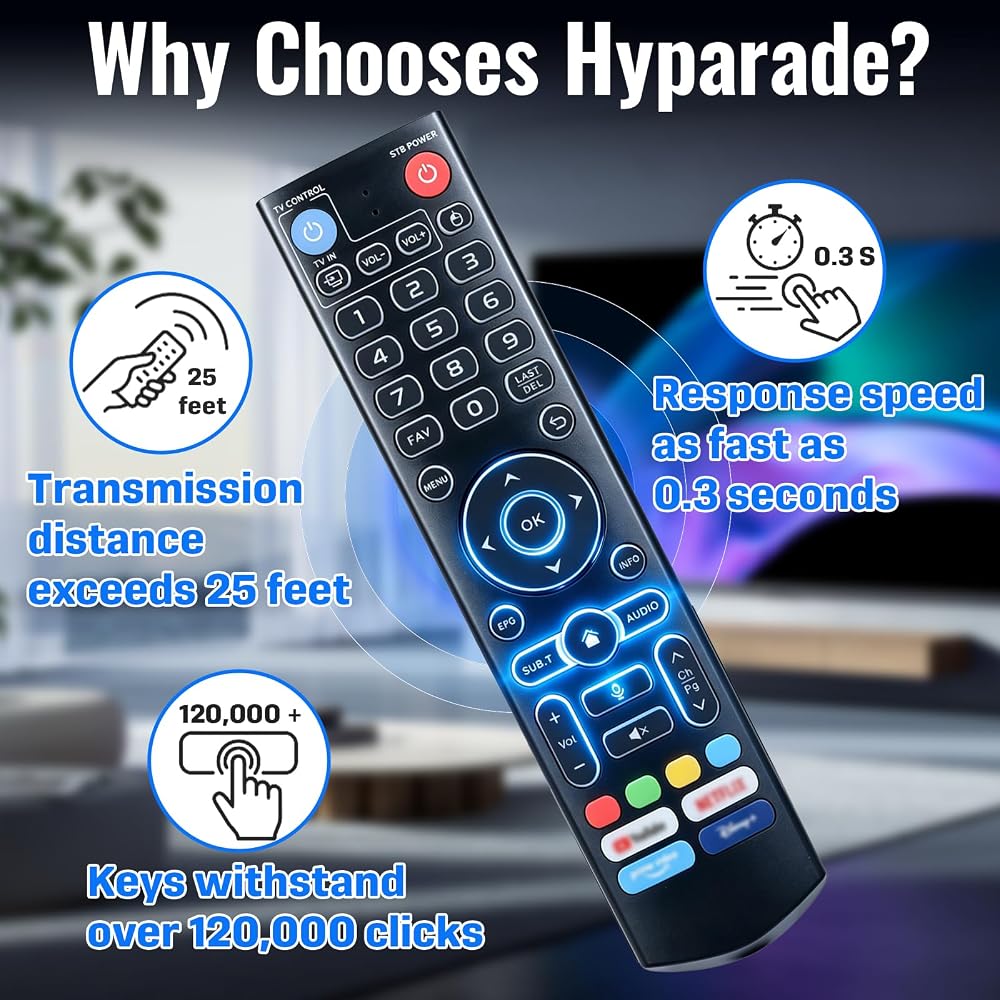
مواد متينة: مصنوعة من بلاستيك أكريلونتريل بوتادين ستايرين والسيليكون، مما يجعل جهاز التحكم عن بعد مريحًا ومتينًا للغاية. يتميز جهاز التحكم عن بعد المطور بمسافة نقل أطول (أكثر من 25 قدمًا)، ووقت استجابة يصل إلى 0.3 ثانية، والأزرار التي تم اختبارها لتحمل أكثر من 120.000 نقرة
 1 in 2 Out Digital Fiber Optic Optical Audio Splitter
KWD 4.500
1 in 2 Out Digital Fiber Optic Optical Audio Splitter
KWD 4.500
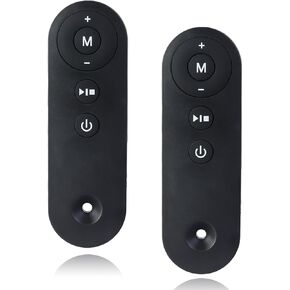 قطعتان من جهاز التحكم عن بعد لجهاز المشي - متوافق مع AD-4000 Plus، DK-38AB-1، DK-38AB-2، UT-38AB IY - ملحق وسادة المشي المنزلية تحت المكتب
KWD 4.500
قطعتان من جهاز التحكم عن بعد لجهاز المشي - متوافق مع AD-4000 Plus، DK-38AB-1، DK-38AB-2، UT-38AB IY - ملحق وسادة المشي المنزلية تحت المكتب
KWD 4.500
 16 قطعة من إسفنجة الفلتر المسبق متوافقة مع فلتر الطاقة AC20 AC30 AC50، استبدال إسفنجة مصفاة السحب، تناسب أحواض المياه العذبة والمياه المالحة
KWD 4
16 قطعة من إسفنجة الفلتر المسبق متوافقة مع فلتر الطاقة AC20 AC30 AC50، استبدال إسفنجة مصفاة السحب، تناسب أحواض المياه العذبة والمياه المالحة
KWD 4
 -17%
2 حزمة من حلقة دعم القرص الدوار للميكروويف مقاس 9.5 بوصة، تناسب صينية زجاجية مقاس 12.75 بوصة، بديلة لـ 5889W2A012F 5889W2A012D 5889W2A012P، متوافقة مع أجهزة الميكروويف MVH1670ST LMV1680BB
KWD 5
-17%
2 حزمة من حلقة دعم القرص الدوار للميكروويف مقاس 9.5 بوصة، تناسب صينية زجاجية مقاس 12.75 بوصة، بديلة لـ 5889W2A012F 5889W2A012D 5889W2A012P، متوافقة مع أجهزة الميكروويف MVH1670ST LMV1680BB
KWD 5

 الكويت