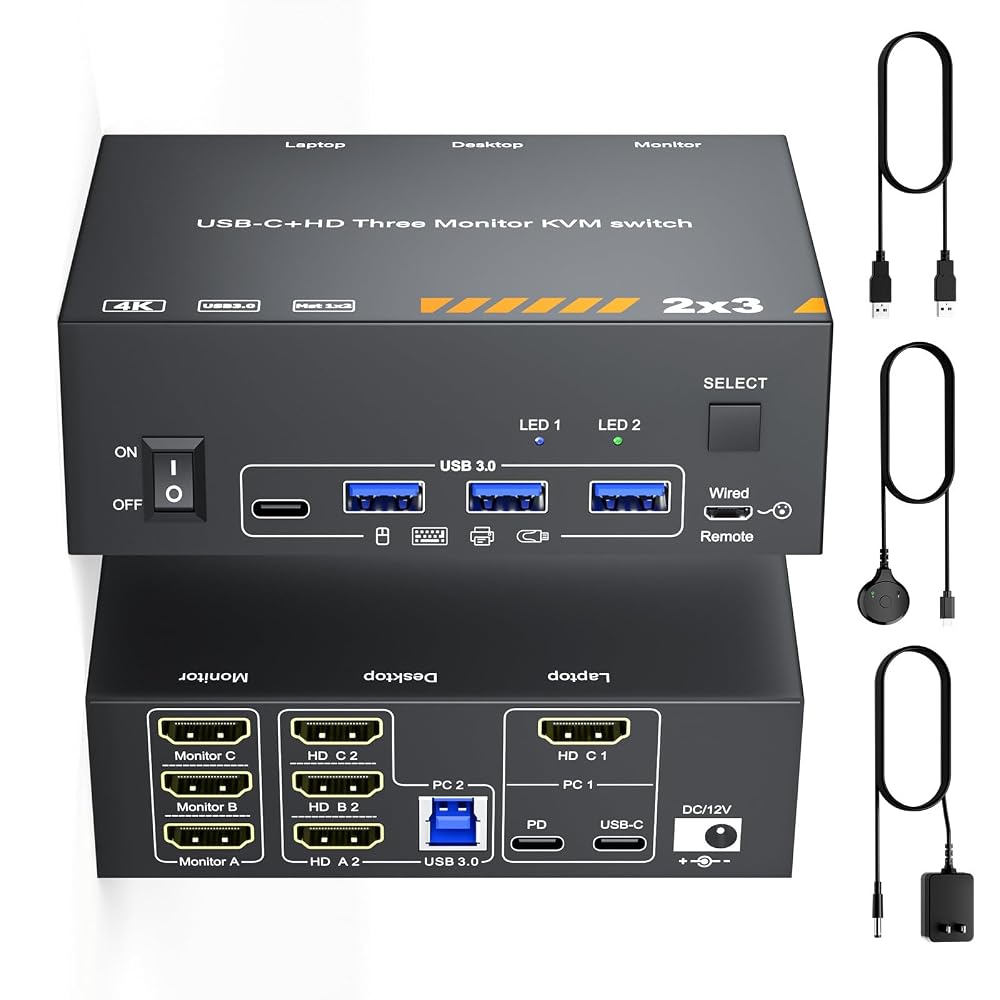
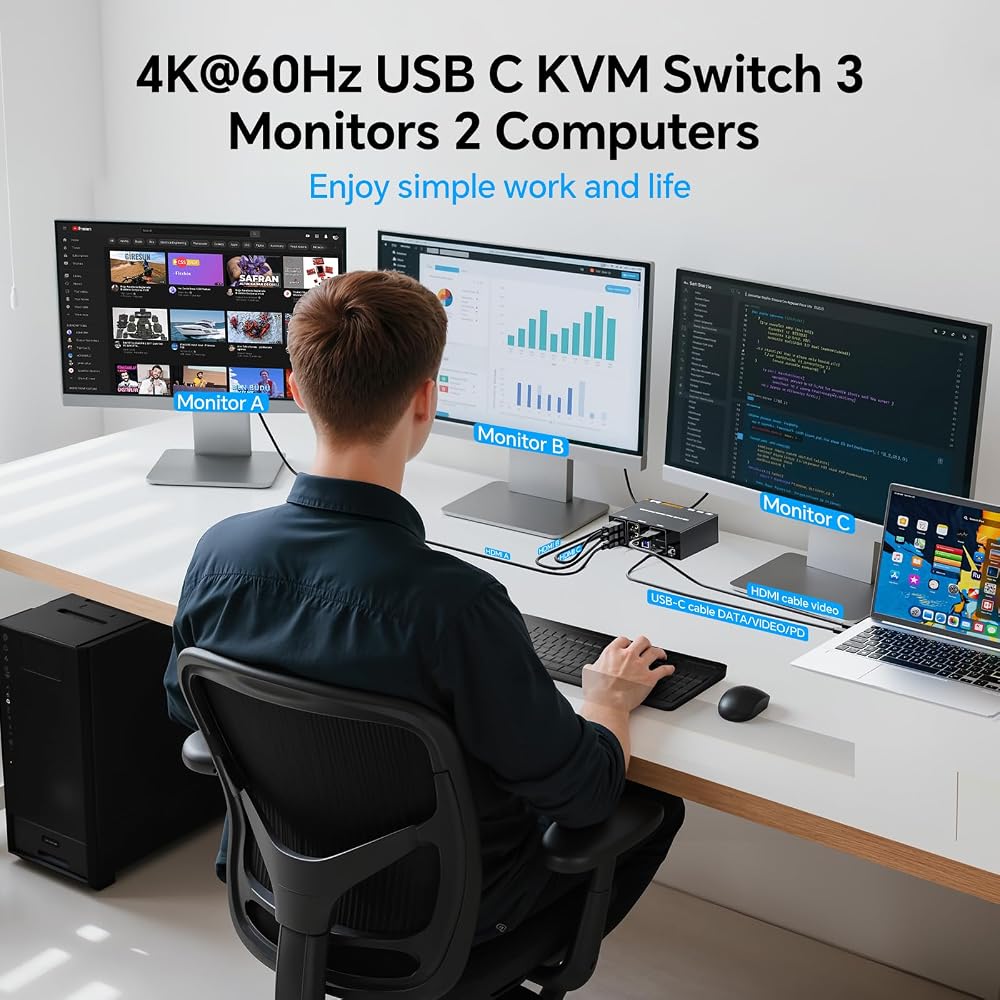
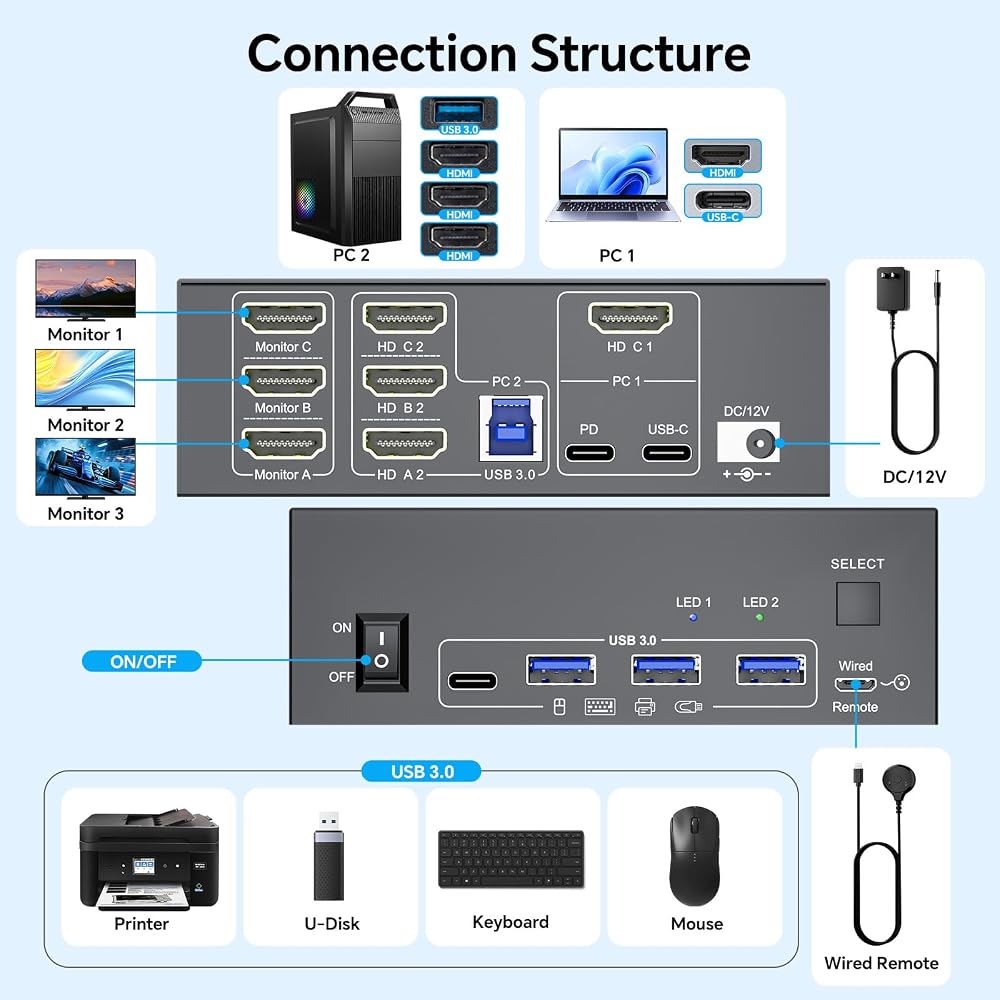
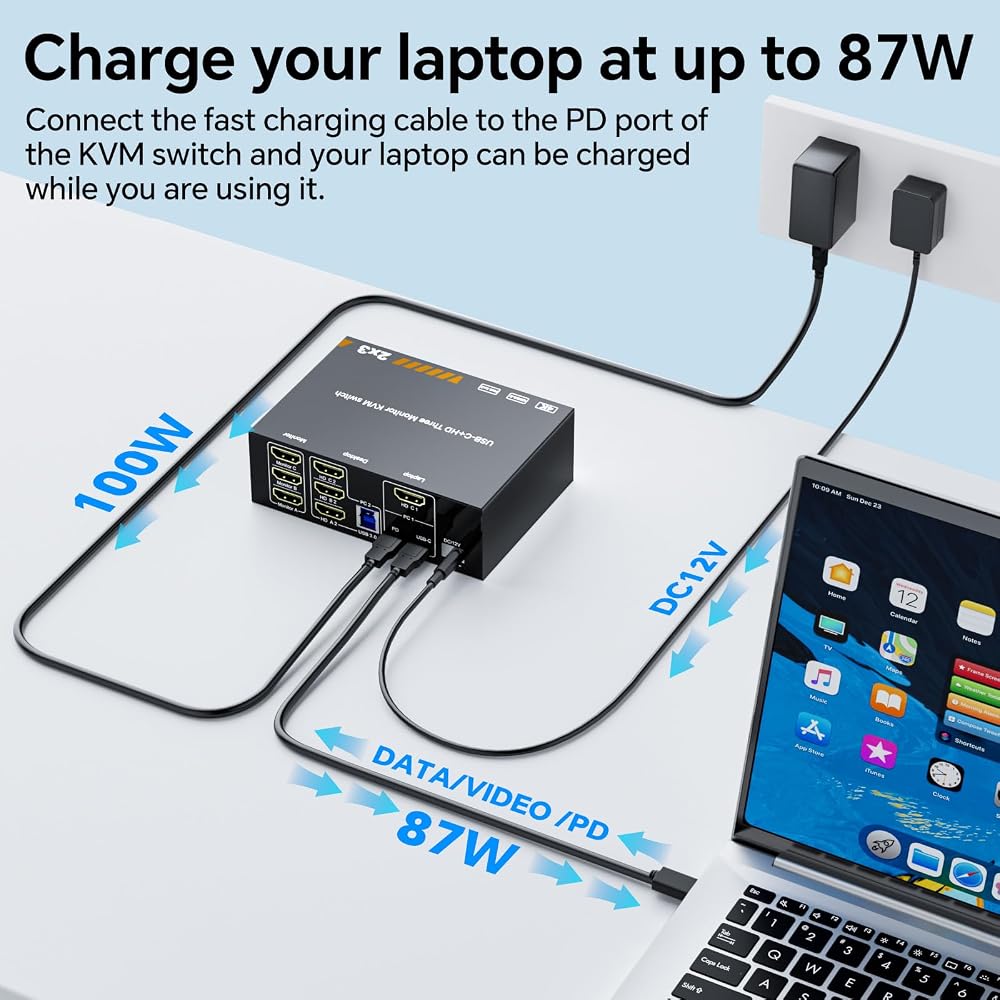
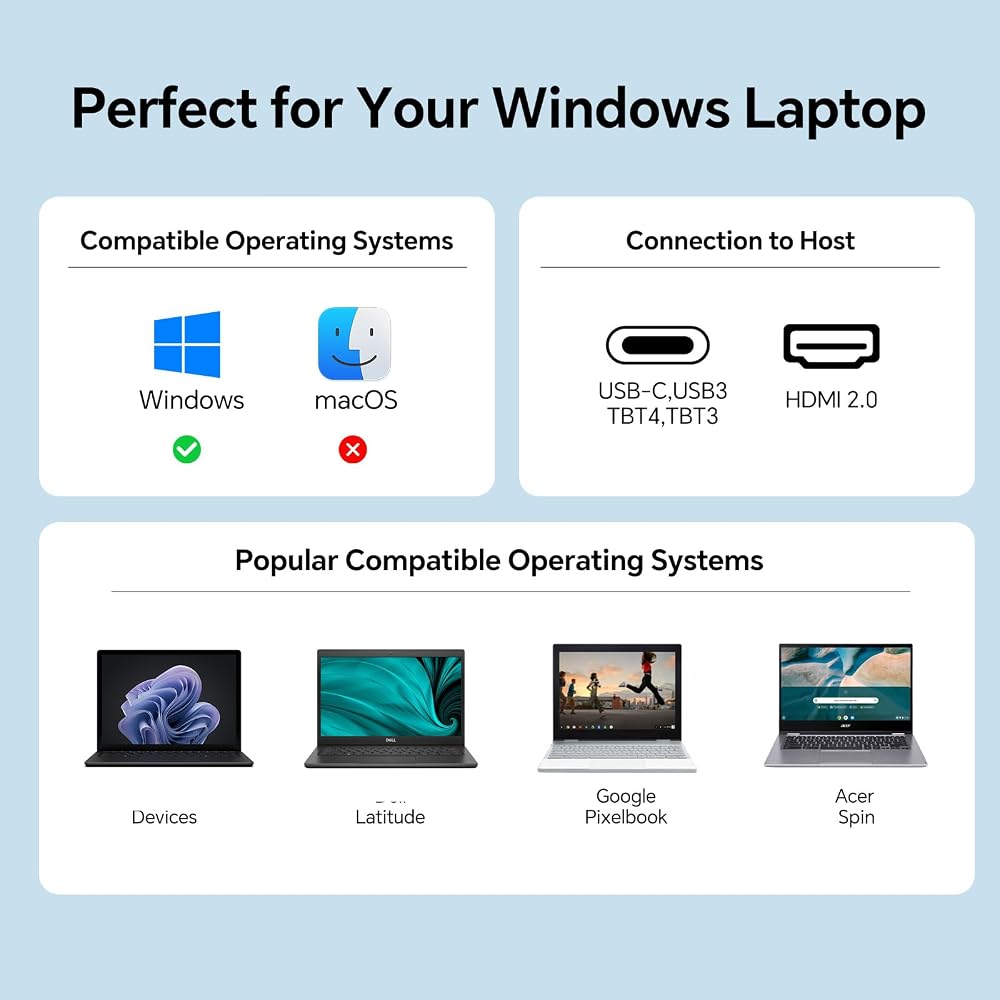
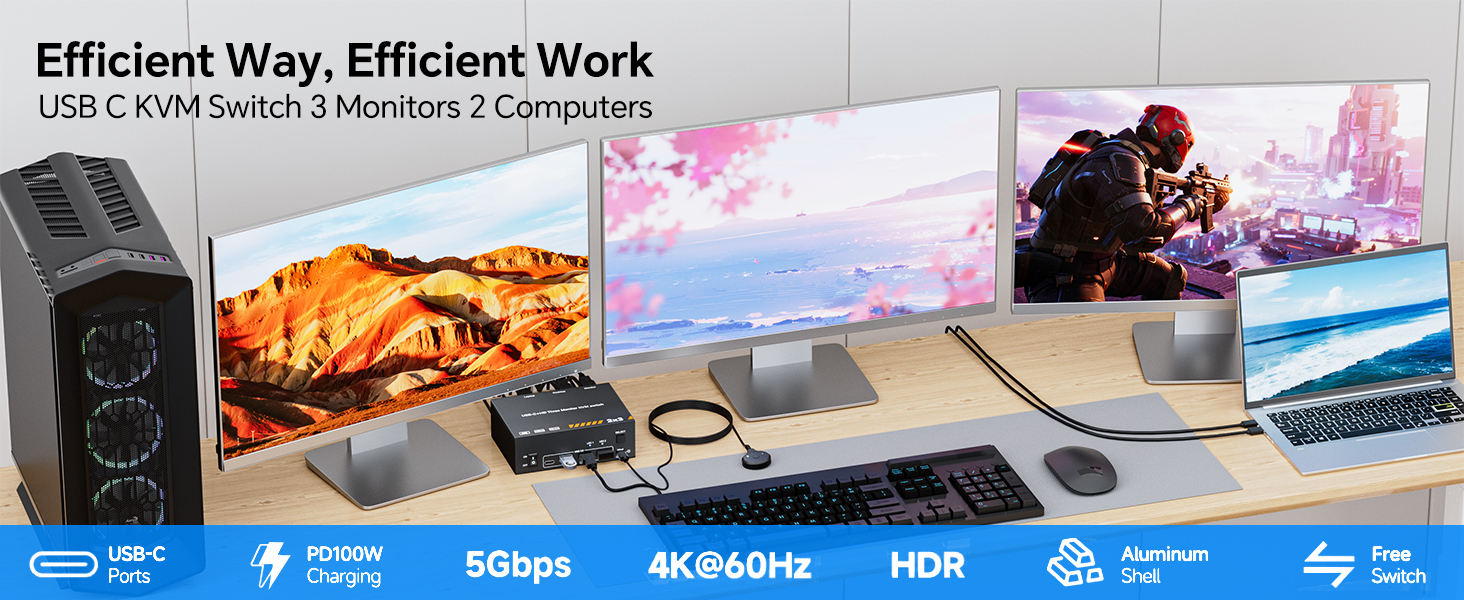
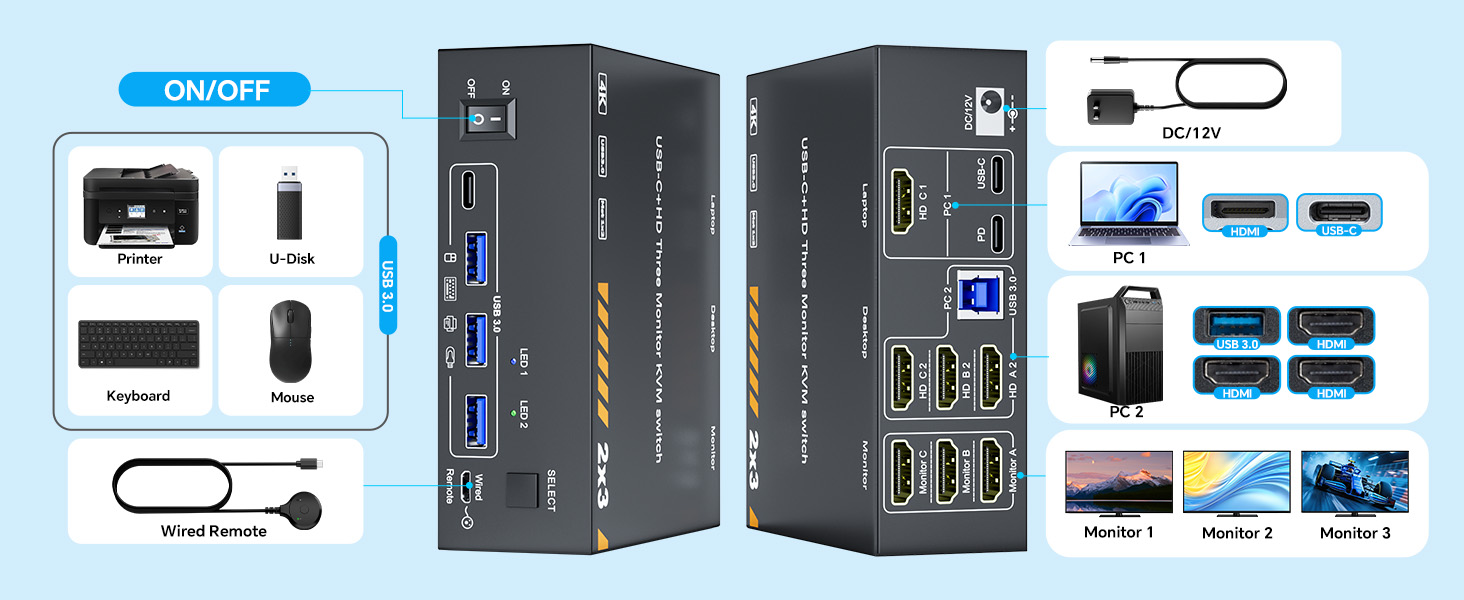
【مفتاح KVM: 3 شاشات لسطح مكتب واحد وكمبيوتر محمول واحد】يتيح مفتاح KVM هذا التحكم في جهازي كمبيوتر مع 3 شاشات من خلال مفتاح HDMI/USB C. كما يسمح أيضًا بالاستخدام المشترك لثلاثة أجهزة USB 3.0 (مثل لوحات المفاتيح والماوس والطابعات والكاميرات) ومنفذ USB C واحد عبر محور واحد - مما يقلل من فوضى سطح المكتب مع زيادة كفاءة المهام المتعددة بنسبة 20%.
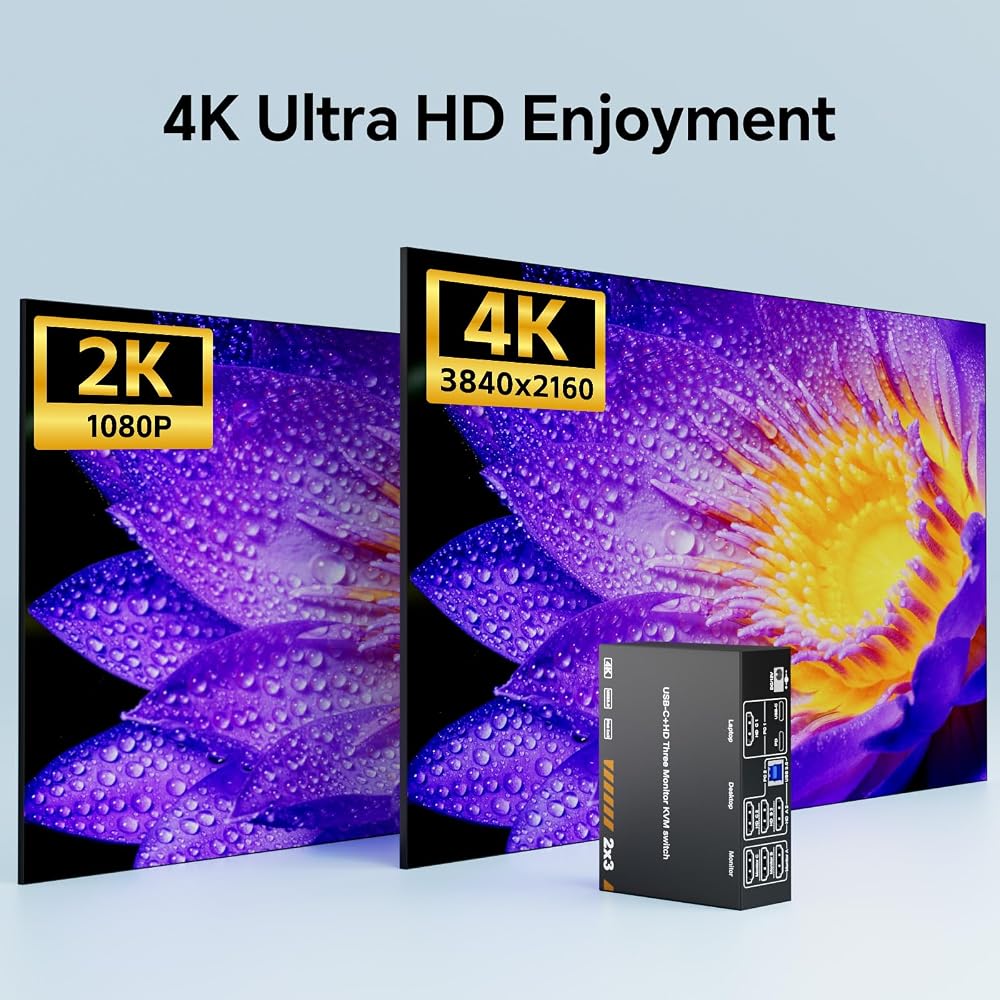
【دعم الدقة العالية ومعدل التحديث العالي】يدعم مفتاح KVM هذا الدقة ومعدلات التحديث حتى 4K عند 60 هرتز/30 هرتز. نصيحة: للحصول على تجربة مثالية، استخدم كابلات HDMI 2.1 وUSB C. عندما تسمح المسافة بذلك، يُفضل استخدام الكابلات الأقصر للحصول على أداء أفضل.
【سهولة إدارة الكابلات باستخدام مفتاح KVM ثلاثي الشاشات】يتميز مفتاح KVM بمنافذ كابل مرتبة بعناية، مصممة لتسهيل التوصيلات المستقيمة والأنيقة. يؤدي هذا إلى التخلص من تشابك الكابلات ويضمن مظهرًا نظيفًا وانسيابيًا لإعدادك.
【تعدد المهام بدون جهد وإعداد خالٍ من الفوضى】لا مزيد من إضاعة الوقت في تبديل الكابلات! يتيح لك محول KVM المكون من جهازي كمبيوتر إدارة أجهزة متعددة من محور مركزي واحد - دون الحاجة إلى فصل وإعادة إدخال متكرر. إنه الخيار الأمثل لمحطات العمل المزدحمة، أو الأجهزة التقنية، أو مراكز الترفيه المنزلي.
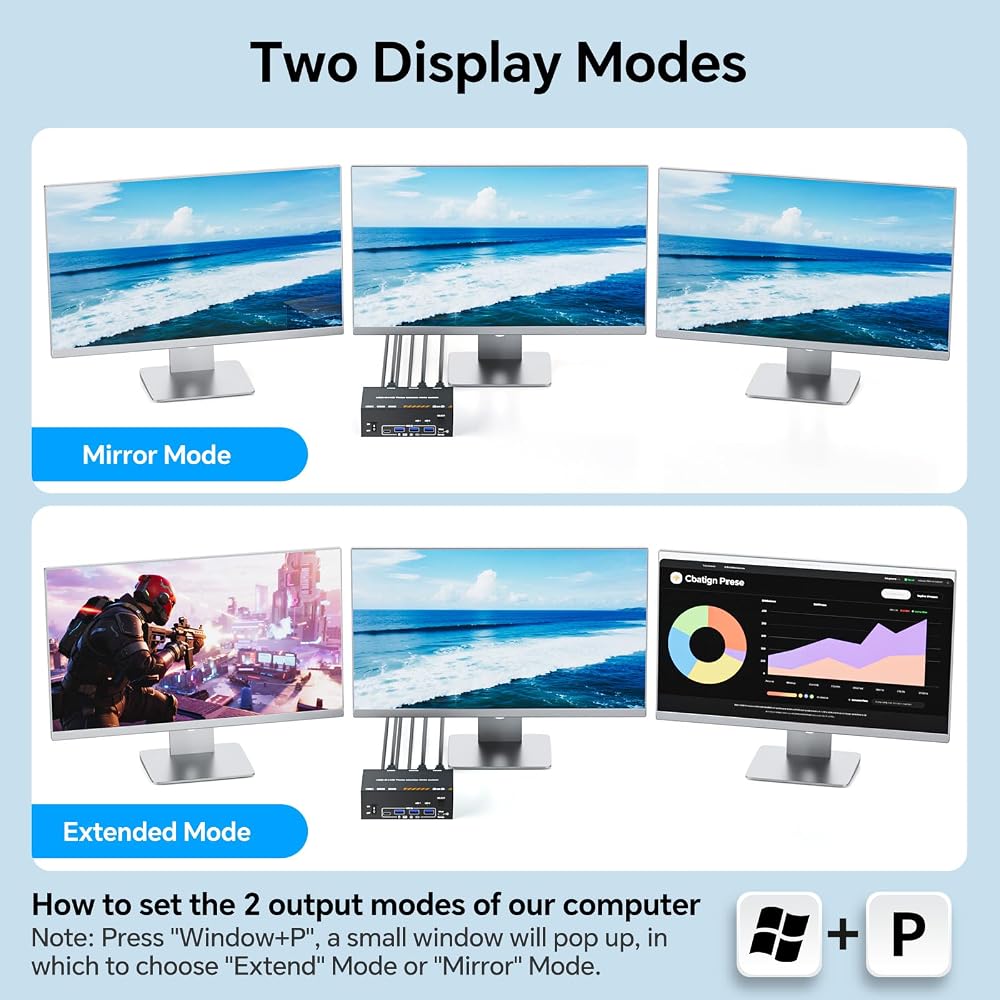
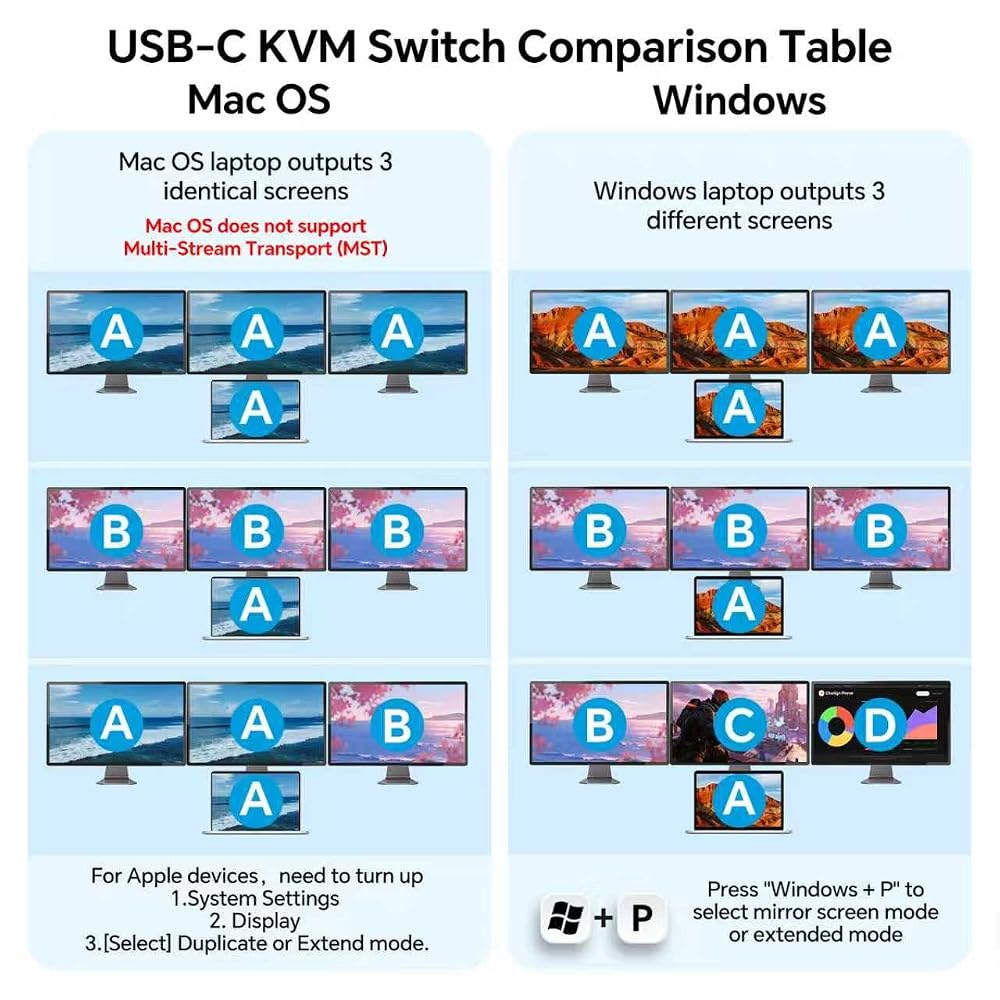
【وضعان للعرض لجميع الاحتياجات】الوضع الممتد: قم بتحويل 3 شاشات إلى مساحة عمل متعددة المهام - مثالية لتحرير المستندات والترميز ومراقبة البيانات في نفس الوقت. الوضع المكرر: استخدم وظيفة تبديل HDMI لمزامنة المحتوى بسلاسة عبر جميع شاشات العرض - وهو أمر رائع للعروض التقديمية أو إعدادات الفصل الدراسي أو مشاركة الأفلام مع الجميع في الغرفة.
【تبديل سلس للمضيف】 قد يستغرق التبديل 3 ثوانٍ، مما يسمح لك بالتبديل بسهولة بين سطح المكتب والكمبيوتر المحمول USB-C Thunderbolt مع شاشات متعددة متصلة. السرعة مثالية للاستخدام المكتبي اليومي، ولكن لا يُنصح بها لسيناريوهات الألعاب التنافسية.
 Miuzei Case for Raspberry Pi 4 Model B 4GB 8GB Aluminum Passive Cooling
KWD 4.500
Miuzei Case for Raspberry Pi 4 Model B 4GB 8GB Aluminum Passive Cooling
KWD 4.500
 StarTech 2-Port USB-C & DisplayPort Cable KVM, 4K 60Hz, USB Powered, Hybrid
KWD 36
StarTech 2-Port USB-C & DisplayPort Cable KVM, 4K 60Hz, USB Powered, Hybrid
KWD 36
 Mechanic Master C28 Compact MATX Portable Gaming Case Black
KWD 67
Mechanic Master C28 Compact MATX Portable Gaming Case Black
KWD 67
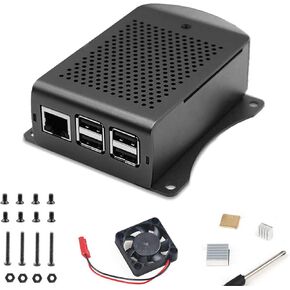 MakerFocus Raspberry Pi 3B+ Aluminum Alloy Case with Fan and Heatsink
KWD 6.500
MakerFocus Raspberry Pi 3B+ Aluminum Alloy Case with Fan and Heatsink
KWD 6.500

 الكويت