بحث

بيت / Forc / الطابعات
-12%
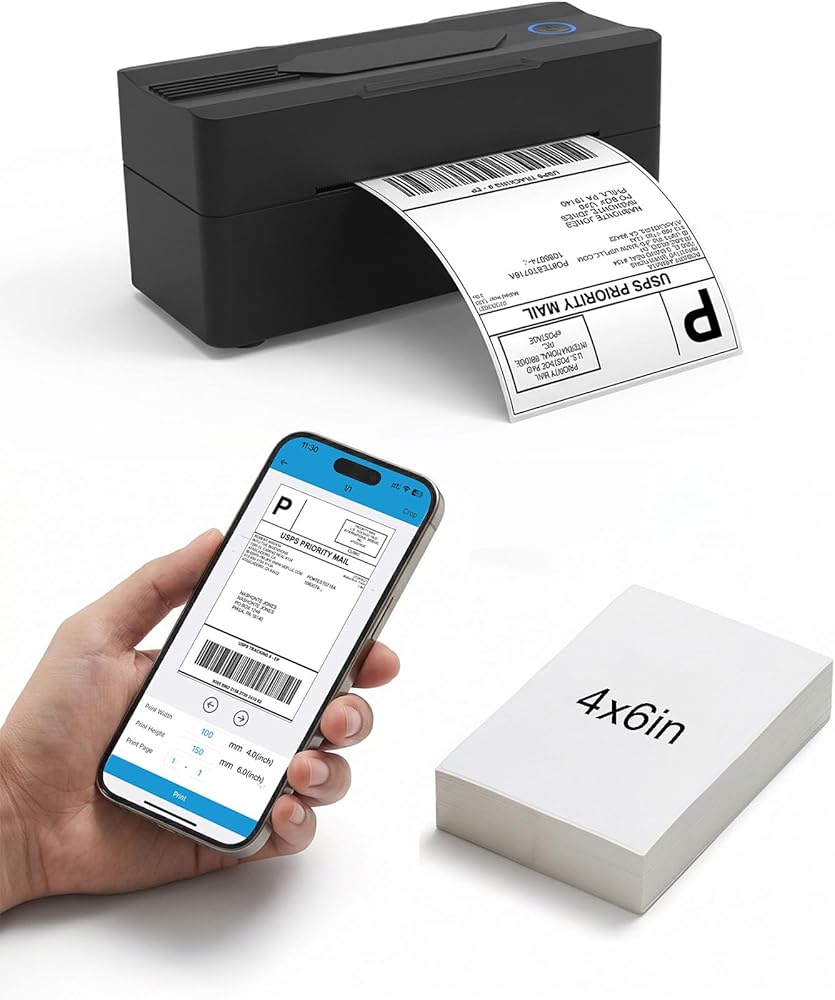
طابعة ملصقات الشحن الحرارية Forc Bluetooth، طابعة ملصقات حرارية لاسلكية 4x6 للشركات الصغيرة، متوافقة مع Android وiPhone وWindows وMac، وتستخدم على نطاق واسع لـ Amazon وEtsy وUSPS والمزيد in Kuwait طابعة ملصقات الشحن الحرارية Forc Bluetooth، طابعة ملصقات حرارية لاسلكية 4x6 للشركات الصغيرة، متوافقة مع Android وiPhone وWindows وMac، وتستخدم على نطاق واسع لـ Amazon وEtsy وUSPS والمزيد in Kuwait طابعة ملصقات الشحن الحرارية Forc Bluetooth، طابعة ملصقات حرارية لاسلكية 4x6 للشركات الصغيرة، متوافقة مع Android وiPhone وWindows وMac، وتستخدم على نطاق واسع لـ Amazon وEtsy وUSPS والمزيد in Kuwait طابعة ملصقات الشحن الحرارية Forc Bluetooth، طابعة ملصقات حرارية لاسلكية 4x6 للشركات الصغيرة، متوافقة مع Android وiPhone وWindows وMac، وتستخدم على نطاق واسع لـ Amazon وEtsy وUSPS والمزيد in Kuwait طابعة ملصقات الشحن الحرارية Forc Bluetooth، طابعة ملصقات حرارية لاسلكية 4x6 للشركات الصغيرة، متوافقة مع Android وiPhone وWindows وMac، وتستخدم على نطاق واسع لـ Amazon وEtsy وUSPS والمزيد in Kuwait طابعة ملصقات الشحن الحرارية Forc Bluetooth، طابعة ملصقات حرارية لاسلكية 4x6 للشركات الصغيرة، متوافقة مع Android وiPhone وWindows وMac، وتستخدم على نطاق واسع لـ Amazon وEtsy وUSPS والمزيد in Kuwait طابعة ملصقات الشحن الحرارية Forc Bluetooth، طابعة ملصقات حرارية لاسلكية 4x6 للشركات الصغيرة، متوافقة مع Android وiPhone وWindows وMac، وتستخدم على نطاق واسع لـ Amazon وEtsy وUSPS والمزيد in Kuwait

طابعة ملصقات الشحن الحرارية Forc Bluetooth، طابعة ملصقات حرارية لاسلكية 4x6 للشركات الصغيرة، متوافقة مع Android وiPhone وWindows وMac، وتستخدم على نطاق واسع لـ Amazon وEtsy وUSPS والمزيد

KWD 14.500
KWD 16.500

ماركة
Forc
اللونأسود
الاجهزه الالكترونيات الامريكية قد تحتاج الى محمول فولت من ١١٠ الى ٢٢٠. قد تحتاج إلى محول كهرباء
1 +

مميزات خاصة

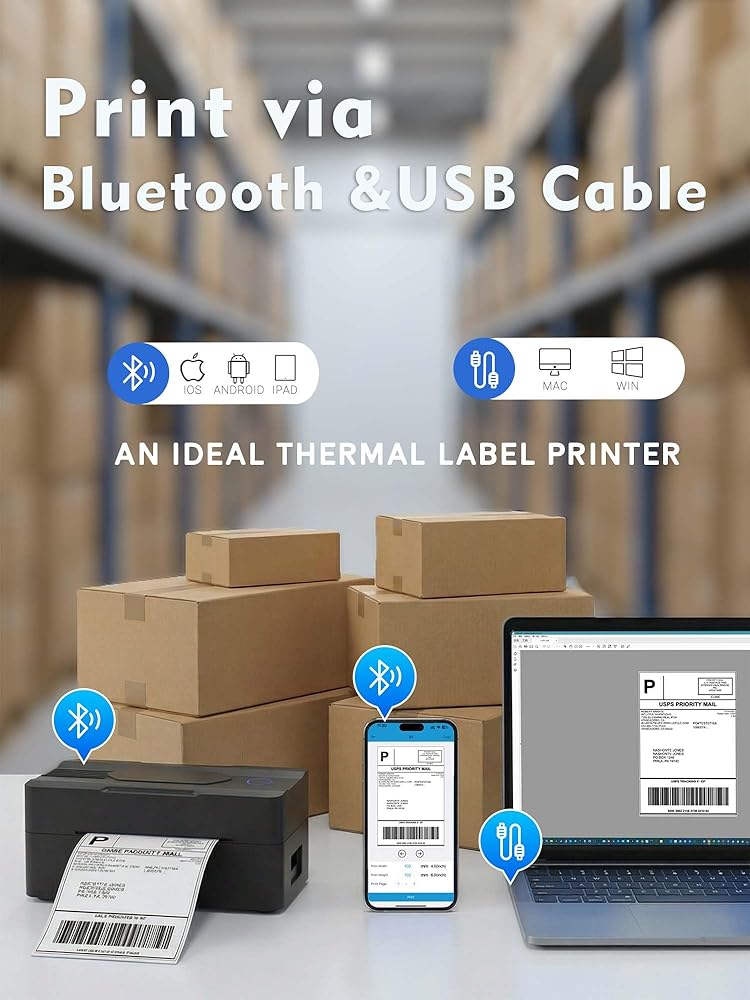
  • [Print via Bluetooth] - The bluetooth shipping label printer supports wireless printing via bluetooth connection. For IOS and Android - need to download the Bluetooth Printing App (Android App: Printed Label, iOS App: Zlabel). Note: Bluetooth only works for Android and iOS, Wi-Fi is not supported.
  • [Print via USB Cable] - The shipping label printer for Windows and Mac OS systems via USB cable. For PC printing needs to download the driver. (Note: All devices cannot be directly connected to Bluetooth and need to be used through the driver).
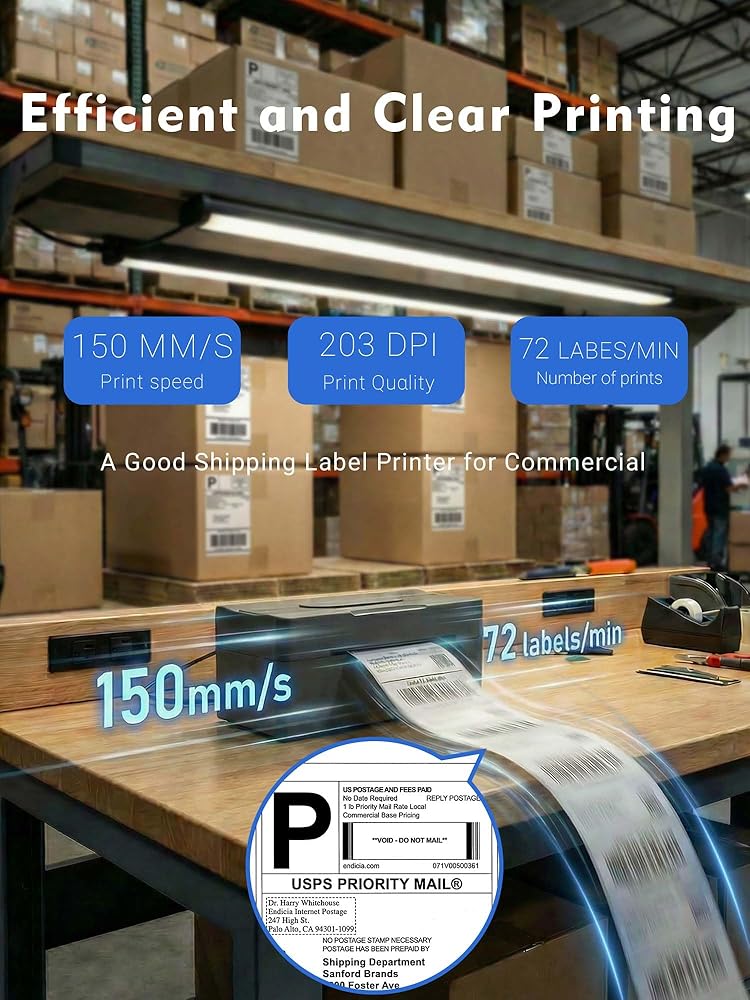
  • [Premium Thermal Printing] - Experience clear and professional label printing with our high-quality thermal printer. With 203 DPI resolution, perfect for shipping labels, inventory management and more. Say goodbye to ink and toner, saving you money and eliminating the hassle of replacing cartridges.
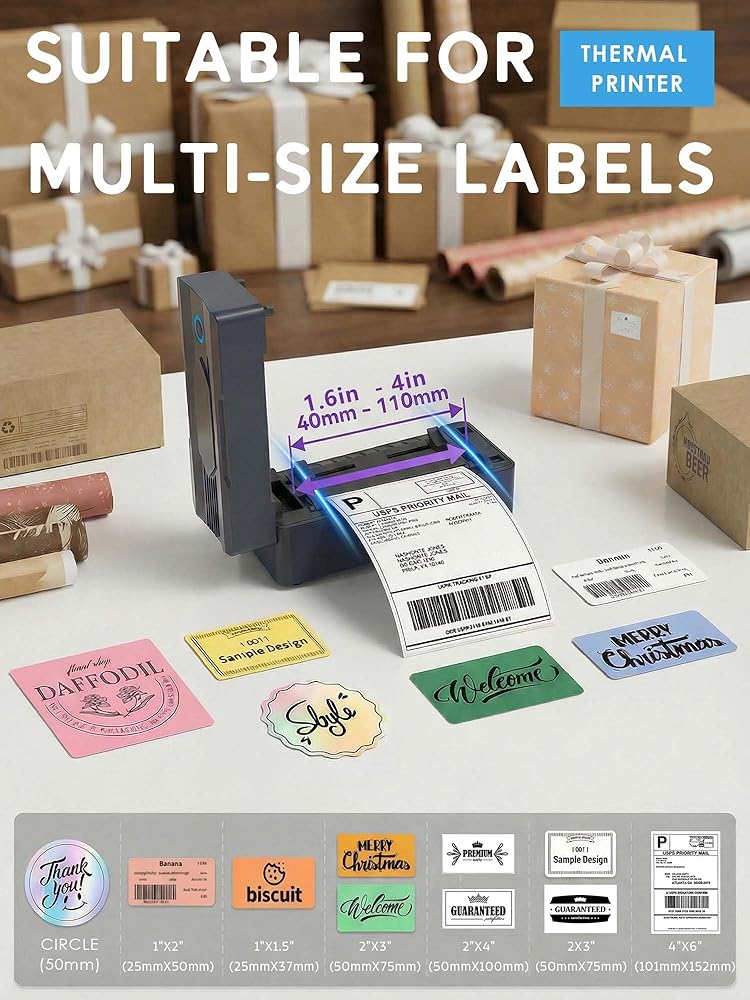
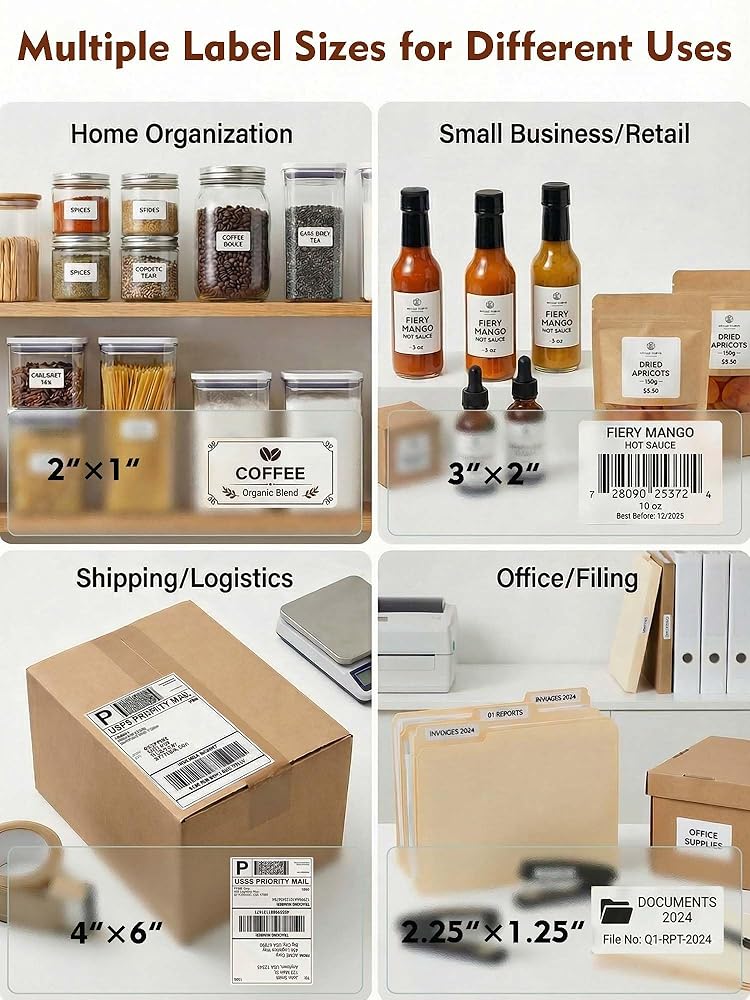
  • [Fast & Efficient Printing] - Increase productivity with our fast and efficient thermal label printer. With a print speed of up to 160mm/s and support for thermal labels of 35-104mm((1.37-4.1inch)), it is perfect for various labeling tasks. Save time and do more with our fast printing capabilities.
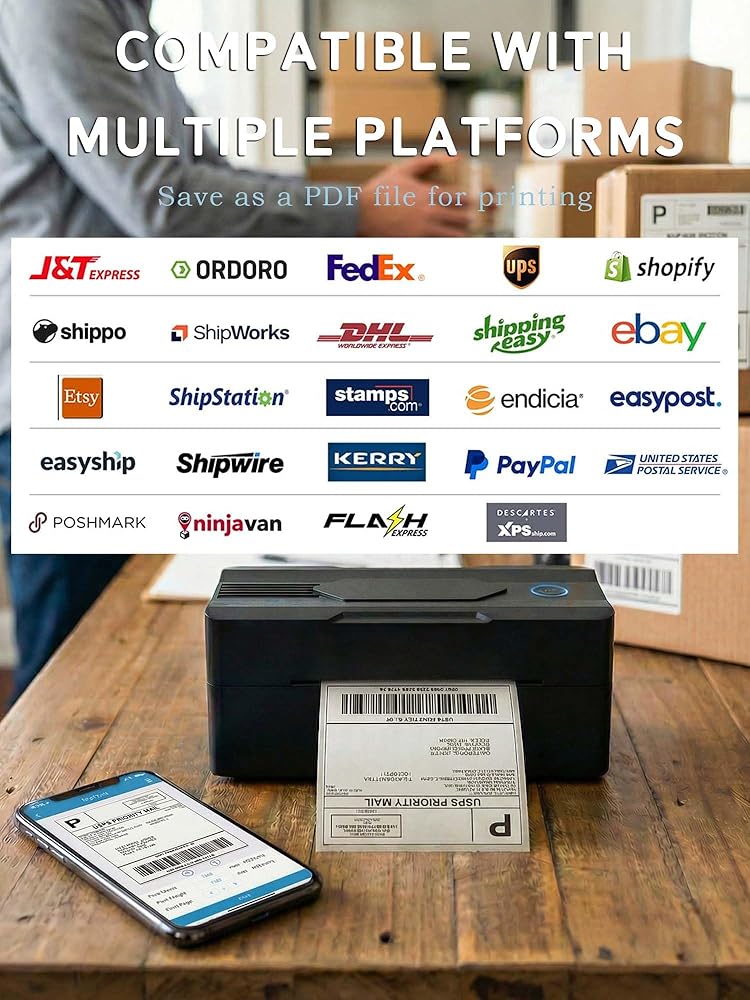
  • [Multi Platform Label Printing] - FORC thermal label printer is compatible with all major sales platforms, including USPS, UPS, Etsy, eBay, Shopify, PayPal, etc. (Note: please save and download as PDF format first). Very suitable for your small online business to send packages and print labels.
  • [What's in the Box]- Package includes everything you need to get started: 1 x 4x6 label printer, 1 x power adapter, 1x Type-C Cable, 1 x user manual and 30 x test labels. Enjoy easy setup and seamless printing with this all-inclusive kit.

وصف

1.Phone and Tablet Start Print:

Step 1: Scan QR code download the App (Android App: Printed Label, iOS App: Zlabel).

Step 2: Turn on the blutooth label printer and your phone's or tablet's Bluetooth.

Step 3: Click the App to search for the bluetooth signal, connect it via Bluetooth in the App, and select the paper size and file type to start printing.

2.Laptop/PC Starts Printing :

Step 1: Turn on the thermal label printer and connect it to the computer using a USB cable.

Step 2: Go to "This PC",open the Disk ,double click"Download driver and view User Manual"web page to download the driver and watch the installation tutorial videos,Select your print model to download 9270 driver.

Step 3: Please check your laptop/PC's operating system (OS) download and install the correct 9270 driver from the website . Select and open your shipping label and print.

3.Package includes:

1xThermal printer

1xUser Manual

1xPower Adapter

1x Type-C Cable

30x Test labels

4.More Cost Effective:

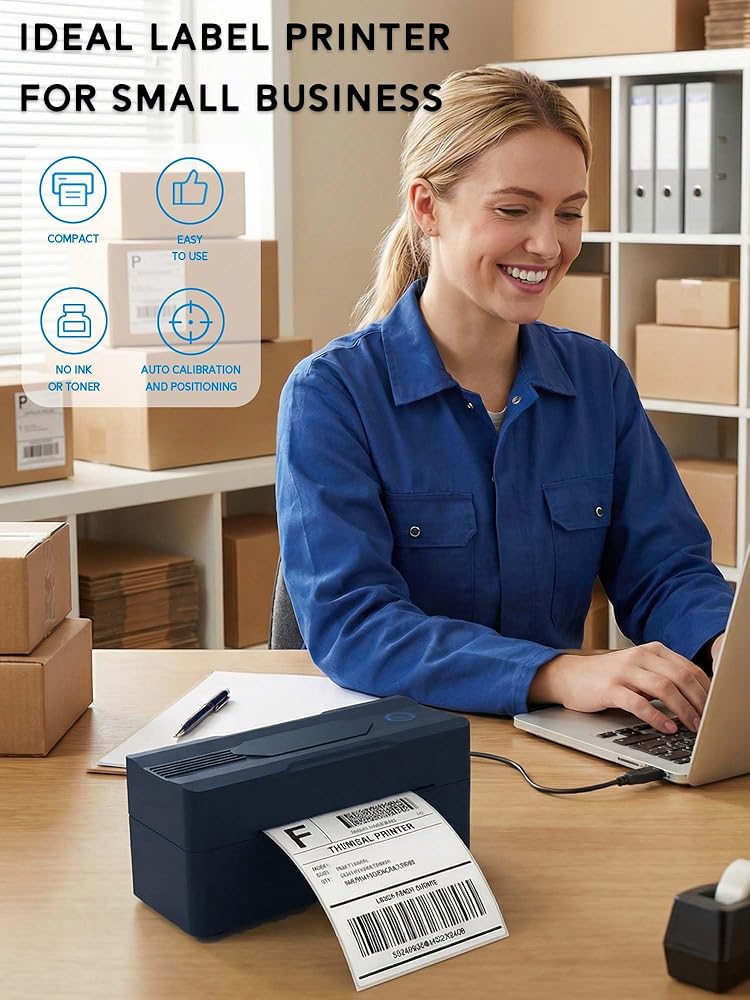
The upgraded thermal printing technology allows the 4x6 thermal label printer no need for ink or toner, making your work more cost-effective. 203DPI high-definition printing, easy to scan and read. Automatic adjustment of label position functionto prevent paper waste.

منتجات شبيهه


{"error":"\u062e\u0637\u0623","cart_limit":"\u0644\u062f\u064a\u0643 \u0627\u0644\u0643\u062b\u064a\u0631 \u0645\u0646 \u0627\u0644\u0645\u0646\u062a\u062c\u0627\u062a \u0641\u064a \u0633\u0644\u0629 \u0627\u0644\u062a\u0633\u0648\u0642 \u0627\u0644\u062e\u0627\u0635\u0629 \u0628\u0643.","prod_limit":"\u0644\u0627 \u064a\u0645\u0643\u0646\u0643 \u0625\u0636\u0627\u0641\u0629 \u0627\u0644\u0645\u0632\u064a\u062f \u0645\u0646 \u0647\u0630\u0627 \u0627\u0644\u0645\u0646\u062a\u062c"}