- التسوق ، اصبح سهلا.
- /
- احصل على التطبيق!
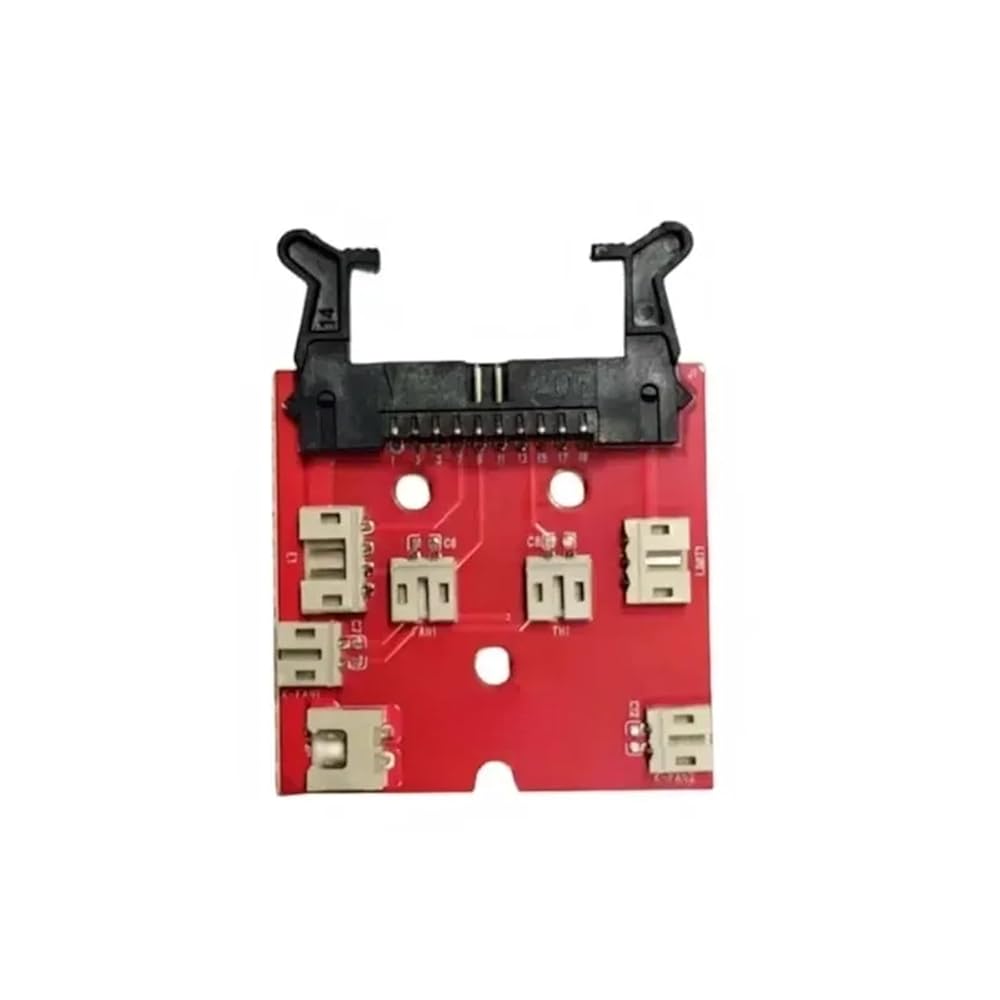
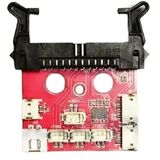
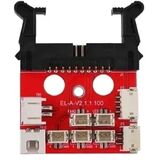
Extruder Adapter Board Compatible with Elegoo Neptune 3 Neptune 4 pro plus Max 3D Printers Extruder Plate
How to Replace Neptune 4 Plus/4 Max Extrusion Adapter Board?
1. Remove Neptune Extruder Rear Fan Assembly:
Use a 2.5mm Allen wrench to loosen the four fixing screws of the rear fan assembly and remove it.
2. Remove Neptune Print Head Assembly:
Press the horn terminal on both sides to release the print head cable. Then take out the print head cable. Use a 2.0mm Allen wrench to loosen the fixing screw of the overall print head assembly.
4. Replace Extrusion Adapter Board:
Remove all cables from the extrusion adapter board. Use a Phillips screwdriver to loosen a fixing screw on the extrusion adapter board and remove it. Then install the new extrusion adapter board and secure it with a set screw.
5. Connect Cables to the New Board:
Insert cables into the corresponding ports on the extrusion adapter board, including the fan cables, nozzle light, proximity switch, extrusion motor, thermistor, heating element, and throat pipe cooling fan.
Pin info of Neptune 4 Max, and Neptune 4 Plus as follows:
two cooling fans - two "FAN 2" ports
nozzle light - "LED" port
proximity switch - "PS" port
extrusion motor - "E0" port
thermistor - "TH" port
ceramic heating - "HE" port
throat pipe cooling fan - "FAN 1" port
6. Reassemble Print Head Assembly:
Install the front cover of the overall print head assembly and secure it. Reconnect the print head cable and secure it with the cable fastener. Tighten the fixing screw of the overall print head assembly.
7. Reinstall Rear Fan Assembly:
Reinstall the rear fan assembly and tighten the fixing screws. Insert the fan assembly port cable.
8. Final Checks:
Set the nozzle temperature to 210°C and load the filament into the extruder. After re-leveling the printer, it should be ready for normal use. By following these detailed steps, you can successfully replace the extrusion adapter board on your Neptune 4 Plus/4 Max 3D printers.
Item Type : Joining Plate
 Original K1 أو K1 Max Touch Screen Kit Cable أجزاء الطابعة ثلاثية الأبعاد 480 × 400 لطابعة K1 Max 3D (K1 Max Screen Kit)
KWD 11
Original K1 أو K1 Max Touch Screen Kit Cable أجزاء الطابعة ثلاثية الأبعاد 480 × 400 لطابعة K1 Max 3D (K1 Max Screen Kit)
KWD 11
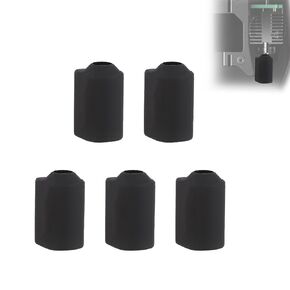 5pcs جوارب السيليكون ل creality K2 Plus/HI Combo ، غطاء العزل التدفئة غلاف بثق درجات الحرارة العالية Hotend حماية 3D السخان الطابعة كتلة الأكمام الملحقات
KWD 2.500
5pcs جوارب السيليكون ل creality K2 Plus/HI Combo ، غطاء العزل التدفئة غلاف بثق درجات الحرارة العالية Hotend حماية 3D السخان الطابعة كتلة الأكمام الملحقات
KWD 2.500
 فوهة الطابعة ثلاثية الأبعاد 0.4 مم متوافقة مع سلسلة anycubic Kobra 2 ، السرعة العالية والتدفق العالي ، مناسبة لـ Kobra 2 ، Kobra 2 Neo ، Kobra 2 Pro ، Kobra 2 Plus ، Kobra 2 Max (5pcs)
KWD 3
فوهة الطابعة ثلاثية الأبعاد 0.4 مم متوافقة مع سلسلة anycubic Kobra 2 ، السرعة العالية والتدفق العالي ، مناسبة لـ Kobra 2 ، Kobra 2 Neo ، Kobra 2 Pro ، Kobra 2 Plus ، Kobra 2 Max (5pcs)
KWD 3
 Elves 4010 Part Part Cooling Fan لـ Ender 3 V3 SE و Ender 3 V3 Ke 3D Printer Associory 3D Printer Fan Colling التبريد
KWD 4.500
Elves 4010 Part Part Cooling Fan لـ Ender 3 V3 SE و Ender 3 V3 Ke 3D Printer Associory 3D Printer Fan Colling التبريد
KWD 4.500

 الكويت