- التسوق ، اصبح سهلا.
- /
- احصل على التطبيق!
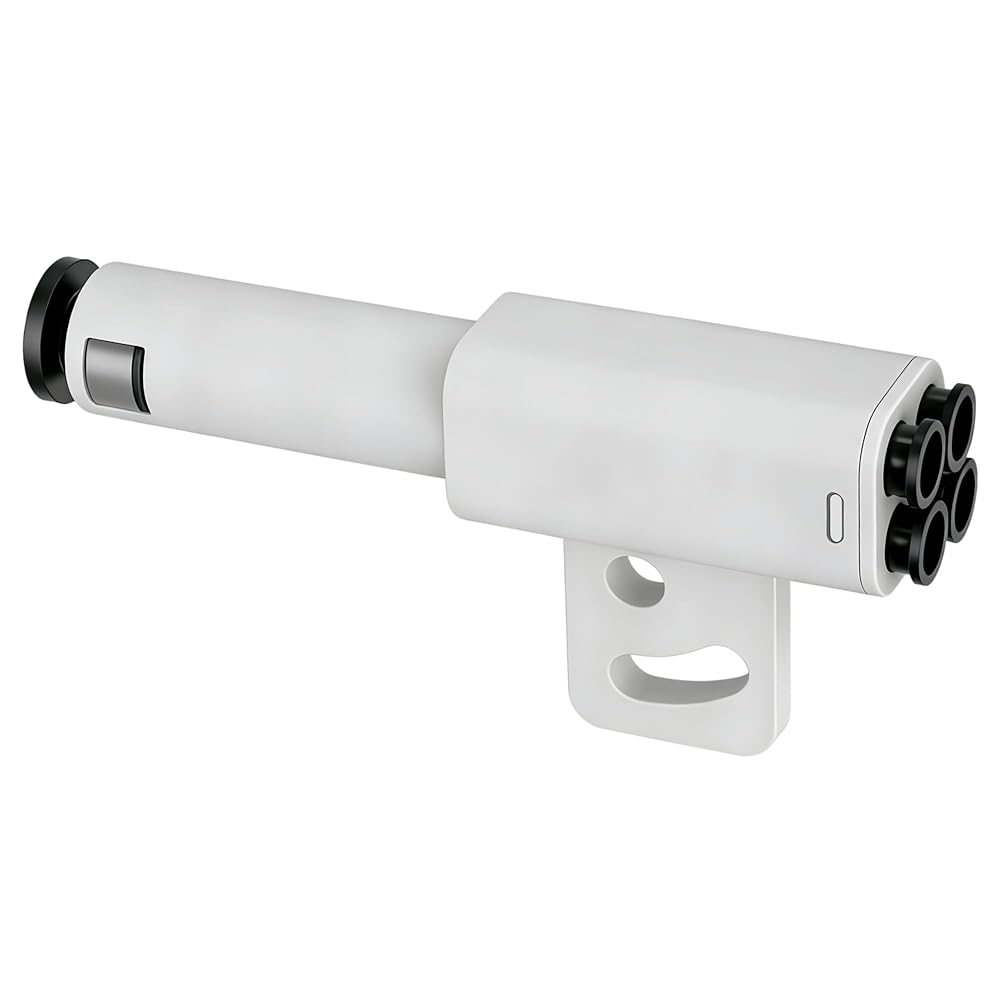
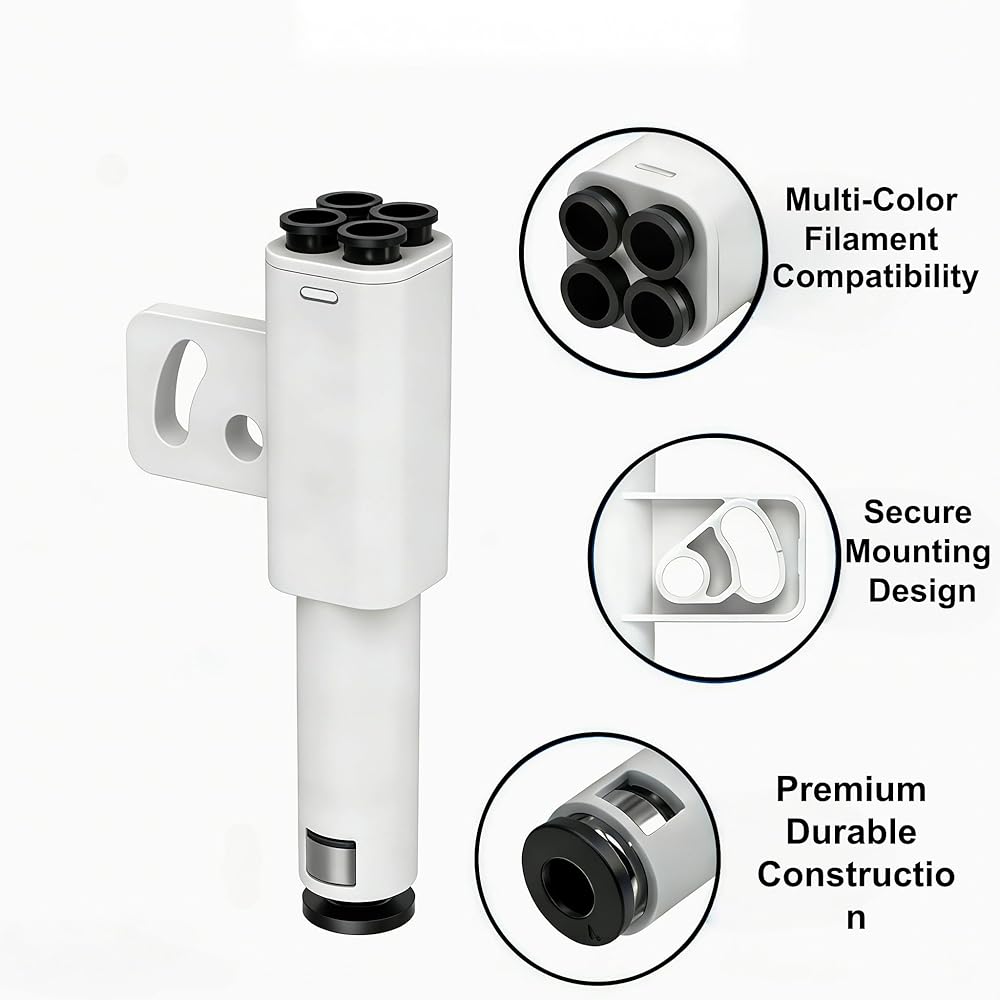
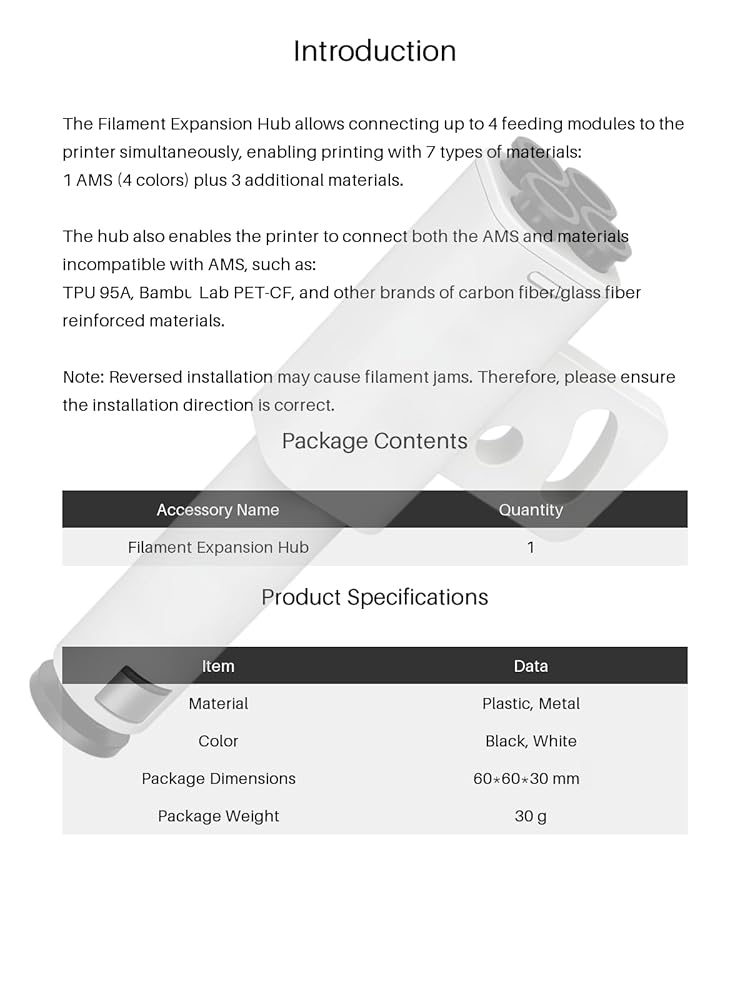
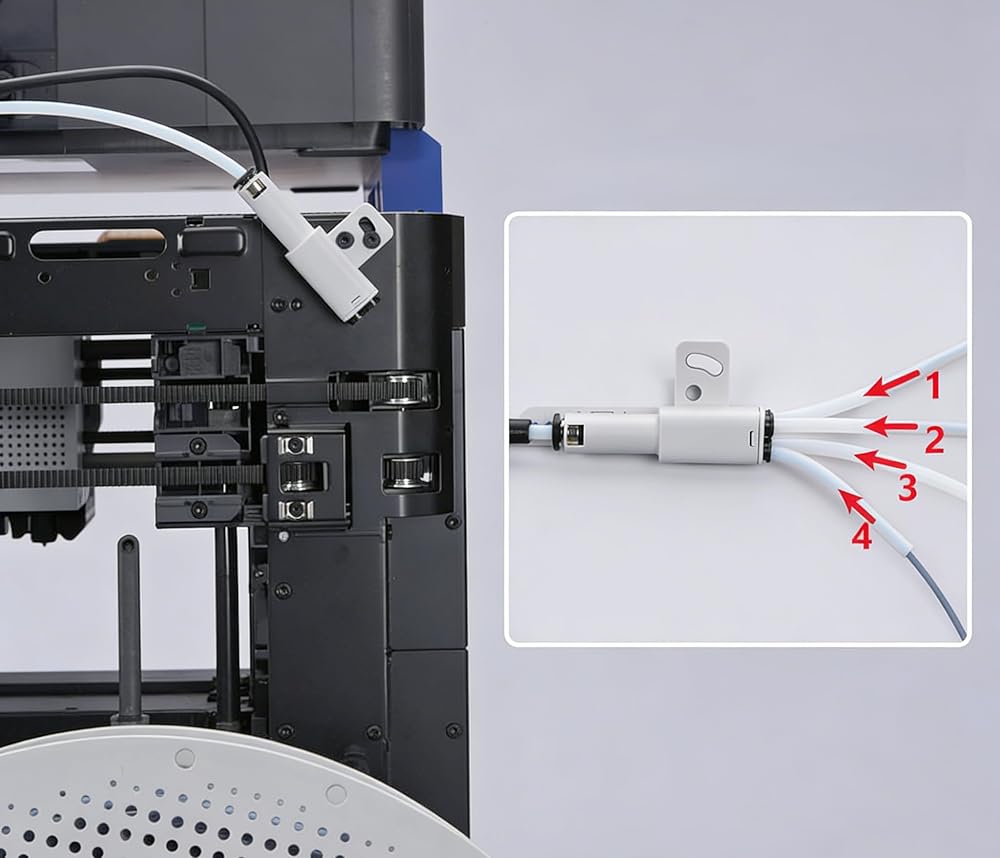
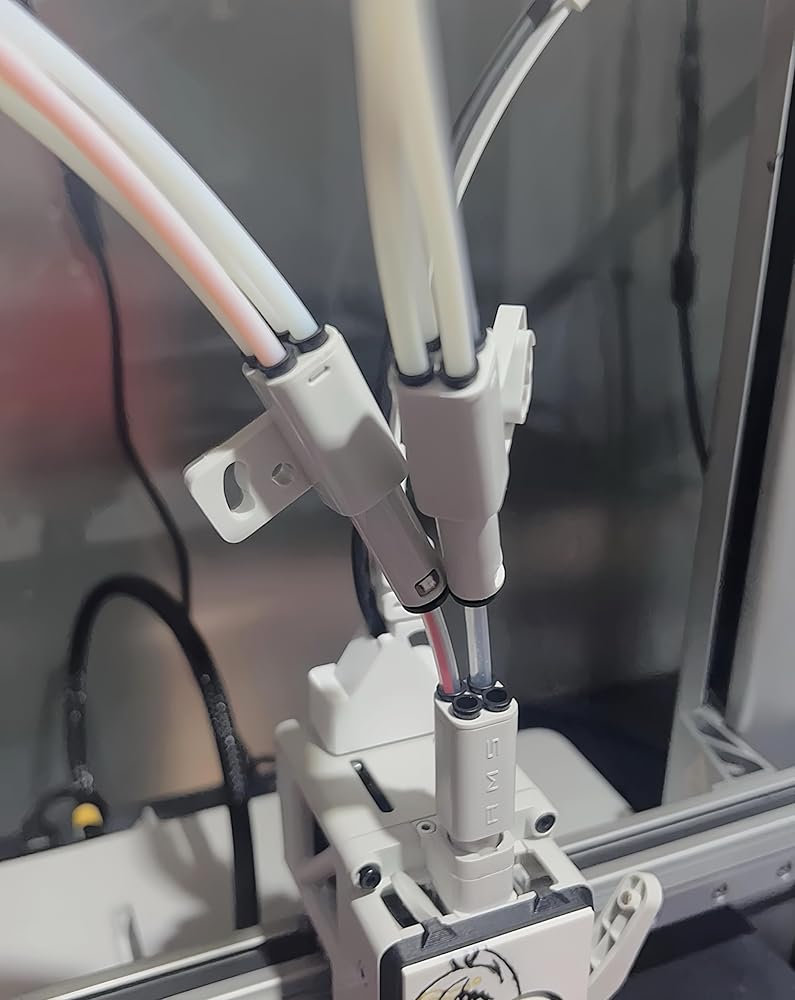
Expand Your Printing Horizons with the Official Multi-AMS Hub Have you invested in additional AMS units to boost your color palette or material capacity, only to be stuck with a tangle of tubes? The Bambu Lab Official 4-in-1 PTFE Adapter is the missing link in your advanced setup. It's the genuine, purpose-built solution to cleanly and reliably connect multiple Automatic Material Systems to your single Bambu Lab 3D printer. Why You Need This Adapter: The standard setup supports one AMS. To add a second, third, or fourth unit (for up to 16 spools total), you need a central hub to combine the feed paths. This adapter is that critical hub, allowing your printer's software to seamlessly switch between any of the 16 materials across all connected AMS units. Key Benefits & Features: Official & Reliable: Guaranteed perfect fit and function within the Bambu Lab ecosystem, unlike unverified third-party parts that may cause feeding errors or voids. Plug-and-Play Installation: Designed for simplicity. Connect the PTFE tubes from your AMS units to the adapter's inputs, and run a single tube from its output to your printer. Enables Advanced Workflows: Multi-Color Printing: Unlock the full potential of the Bambu Slicer's multi-color printing features by accessing up to 16 different filaments. High-Capacity Printing: Keep large prints running by daisy-chaining AMS units for the same material, providing thousands of grams of continuous filament supply. Durable Construction: Built from robust materials to withstand continuous use, ensuring a long service life as the core of your expanded setup. Package Includes: 1 x Bambu Lab Official 4-in-1 PTFE Adapter (Hub Body). Compatibility List: This adapter is your gateway to a multi-AMS setup. It is officially compatible with: Printers: Bambu Lab P1, P1S, X1, X1 Carbon, X1E, P2, P2S. Automatic Material Systems: Bambu Lab AMS, AMS 2 Pro, AMS HT. Note: To connect more than one AMS, you may also require additional AMS Hub Kits or specific cables depending on your printer model. Please consult the official Bambu Lab documentation for your specific setup configuration.
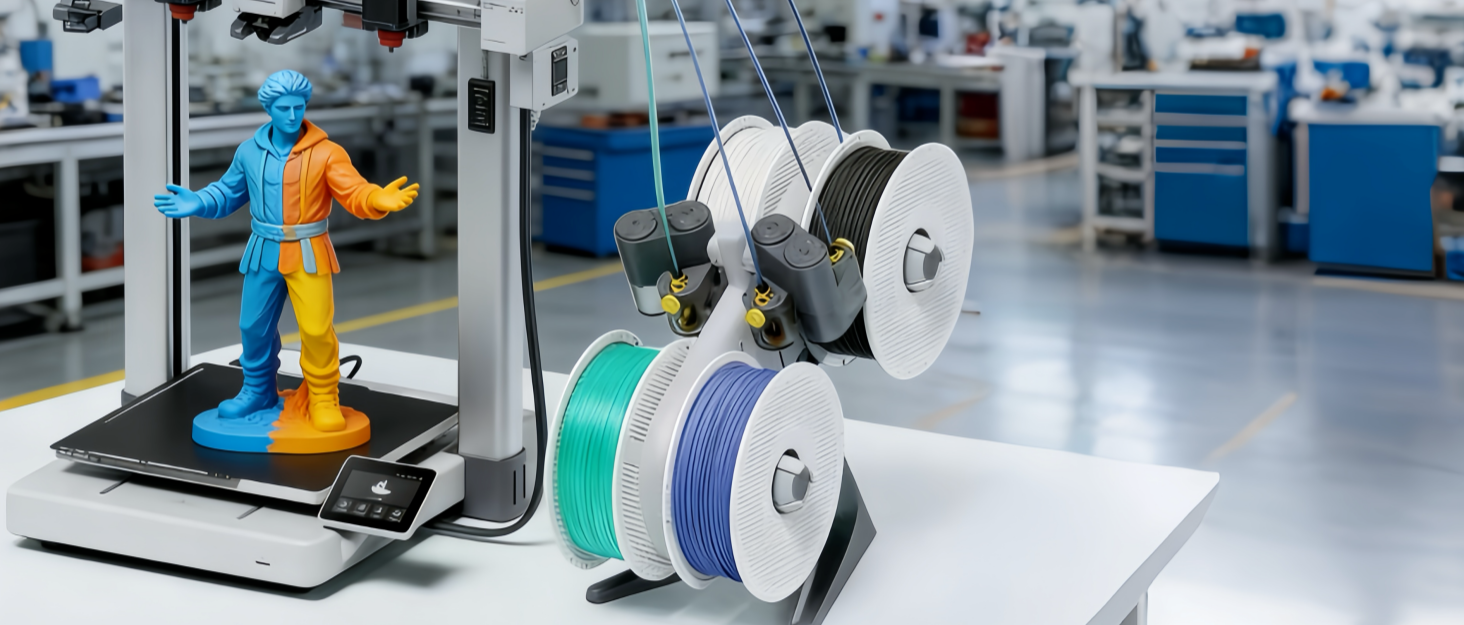
 AMS Filament Buffer -ضروري لإكسسوارات الطباعة ثلاثية الأبعاد متعددة الألوان ، وملحقات الطابعة ثلاثية الأبعاد لـ Bambu Lab AMS P1P ، P1S ، X1C ، X1E 3D Printer
KWD 12
AMS Filament Buffer -ضروري لإكسسوارات الطباعة ثلاثية الأبعاد متعددة الألوان ، وملحقات الطابعة ثلاثية الأبعاد لـ Bambu Lab AMS P1P ، P1S ، X1C ، X1E 3D Printer
KWD 12
 مجموعات التجميع المخزن المؤقت لـ AMS Filament -التأثير على ملحقات الطباعة ثلاثية الأبعاد متعددة الألوان ، وملحقات الطابعة ثلاثية الأبعاد لـ Bambu Lab AMS P1P ، P1S ، X1C ، X1E 3D Printer
KWD 14
مجموعات التجميع المخزن المؤقت لـ AMS Filament -التأثير على ملحقات الطباعة ثلاثية الأبعاد متعددة الألوان ، وملحقات الطابعة ثلاثية الأبعاد لـ Bambu Lab AMS P1P ، P1S ، X1C ، X1E 3D Printer
KWD 14
 -16%
ylrr ender 5 hotend kit ، ender 5 plus hot end ، intern ender 5 hotend تم تجميعها مع المروحة لـ Ender-5 و Ender-5 Pro 3D Preteruder Head مع غطاء حرارة الألومنيوم الغطاء السيليكون ، 24 فولت
KWD 8
-16%
ylrr ender 5 hotend kit ، ender 5 plus hot end ، intern ender 5 hotend تم تجميعها مع المروحة لـ Ender-5 و Ender-5 Pro 3D Preteruder Head مع غطاء حرارة الألومنيوم الغطاء السيليكون ، 24 فولت
KWD 8
 طقم تنظيف فوهة الطابعة ثلاثية الأبعاد - 50 PCS 0.2/0.25/0.3/0.35/0.4 مم إبر تنظيف فوهة الفولاذ المقاوم للصدأ ، نوعان من الملاقط المتطورة وفرشاة تنظيف الأسلاك النحاسية لملحق الطابعة ثلاثية الأبعاد
KWD 3.500
طقم تنظيف فوهة الطابعة ثلاثية الأبعاد - 50 PCS 0.2/0.25/0.3/0.35/0.4 مم إبر تنظيف فوهة الفولاذ المقاوم للصدأ ، نوعان من الملاقط المتطورة وفرشاة تنظيف الأسلاك النحاسية لملحق الطابعة ثلاثية الأبعاد
KWD 3.500

 الكويت