- التسوق ، اصبح سهلا.
- /
- احصل على التطبيق!
Compatible models: for Gigabyte Motherboard
Z890 AERO G
Z890 AI TOP
Z890 AORUS ELITE WIFI 7
Z890 AORUS ELITE WIFI 7 ICE
Z890 AORUS MASTER
Z890 AORUS MASTER AI TOP
Z890 AORUS PRO ICE
Z890 EAGLE WIFI 7
Z890 GAMING X WIFI 7
Z890 UD
Z890 UD WIFI 6E
Z890I AORUS ULTRA
Z890M GAMING X
How to select and install a security module:
1. Confirm whether the host has TPM 2.0 or if TPM 2.0 is enabled.
2. Click “Run,” enter: tpm.msc (Win+R keys), and check if the TPM version is ready.
3. If version 2.0 is displayed but not ready, you need to configure settings in the BIOS; consult the motherboard manufacturer's customer service.
4. Open the host and inspect the TPM pins on the motherboard.
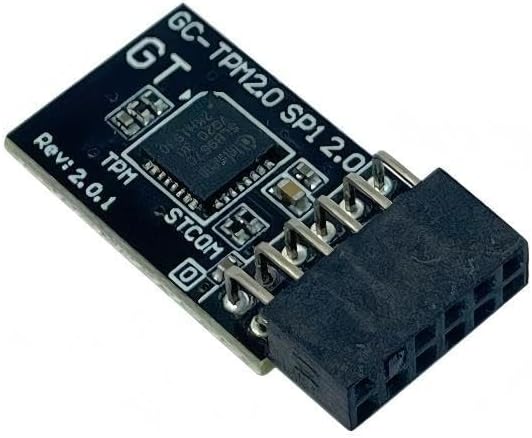
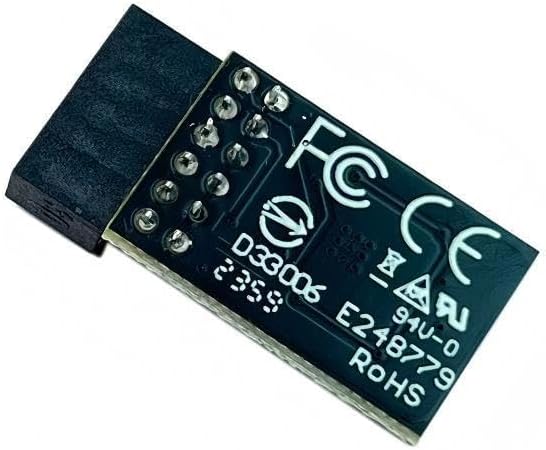
5. When installing the module, ensure the chip-side faces inward, align with the pins, and insert fully to prevent loosening. (See image for direction)
Product Performance
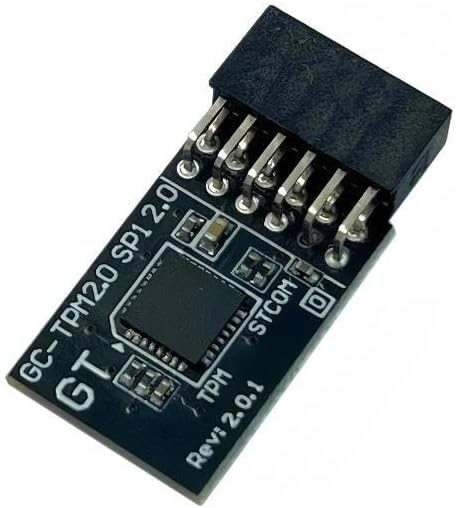
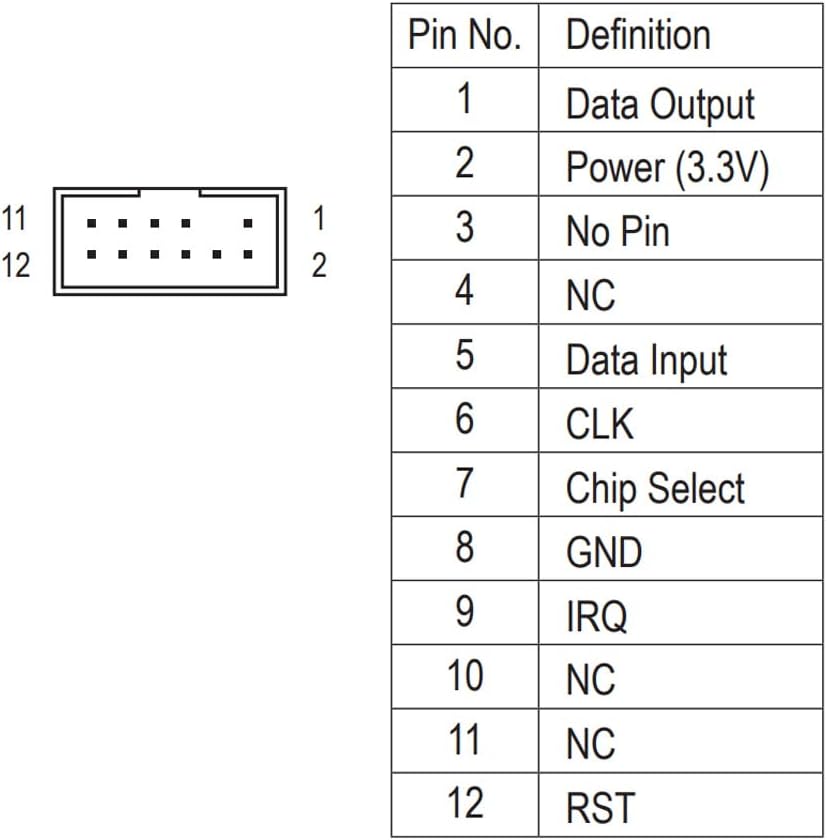
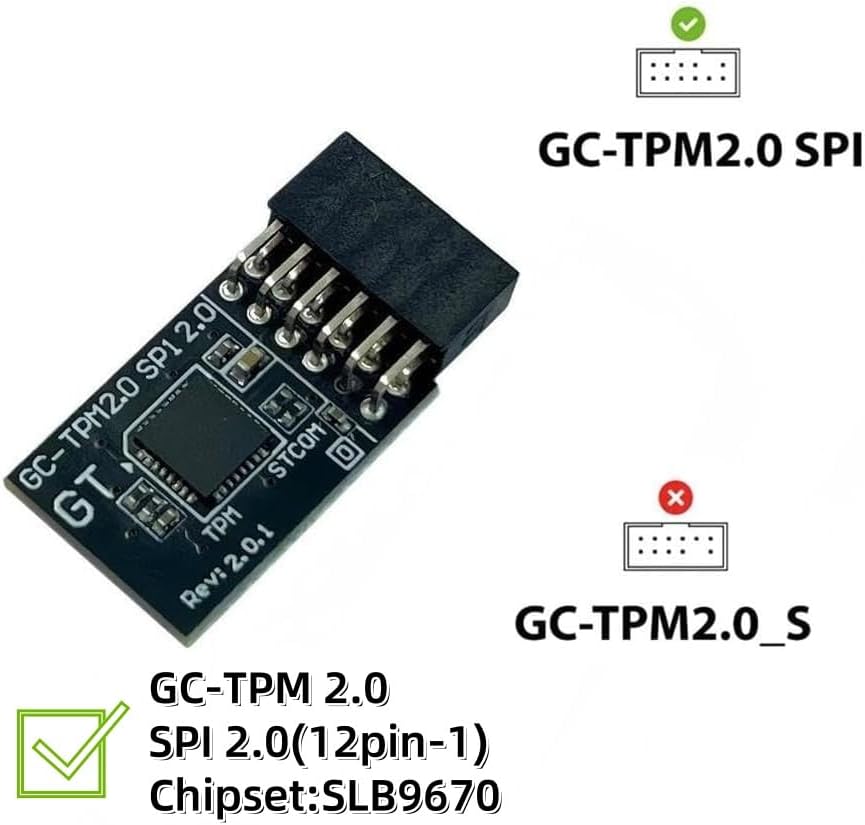
Compatible with: GC-TPM2.0 SPI 2.0,12-pin
Chipset: SLB9670
Interface: SPI
Core Applications:
1: Seamless upgrade to Windows 11: Resolve TPM 2.0 verification issues and easily upgrade to the latest operating system.
2: Enhanced hardware-level security: Provides an independent secure encryption chip specifically designed for securely storing sensitive data (such as encryption keys, digital certificates, and login credentials), thereby enhancing overall system security.
3: Hardware encryption acceleration: Reduces CPU load by accelerating encryption operations via dedicated hardware, indirectly improving system response speed and enhancing the smooth operation of certain encryption-dependent applications (such as games and security software).

 مسامير الغطاء القاعدة السفلية السفلية البراغي الاستبدال لـ ASUS TUF Gaming FA707 FX707 FA707XI FA707XV FA707XU FA707NV FA707NU FA707NUR FA707NVR FA707RM FA707RC SCEPS Black
KWD 7
مسامير الغطاء القاعدة السفلية السفلية البراغي الاستبدال لـ ASUS TUF Gaming FA707 FX707 FA707XI FA707XV FA707XU FA707NV FA707NU FA707NUR FA707NVR FA707RM FA707RC SCEPS Black
KWD 7
 استبدال كبل طاقة البطارية ل dell latitude 5440 E5440 5450 الدقة 3480 M3480 3490 IDB40 DC02004BE00 DC02004BF00 N8KX6 0N8KX6
KWD 6.500
استبدال كبل طاقة البطارية ل dell latitude 5440 E5440 5450 الدقة 3480 M3480 3490 IDB40 DC02004BE00 DC02004BF00 N8KX6 0N8KX6
KWD 6.500
 مجموعة كاملة من البراغي البديلة لجهاز Lenovo Legion 5 15ACH6H 82JU Legion 5 15ACH6 82JW 82QJ Legion 5 15ACH6A 82NW Legion 5 15ITH6 82JK Legion 5 15ITH6H 82JH 82MH
KWD 7.500
مجموعة كاملة من البراغي البديلة لجهاز Lenovo Legion 5 15ACH6H 82JU Legion 5 15ACH6 82JW 82QJ Legion 5 15ACH6A 82NW Legion 5 15ITH6 82JK Legion 5 15ITH6H 82JH 82MH
KWD 7.500
 مجموعة براغي الكمبيوتر المحمول مجموعة كاملة بديلة لشركة أيسر نيترو 5 AN515-55 AN515-55-53E5 AN515-55-53AG AN515-55-59KS
KWD 7.500
مجموعة براغي الكمبيوتر المحمول مجموعة كاملة بديلة لشركة أيسر نيترو 5 AN515-55 AN515-55-53E5 AN515-55-53AG AN515-55-59KS
KWD 7.500