- التسوق ، اصبح سهلا.
- /
- احصل على التطبيق!
Keep your RAPIQUE wireless mouse running smoothly with this essential USB receiver.
Specifically designed for compatibility with RAPIQUE mouse models R09, R102, and R108, this compact USB-A receiver ensures a reliable wireless connection between your mouse and computer.
Simply plug it into any available USB-A port for an instant connection - no complex setup required. The receiver's small form factor allows it to sit nearly flush with your device, making it ideal for laptops and desktop computers where space is at a premium. Whether you need a replacement for a lost receiver or want a spare for multiple workstations, this genuine RAPIQUE accessory maintains the same wireless performance you expect from your mouse. Perfect for home offices, business environments, or anywhere you need your RAPIQUE mouse to function wirelessly.
How to pair?
Unplug the previous USB receiver.
Select the mouse to 2.4GHz mode, then press and hold the pairing button until the mode indicator flashes quickly.
Insert the new receiver into the USB port of your device. The mouse mode indicator will be on for 1-2 seconds, and the pairing is successful.
Please note that the distance between the mouse and the receiver should not exceed 20cm when pairing.
 ماوس لاسلكي بتقنية البلوتوث من RAPIQUE - (BT5.1+USB) ماوس كمبيوتر نحيف مزدوج الوضع مع نقرة هادئة، طاقة منخفضة، و1600 نقطة في البوصة، ماوس لاسلكي محمول لأجهزة MacBook، والكمبيوتر المحمول، وiPad Pro/Air، وChromebook (أبيض)
KWD 7
ماوس لاسلكي بتقنية البلوتوث من RAPIQUE - (BT5.1+USB) ماوس كمبيوتر نحيف مزدوج الوضع مع نقرة هادئة، طاقة منخفضة، و1600 نقطة في البوصة، ماوس لاسلكي محمول لأجهزة MacBook، والكمبيوتر المحمول، وiPad Pro/Air، وChromebook (أبيض)
KWD 7
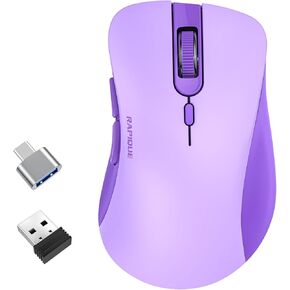 ماوس لاسلكي RAPIQUE - فأرة كمبيوتر صامتة مع مستقبل USB ومحول من النوع C، طاقة منخفضة، ماوس لاسلكي مريح لأجهزة الكمبيوتر المحمول والكمبيوتر الشخصي وسطح المكتب وماك بوك و3 مستويات DPI قابلة للتعديل (أرجواني)
KWD 4.500
ماوس لاسلكي RAPIQUE - فأرة كمبيوتر صامتة مع مستقبل USB ومحول من النوع C، طاقة منخفضة، ماوس لاسلكي مريح لأجهزة الكمبيوتر المحمول والكمبيوتر الشخصي وسطح المكتب وماك بوك و3 مستويات DPI قابلة للتعديل (أرجواني)
KWD 4.500
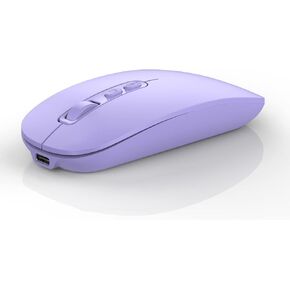 ماوس بلوتوث لاسلكي، متعدد الأجهزة قابل لإعادة الشحن (ثلاثي الأوضاع: BT1/BT2+2.4G) فأرة كمبيوتر مع مستقبل USB، ماوس صامت رفيع لأجهزة الكمبيوتر المحمول/MacBook/Chromebook/Surface Pro/iPad/PC (أسود)
KWD 6.500
ماوس بلوتوث لاسلكي، متعدد الأجهزة قابل لإعادة الشحن (ثلاثي الأوضاع: BT1/BT2+2.4G) فأرة كمبيوتر مع مستقبل USB، ماوس صامت رفيع لأجهزة الكمبيوتر المحمول/MacBook/Chromebook/Surface Pro/iPad/PC (أسود)
KWD 6.500
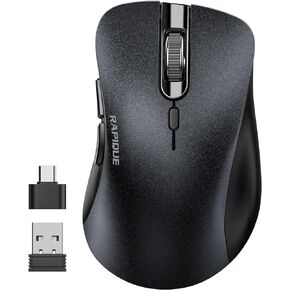 ماوس لاسلكي، فأرة كمبيوتر صامتة 2.4 جيجا بايت مع جهاز استقبال USB ومحول من النوع C، ماوس لاسلكي محمول بصري محمول لأجهزة الكمبيوتر المحمول والكمبيوتر الشخصي وسطح المكتب وماك بوك و3 مستويات ضبط DPI (وردي)
KWD 4.500
ماوس لاسلكي، فأرة كمبيوتر صامتة 2.4 جيجا بايت مع جهاز استقبال USB ومحول من النوع C، ماوس لاسلكي محمول بصري محمول لأجهزة الكمبيوتر المحمول والكمبيوتر الشخصي وسطح المكتب وماك بوك و3 مستويات ضبط DPI (وردي)
KWD 4.500



