- التسوق ، اصبح سهلا.
- /
- احصل على التطبيق!
Extension Port:
【RJ-12 extension port】
The JetKVM features an RJ-12 extension port on the back, designed to provide full customizability and flexibility to your device. Whether you're looking to integrate additional hardware capabilities or contribute custom add-ons, the extension port opens up unlimited possibilities for expansion.
【Back of JetKVM device】
What is the Extension Port?
The RJ-12 extension port functions as a serial port, allowing communication with the JetKVM. This port is key to adding extra hardware and functionality to the device, making it a highly versatile component.
These add-ons are available for purchase, but the port isn't limited to just JetKVM's accessories—it's open for anyone to develop their own custom extensions.
【ATX Power Control】
A control board that manages computer power states. It also includes a USB-C port for connecting a 5V power supply. This can then power the JetKVM through the RJ11 cable. Alternatively, 5V power can be supplied through a pin header.
The ATX Power Control comes with a PCIe slot cover bracket, allowing for clean cable routing through your PC case - without requiring an actual PCIe slot.
Each pin features dual headers: one set for KVM control and another for the original front panel buttons—meaning you don't have to choose between them. Both can be connected simultaneously.
【Customizing with the Extension Port】:
By using the extension port, developers and hardware enthusiasts can add a variety of features, for example:
Temperature Sensors: Monitor temperature for environmental controls.
Mechanical Button Pressers: Automate physical interactions with connected devices.
If you have specific needs for your workflow or want to create fun projects, the extension port provides the flexibility to build and experiment.
【Build your own extensions】:
The extension port is designed to unlock endless opportunities for hardware modifications. Using a standard RJ-12 connector, it provides power, I2C, and GPIO pins that make it easy to develop your own custom extensions.
 -18%
محرك أقراص CD DVD خارجي للقراءة/الكتابة ناسخ أقراص CD/DVD محمول USB 3.0 Type-C محرك أقراص مضغوطة متوافق مع نظام التشغيل Win10//8/7 Mac OS
KWD 7
-18%
محرك أقراص CD DVD خارجي للقراءة/الكتابة ناسخ أقراص CD/DVD محمول USB 3.0 Type-C محرك أقراص مضغوطة متوافق مع نظام التشغيل Win10//8/7 Mac OS
KWD 7
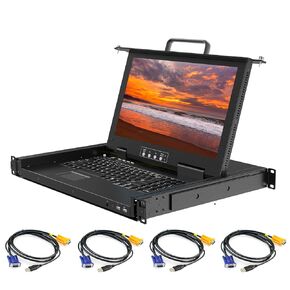 4 منافذ حامل KVM وحدة تحكم VGA مع شاشة FHD مقاس 15.6 بوصة، وحدة تحكم KVM LCD 1080P، عمق قصير 14.17 بوصة، درج تبديل 1U KVM + لوحة مفاتيح + لوحة لمس + 8 كابلات KVM، مفتاح قائمة OSD، منافذ USB أمامية، مصدر طاقة مزدوج
KWD 404
4 منافذ حامل KVM وحدة تحكم VGA مع شاشة FHD مقاس 15.6 بوصة، وحدة تحكم KVM LCD 1080P، عمق قصير 14.17 بوصة، درج تبديل 1U KVM + لوحة مفاتيح + لوحة لمس + 8 كابلات KVM، مفتاح قائمة OSD، منافذ USB أمامية، مصدر طاقة مزدوج
KWD 404
 قارئ أقراص DVD RW خارجي محمول فائق النحافة USB 3.0 CD DVD
KWD 7.500
قارئ أقراص DVD RW خارجي محمول فائق النحافة USB 3.0 CD DVD
KWD 7.500
 يوبيسوفت توم كلانسيز جوست ريكون: بريك بوينت
KWD 15
يوبيسوفت توم كلانسيز جوست ريكون: بريك بوينت
KWD 15




