- التسوق ، اصبح سهلا.
- /
- احصل على التطبيق!
Instructions for Use: Insta 360 X5 Invisible Dive Case Pro
Step 1 open the dive case. Slide open all four latches upward to release the top cover.
Step 2 insert anti fog inserts place the anti fog inserts on the inner walls of the dive case to help reduce fogging.
Step 3 insert the camera. Remove your cameras lens guards. If you're using them, place the camera into the case with the screen facing up, ensuring the buttons and lenses are properly aligned.
Step 4 close the. The dive case close the top cover and fasten all four latches back onto their hooks until you hear a click to confirm it is securely locked.
Step 5 dive mode activation when the camera is powered on closing the top cover will automatically detect your dive case PRO and enter dive mode.
There's no need to manually set this accessory up while diving. You can control the camera using the power button and quick button.Long press power button power on off single press power button switch shooting mode single press que button, start photo or video capture double tap q button during preview switch between 360 front view, 360 rear view wide angle front lens wide angle rear lens,you can also go to the accessory list in the cameras quick menu to customize button functions to suit your.
 غطاء مقاوم للماء لفرقة إنستا360 ون آر إس 4K، غطاء واقي تحت الماء 60 متر / 196 قدم مع ملحقات قوس
KWD 12.500
غطاء مقاوم للماء لفرقة إنستا360 ون آر إس 4K، غطاء واقي تحت الماء 60 متر / 196 قدم مع ملحقات قوس
KWD 12.500
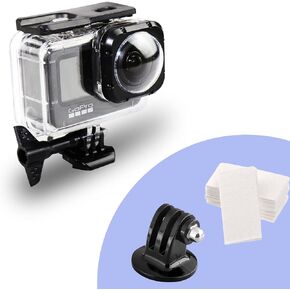 جراب سرويم مقاوم للماء لهاتف جو برو هيرو 9 ماكس عدسات مود، غطاء واقٍ للغطس تحت الماء 40 متر مع ملحقات قوس
KWD 15
جراب سرويم مقاوم للماء لهاتف جو برو هيرو 9 ماكس عدسات مود، غطاء واقٍ للغطس تحت الماء 40 متر مع ملحقات قوس
KWD 15
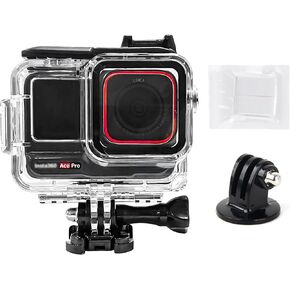 حافظة مبيت للغوص لجهاز Insta360 Ace، غلاف واقي للغوص تحت الماء مقاوم للماء حتى 60 مترًا (197 قدمًا) مع ملحقات الدعامة
KWD 7
حافظة مبيت للغوص لجهاز Insta360 Ace، غلاف واقي للغوص تحت الماء مقاوم للماء حتى 60 مترًا (197 قدمًا) مع ملحقات الدعامة
KWD 7
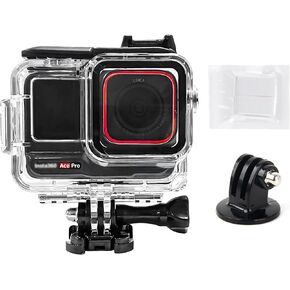 حافظة غطاء للغوص لجهاز Insta360 Ace Pro، غطاء واقي للغوص تحت الماء مقاوم للماء حتى 60 مترًا (197 قدمًا) مع ملحقات الدعامة
KWD 7
حافظة غطاء للغوص لجهاز Insta360 Ace Pro، غطاء واقي للغوص تحت الماء مقاوم للماء حتى 60 مترًا (197 قدمًا) مع ملحقات الدعامة
KWD 7




