- التسوق ، اصبح سهلا.
- /
- احصل على التطبيق!

3.5mm-dc3 for nikon camera shutter release cable
Packaging list (two cables in total) :
3.5mm-DC3 TRRS3.5 straight 13.8-inch 1 cable
3.5mm-DC3 TRRS3.5 spring wire, straightened 59 inches, 1 piece
1)Support Features: Focus, take pictures, video (to set up the camera)
2)Applicable camera model; for nikon Z50 II,Z5 II,ZR
3) Usage method: Plug the TRRS3.5 plug into the "Headphone/Shutter" jack on the camera, and insert the other 3.5mm plug into the remote control. Then you can directly control the camera to take photos
4) Video recording Settings method: 001: The "DISP"" on the camera; Turn the knob to the "Video Recording" position. 002: According to "Menu&"; Enter the menu, "Custom Settings Menu" - "g Video" - "g2 Custom Controls" - find "Shutter Release Control" - click ok- select "Shoot Video". 003: In this way, when the shutter button on the remote control is pressed, the camera's video recording can be controlled
5) The TRRS3.5 camera plug should be rotated and pressed to the bottom to ensure normal communication (as it is relatively tight, some force is needed).
6) These two cables can replace the function of the shutter release button on the camera body
 -7%
(SR2NX2) 2.5 مم - Micro USB مناسب لكابل تحرير مصراع الكاميرا Samsung NX1000 / NX2000 / NX300 / يستخدم لتوصيل أجهزة التحكم عن بعد اللاسلكية ومشغلات الفلاش وأجهزة التحكم في الغالق
KWD 7
-7%
(SR2NX2) 2.5 مم - Micro USB مناسب لكابل تحرير مصراع الكاميرا Samsung NX1000 / NX2000 / NX300 / يستخدم لتوصيل أجهزة التحكم عن بعد اللاسلكية ومشغلات الفلاش وأجهزة التحكم في الغالق
KWD 7
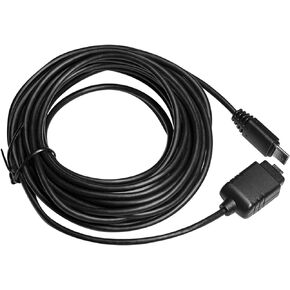 -25%
كابل توصيل متعدد الأطراف يستبدل خط إطالة كابل Sony VMC-MM1 بطول 10 متر/33 قدم لكاميرا سوني مع توصيل متعدد الأطراف Sony RM-VPR1 Remote/VCT-VPR1 VCT-VPR10 VCT-VPR100 (VMC-MM1-10M/33ft)
KWD 6
-25%
كابل توصيل متعدد الأطراف يستبدل خط إطالة كابل Sony VMC-MM1 بطول 10 متر/33 قدم لكاميرا سوني مع توصيل متعدد الأطراف Sony RM-VPR1 Remote/VCT-VPR1 VCT-VPR10 VCT-VPR100 (VMC-MM1-10M/33ft)
KWD 6
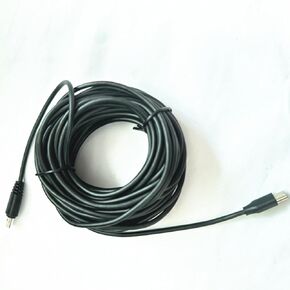 -21%
كابل تمديد 393 بوصة (10 متر) (USB صغير إلى متعدد) jjc مقبض التحكم عن بعد vpr1/gp-vpr1/sr-f2 يتصل بكابل بيانات التحكم بكاميرا Sony الطويل a72 a73 a7r4 a7r5 a6500
KWD 15
-21%
كابل تمديد 393 بوصة (10 متر) (USB صغير إلى متعدد) jjc مقبض التحكم عن بعد vpr1/gp-vpr1/sr-f2 يتصل بكابل بيانات التحكم بكاميرا Sony الطويل a72 a73 a7r4 a7r5 a6500
KWD 15
 -14%
محول DY-T3S مناسب لمحولات فلاش Sony MI hot Shoe من سلسلة A7 M2/3/4، R2/3/4/5، S2/3/4، A7C/II، سلسلة A6000، وسلسلة RX لتحويل ملحقات الفلاش العادية
KWD 9
-14%
محول DY-T3S مناسب لمحولات فلاش Sony MI hot Shoe من سلسلة A7 M2/3/4، R2/3/4/5، S2/3/4، A7C/II، سلسلة A6000، وسلسلة RX لتحويل ملحقات الفلاش العادية
KWD 9

