- التسوق ، اصبح سهلا.
- /
- احصل على التطبيق!

WiFi can be slow and uses large bandwidth which is why people struggle with streaming.
If multiple people are using your WiFi or even if you use your phone you are reducing you WiFi bandwidth.
If you are not sure what version you have look at the bottom of the device and look for these numbers (the writing is very small)
1st-gen = 2ABDU-0509 (not compatible)
2nd-gen = 2AE6S-0948 (works GREAT!)
For 4K Firesticks - WORKS GREAT
HOW TO USE
Step 1 - Connect the Ethernet adapter to the OTG Cable (included).
Step 2 - Insert the Power cable into the OTG cable, then insert the other end of the OTG cable into your device.
Step 3 - Wait until your device powers on. That's it! you are all done.
To confirm wired connection click on settings>Network. Your device will show your internet connection is now wired.
Troubleshooting - Sometimes your device will still show wifi signal and not wired. This is most likely you have 1st Gen stick. Please confirm you have a 2nd gen stick by looking at the numbers on the stick.
If still showing wifi, look at the lights on adapter. One should be solid color and one should be blinking. This shows your are receiving wired connection. Please test device to see if buffing has improved.
INTERNET SPEED - This device is designed to give you a BETTER INTERNET connection. WiFi can be fast but it also can also slow down during peak times, it transmits in waves (fast and slow). With a wired connection this removes this cause of buffering by giving you a steady internet stream.
Buffing or lagging may not be eliminated completely as buffering is caused by more than 1 thing. If you are using a streaming service to watch TV then you may still buffer if that service is to slow.
NOTE: device NOT included in this listing.
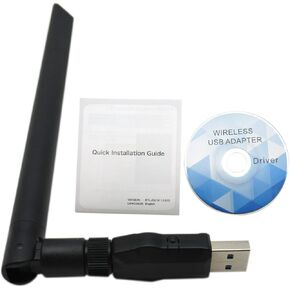 الأداء 1200 ميجابت في الثانية لاسلكي USB WiFi محول Dongle Dongle Band 2.4G/5GHz W/Antenna 802.11ac
KWD 7
الأداء 1200 ميجابت في الثانية لاسلكي USB WiFi محول Dongle Dongle Band 2.4G/5GHz W/Antenna 802.11ac
KWD 7
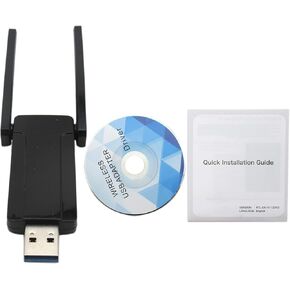 1300 ميجابت في الثانية محول WiFi USB لجهاز الكمبيوتر: Dual Band 2.4G/5G 5DBI ANTENNAS 802.11AC مستقبل وموصل الإنترنت اللاسلكي لنظام التشغيل Windows 10/8.1/8/7/XP MAC Linux سطح المكتب USB 3.0
KWD 9
1300 ميجابت في الثانية محول WiFi USB لجهاز الكمبيوتر: Dual Band 2.4G/5G 5DBI ANTENNAS 802.11AC مستقبل وموصل الإنترنت اللاسلكي لنظام التشغيل Windows 10/8.1/8/7/XP MAC Linux سطح المكتب USB 3.0
KWD 9
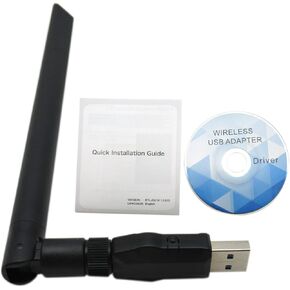 محول USB WiFi لجهاز الكمبيوتر 1200MBPS مزدوج النطاق USB 3.0 FAST 2.4 جيجا هرتز/5 جيجا هرتز ربح عالية 5DBI 802.11ac محول شبكة WiFi Dongle اللاسلكية لأجهزة الكمبيوتر المحمولة لسطح المكتب يدعم Windows Mac و Linux
KWD 7
محول USB WiFi لجهاز الكمبيوتر 1200MBPS مزدوج النطاق USB 3.0 FAST 2.4 جيجا هرتز/5 جيجا هرتز ربح عالية 5DBI 802.11ac محول شبكة WiFi Dongle اللاسلكية لأجهزة الكمبيوتر المحمولة لسطح المكتب يدعم Windows Mac و Linux
KWD 7
 4pcs أبواب مكبر صوت الأسلاك تسخير كابل سلك مكبر صوت نادي لعام 2023 بيتربيلت 389
KWD 5
4pcs أبواب مكبر صوت الأسلاك تسخير كابل سلك مكبر صوت نادي لعام 2023 بيتربيلت 389
KWD 5

