- التسوق ، اصبح سهلا.
- /
- احصل على التطبيق!
Description:
Name:Handheld Game charging base
Material:ABS
Colour:Black/White
Output:5V/3000mA
Input:5V/3000mA
Suitable for PS5 Portal
List: 1*Palm Charging Dock 1*Charging Cable
Usage1:
1.Remove the stand unit from the main body of the product.
2.Insert the cradle unit into the Type-C port of the PS5 Portal as shown in the picture.
3.Insert the holder unit into the corresponding slot of the charging cradle.
4.Insert the Type-C charging cable into the Type-C port of the charging cradle and connect the power supply.
Usage2:
5.Remove the stand unit from the main body of the product.
6.Unfold the stand unit and connect it to the Type-C port of the PS5 Portal main unit.
7.Connect the stand unit Tyep-C port to the power supply.
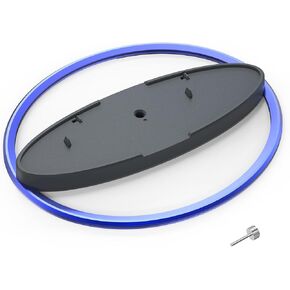 حامل عمودي لجهاز PS5 / لجهاز PS5 Slim / لوحدات تحكم PS5 Pro، قاعدة لملحقات PlayStation 5 pro (أزرق)
KWD 7
حامل عمودي لجهاز PS5 / لجهاز PS5 Slim / لوحدات تحكم PS5 Pro، قاعدة لملحقات PlayStation 5 pro (أزرق)
KWD 7
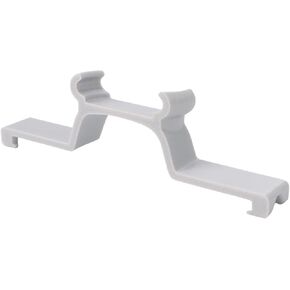 محدد موقع Airtag Mounting Bracket لـ DJI Neo ، Mount Tracker Anti-Lost for DJI Neo Drone
KWD 3.500
محدد موقع Airtag Mounting Bracket لـ DJI Neo ، Mount Tracker Anti-Lost for DJI Neo Drone
KWD 3.500
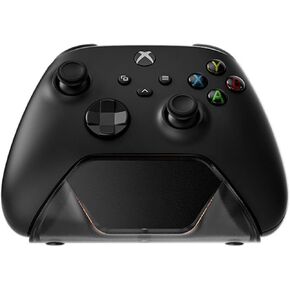 محطة شاحن وحدة تحكم لوحدة التحكم اللاسلكية Xbox ، شحن سريع شحن فردي حامل لوحدة التحكم في Xbox One/Series X | S
KWD 10
محطة شاحن وحدة تحكم لوحدة التحكم اللاسلكية Xbox ، شحن سريع شحن فردي حامل لوحدة التحكم في Xbox One/Series X | S
KWD 10
 محطة شاحن وحدة التحكم للحصول على وحدات تحكم PS5 /PS5 EDG
KWD 8.500
محطة شاحن وحدة التحكم للحصول على وحدات تحكم PS5 /PS5 EDG
KWD 8.500




