خادم طباعة لاسلكي USB، تحويل طابعة USB إلى لاسلكية مع 480 ميجابت في الثانية USB2.0 وجسر LAN 100 ميجابت في الثانية، يدعم 4 طابعات عبر محور USB لنظام Wins OS X
الاجهزه الالكترونيات الامريكية قد تحتاج الى محمول فولت من ١١٠ الى ٢٢٠.قد تحتاج إلى محول كهرباء
مميزات خاصة
MULTI-PRINTER MULTI-USER SHARED PRINT SERVER: usb wireless print server for multiple printers shared printers turning USB printers into wireless devices. Works on the same network for easy access from any computer; connects up to 4 printers via USB A hub, boosting printing efficiency for teams or multi-person use
3 OPERATION MODES (WIRED/WIRELESS/STANDALONE): 2.4G wireless printer adapter usb 2.0 network printer server supporting wired, 2.4G wireless, and standalone modes. Converts USB printers to WiFi-enabled in diverse ways; standalone mode needs no upper router (no network access in this mode)
WEB MANAGEMENT EASY CONFIGURATION: web management high speed wireless print server for home avoiding complex driver setups. Uses web interface for one-stop printer/server configuration; only requires official printer drivers (no extra server drivers needed)
WIDE OS & PRINTER COMPATIBILITY: usb print server for os wins ink jet printers compatible with Wins 7/8/10/11 and OS X. USB 2.0 port works with most USB printers (ink jet, receipt, stylus, barcode printers) for versatile use
HIGH-SPEED PORTABLE MULTI-SCENE USE: high speed 480mbps usb print server for office featuring 480Mbps USB 2.0 and 100Mbps LAN ports. Prints in seconds, supports automatic queue printing; compact lightweight design fits home, small offices, supermarkets, or schools
وصف
Specification:
Item Type: USB Wireless Print Server
Material: ABS
Color: White
Output Interface: Bridge (10/100Mbps)
Input Interface: LAN (10/100Mbps)
Power Port: Micro USB
USB Port: USB 2.0
Package List:
1 x USB Print Server
1 x Power Cord
Notice:
Common problem handling:
Q: My settings are all normal, but the computer just can't print.
A: Check if the printer is offline, check if the title appears offline in the print queue, if so, uncheck it and it will be able to use the printer again.
Q: My printer can print, but it keeps printing paper continuously.
A: Go to the printer's properties, port, uncheck Enable bidirectional support.
Note: The product does not include a USB adapter for shipment, you need to bring your own DV5V 1A USB adapter.
 زوج واحد من توتنهام الحصان، الفولاذ المقاوم للصدأ رعاة البقر توتنهام للرجال والنساء حذاء الحصان مع ملحقات الفروسية القابلة للتدوير 70 × 90 ملم / 2.76 × 3.54 بوصة
KWD 19
زوج واحد من توتنهام الحصان، الفولاذ المقاوم للصدأ رعاة البقر توتنهام للرجال والنساء حذاء الحصان مع ملحقات الفروسية القابلة للتدوير 70 × 90 ملم / 2.76 × 3.54 بوصة
KWD 19
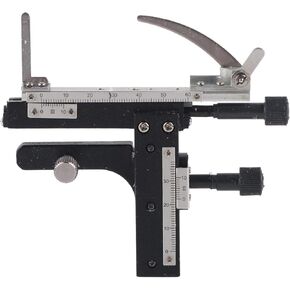 مسطرة فرجار مجهر متحركة، فرجار ميكانيكي احترافي قابل للإزالة X Y لمجهر مسرح متحرك عالي الدقة من سبائك الألومنيوم
KWD 7.500
مسطرة فرجار مجهر متحركة، فرجار ميكانيكي احترافي قابل للإزالة X Y لمجهر مسرح متحرك عالي الدقة من سبائك الألومنيوم
KWD 7.500
 حاقن Starlink PoE، لمحول Starlink Dishy V2 إلى RJ45 محول كابل Starlink Dishy إلى RJ45 Connect StarLink Ethernet محول سلك إيثرنت ومجموعة المحول
KWD 7
حاقن Starlink PoE، لمحول Starlink Dishy V2 إلى RJ45 محول كابل Starlink Dishy إلى RJ45 Connect StarLink Ethernet محول سلك إيثرنت ومجموعة المحول
KWD 7
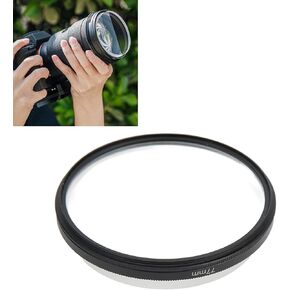 فلتر تأثير التصوير الفوتوغرافي، منشور تصوير فوتوغرافي فركتلات 77 مم مع تأثير فلتر كاميرا مزدوج الجوانب لتصوير فيديو السيلفي (نطاق الفتحة 2.8-7.0)
KWD 2.500
فلتر تأثير التصوير الفوتوغرافي، منشور تصوير فوتوغرافي فركتلات 77 مم مع تأثير فلتر كاميرا مزدوج الجوانب لتصوير فيديو السيلفي (نطاق الفتحة 2.8-7.0)
KWD 2.500




