- التسوق ، اصبح سهلا.
- /
- احصل على التطبيق!
WiFi Connection Tutorial (only supports connecting to 2.4Ghz WIFI)
1. Scan the QR code on the instruction manual or search in the App Store, download and install the "XiaoMei Smart" APP.
2. Open the APP, register an account with your email address in the APP, and allow the APP to obtain the corresponding permissions.
3. Turn on the WiFi and Bluetooth of the phone and let the phone connect to 2.4GHz WiFi.
4. Press and hold the fish feeder button for 6-8 seconds, and the blue indicator light flashes quickly to enter the network pairing mode. Click "Add Smart Device". Refresh page, the APP will automatically search for the fish feeder, click on the model WP8615S.
5. Enter the WiFi password, click next step, connection successful.
Note
A. The fish feeder can only connect to 2.4GHz WiFi. Cannot connect to 5GHz WiFi alone. If your router is dual-band 2-in-1, the fish feeder will automatically select 2.4GHz to connect. When connecting for the first time, stay as close to the router as possible.
B. But this is not absolute. If your connection fails in dual-band 2-in-1 mode, Please try setting the router to 2.4GHz mode to connect. Another possible reason for connection failure, check whether too many devices have been added to the router. If the number of devices added by the router exceeds the upper limit, the router will be unable to add new devices.
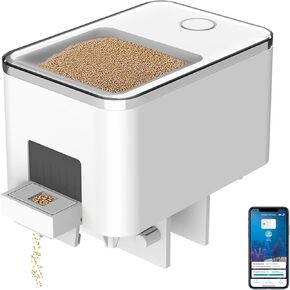 وحدة تغذية الأسماك الأوتوماتيكية بتقنية البلوتوث من GEZIEKID لحوض السمك، وموزع طعام لخزان الأسماك مع مؤقت للتحكم في التطبيق يعمل بمنفذ USB للأغذية الصغيرة ذات حبيبات خزان الأسماك، ومغذيات إلكترونية للحيوانات
KWD 12.500
وحدة تغذية الأسماك الأوتوماتيكية بتقنية البلوتوث من GEZIEKID لحوض السمك، وموزع طعام لخزان الأسماك مع مؤقت للتحكم في التطبيق يعمل بمنفذ USB للأغذية الصغيرة ذات حبيبات خزان الأسماك، ومغذيات إلكترونية للحيوانات
KWD 12.500
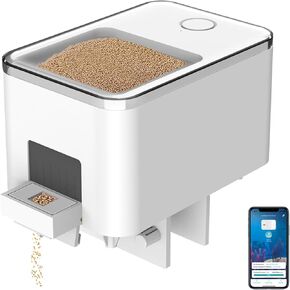 موزع تلقائي لتغذية الأسماك بتقنية البلوتوث لحوض السمك، موزع طعام لخزان الأسماك مع التحكم في التطبيق، يعمل بمنفذ USB، مناسب لأطعمة حبيبات خزان الأسماك الصغيرة، أسود
KWD 11
موزع تلقائي لتغذية الأسماك بتقنية البلوتوث لحوض السمك، موزع طعام لخزان الأسماك مع التحكم في التطبيق، يعمل بمنفذ USB، مناسب لأطعمة حبيبات خزان الأسماك الصغيرة، أسود
KWD 11
 صندوق تغذية أسماك أوتوماتيكي قابل للتوسيع صندوق تخزين طعام الأسماك، قابل للإزالة، مناسب WP8622، WP8622L وKIVNIEHI WP8621N، مادة بلاستيكية شفافة، سعة كبيرة 350 مل
KWD 4.500
صندوق تغذية أسماك أوتوماتيكي قابل للتوسيع صندوق تخزين طعام الأسماك، قابل للإزالة، مناسب WP8622، WP8622L وKIVNIEHI WP8621N، مادة بلاستيكية شفافة، سعة كبيرة 350 مل
KWD 4.500
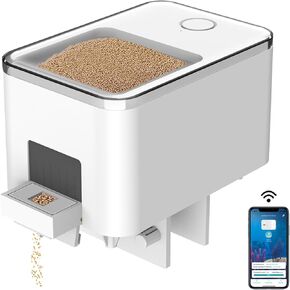 جهاز تغذية أسماك أوتوماتيكي واي فاي لحوض السمك، موزع طعام لخزان الأسماك مع التحكم في التطبيق، يعمل بمنفذ USB، مناسب لأطعمة حبيبات خزان الأسماك الصغيرة، أبيض
KWD 14.500
جهاز تغذية أسماك أوتوماتيكي واي فاي لحوض السمك، موزع طعام لخزان الأسماك مع التحكم في التطبيق، يعمل بمنفذ USB، مناسب لأطعمة حبيبات خزان الأسماك الصغيرة، أبيض
KWD 14.500




