- التسوق ، اصبح سهلا.
- /
- احصل على التطبيق!
Compatible OLED Screen Replacement for Samsung Galaxy A51 5G
This Olivechard replacement screen is designed for Samsung Galaxy A51 5G models: SM-A516U, SM-A516F, SM-A516B, SM-A516N. It includes a black frame pre-attached to make installation easier.
Aftermarket OLED vs. InCell and Original AMOLED
This screen uses aftermarket OLED material, which provides better contrast and visual sharpness than InCell but is still not equal to the factory AMOLED screen in terms of brightness, power efficiency, and depth of color. That said, it's a strong middle-ground option—a more premium choice than InCell without the price tag of OEM AMOLED.
The Same Display Area – Important Notice
This screen has a same area of 6.5 inches, same as the original Super AMOLED. Due to structural differences, there are smaller OLED variants on the market with even more reduced viewable areas. We use the larger size of the aftermarket OLED versions for a more comfortable viewing experience.
Installation and Precautions
No instruction manual is included. Please refer to YouTube tutorials if you're unfamiliar with the installation process.
Always disconnect the battery cable before connecting the screen to avoid potential short circuits. Test the screen before securing it permanently in the frame. Handle the flex cable with care and avoid excessive bending.
Package Includes:
1x Olivechard OLED Screen with Black Frame for Samsung Galaxy A51 5G (6.46")
1x screwdriver set
1x triangular pry tool
1x flat dual-ended pry bar
1x twin-sided tape
1x dust removal sticker
♦Friendly Reminder:
🔹Product does not include a manual. Kindly refer to installation tutorials on YouTube.
🔸Ensure to diagnose whether your phone's malfunction is due to the LCD or touch panel before making a purchase.
🔹Installation requires specific skills and tools.
For personal use or non-professionals, please proceed with caution. It is advisable to seek professional service.
We do not assume responsibility for any damage resulting from the installation.
🔸While our provided tools are versatile and compatible with most phones, we cannot guarantee compatibility with all models.
🔹Dealing with issues post-installation can be challenging; hence, please test the product upon receipt.
🔸Handle the LCD with care, as it is fragile. Inadvertent breakage may result in glass fragments that could cause injury. Take appropriate safety measures.
🛠🛠Simulation Test:
1️⃣During testing, do not remove any protective films or labels.
2️⃣Pay attention to static electricity issues. Ground yourself using an ESD (Electrostatic Discharge) wrist strap to prevent damage from static electricity.
⚠3️⃣After removing the old screen, the first step is to remove the flexible cable clamp between the battery and the device motherboard.
Disconnect the power supply connecting the screen flex cable.
After connecting the flex cable of the new screen, the final step is to install the flexible cable clamp of the battery.
It is important not to reverse this sequence.
4️⃣Then, connect the charging cable, turn on the phone power, and check if the screen is working properly.
5️⃣If abnormalities are observed, please contact us promptly with attached video or photos. Do not force installation.
📞📞After-sales Support
We offer a replacement policy for product damage not caused by user error.
We do not accept responsibility for any damages or malfunctions resulting from incorrect installation work. Kindly use the product at your own discretion.
For broken, damaged, or missing items upon receipt, please capture photos and reach out to us.
If you require further assistance, please email our service team.
Q: Is this the same quality as the original AMOLED screen?
A: No. While this aftermarket OLED provides strong performance, it is not equivalent to the original AMOLED. You may notice slightly lower brightness and color saturation.
Q: Why is the screen size listed as 6.46" instead of 6.5"?
A: Aftermarket OLED screens have a slightly reduced active display area compared to the original. Ours is the larger version available among OLED options. Smaller options exist but may further reduce visibility.
Q: Can I install this myself?
A: It's possible if you have prior experience and tools. If not, we highly recommend professional installation to avoid damaging the screen or device.
Q: Does this screen support fingerprint unlocking?
A: No. This version does not support in-screen fingerprint recognition like the original AMOLED display.
Q: What happens if the screen is defective?
A: Please test the screen before installation. If there's an issue, contact us with photos or video and we'll assist with a replacement.
 ل OnePlus Nord N200 5G 1+ 6.49 "OLED مع إطار شاشة LCD استبدال مجموعة محول الأرقام التي تعمل باللمس
KWD 8
ل OnePlus Nord N200 5G 1+ 6.49 "OLED مع إطار شاشة LCD استبدال مجموعة محول الأرقام التي تعمل باللمس
KWD 8
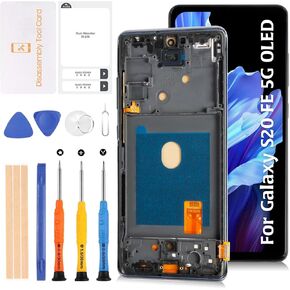 شاشة S20 FE 4G G780/5G G781 OLED LCD + إطار أزرق سحابي 6.43 بوصة لهاتف Samsung Galaxy S20 FE 4/5G شاشة LCD بديلة تعمل باللمس طقم تجميع رقمي sm-g781b/u/u1/w/n/v sm-g780f/g
KWD 19
شاشة S20 FE 4G G780/5G G781 OLED LCD + إطار أزرق سحابي 6.43 بوصة لهاتف Samsung Galaxy S20 FE 4/5G شاشة LCD بديلة تعمل باللمس طقم تجميع رقمي sm-g781b/u/u1/w/n/v sm-g780f/g
KWD 19
![استبدال شاشة LCD صلبة OLED 12 Pro Max لهاتف iPhone 12 Pro Max 6.7 بوصة [OLED صلب، وليس LCD] مجموعة شاشة LCD تعمل باللمس A2411 A2342 A2410 A2412 مع أدوات إصلاح in Kuwait](https://cdn1.tilga.com/md/prod/3/2165/3/99970096.16377.jpg) استبدال شاشة LCD صلبة OLED 12 Pro Max لهاتف iPhone 12 Pro Max 6.7 بوصة [OLED صلب، وليس LCD] مجموعة شاشة LCD تعمل باللمس A2411 A2342 A2410 A2412 مع أدوات إصلاح
KWD 32.500
استبدال شاشة LCD صلبة OLED 12 Pro Max لهاتف iPhone 12 Pro Max 6.7 بوصة [OLED صلب، وليس LCD] مجموعة شاشة LCD تعمل باللمس A2411 A2342 A2410 A2412 مع أدوات إصلاح
KWD 32.500
![استبدال شاشة LCD صلبة OLED 12/12 Pro لهاتف iPhone 12/12 Pro 6.1 بوصة [OLED صلب، وليس LCD] مجموعة شاشة LCD تعمل باللمس A2403 A2172 A2402 A2404 مع أدوات إصلاح in Kuwait](https://cdn1.tilga.com/md/prod/3/2166/3/99986135.38299.jpg) استبدال شاشة LCD صلبة OLED 12/12 Pro لهاتف iPhone 12/12 Pro 6.1 بوصة [OLED صلب، وليس LCD] مجموعة شاشة LCD تعمل باللمس A2403 A2172 A2402 A2404 مع أدوات إصلاح
KWD 21.500
استبدال شاشة LCD صلبة OLED 12/12 Pro لهاتف iPhone 12/12 Pro 6.1 بوصة [OLED صلب، وليس LCD] مجموعة شاشة LCD تعمل باللمس A2403 A2172 A2402 A2404 مع أدوات إصلاح
KWD 21.500




