- التسوق ، اصبح سهلا.
- /
- احصل على التطبيق!
Compatible with Dish Network 20.1 TV1 #1 Satellite Receiver: VIP 622, 722, 222, 522, 625, 942, 201, 211, 301, 311, 322, 351, 1000, 2200, 2700, 2800, 2900, 3000, 3200, 3700, 3800, 3900, 4000, 4100, 9200, 5200, 6000, 6100, 6131, 6400, 9242 HD PVR etc.
IR Signals Only and Just Compatible for TV 1
Specification:
Colour: Black
Material: ABS
Applies to: For Dish 1 TV box
Power supply: 2 x AA batteries (not included)
Frequency: 433 MHz
Product size: 21 * 5.5 * 3cm
Features:
- New replaced remote, but same function as the original one.
- No programming and manual needed.
- Perfectly replace your broken or old one.
Packing list:
1 x Remote Control
1 x Manual
1 x Sticker
This Dish Network remote control can only use IR signals. And it needs a clear line of sight between the remote and the receiver. Please make sure there is no obstacle when using the Dish Network replacement remote.
Kindly Note: This Dish Network 20.1 TV1 #1 Satellite Receiver IR Remote Control compatible with most Dish Network and Bell Satellite Receivers. But it may not be able to control your other devices, such as LED TVs and speakers.
ADDITIONALLY: Although your remote may already be configured to work with your DISH receiver, there's a chance that you may need to program it. To test whether this is necessary, press the POWER button on the receiver to turn it on, and follow this up by turning on your HDTV or other television. Press the GUIDE button on your remote, and if the programming guide pops up, you can skip to "Programming 20.1 IR Remote for Other Devices." If the guide doesn't show up, press the SYSTEM INFO button that's located on your DISH receiver once. This will bring up the System Info screen. On your remote, press the SAT button, which should illuminate the SAT light. Press the RECORD button once. This will again cause the SAT button to light up. After entering the three-digit code, the mode button you're programming will light up. Press the POUND (#) button once. This should cause the specific mode button to blink three times. Your device should now be configured. Test this by pressing the VOLUME, PLAY, or other buttons related to the device.
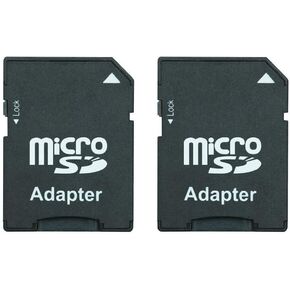 بطاقة Micro SD إلى محول بطاقة SD، محول بطاقة TF Micro SDHC إلى SD SDHC يعمل مع بطاقات الذاكرة للكاميرات القديمة، المساعد الشخصي الرقمي، الأجهزة الطبية (عبوة من 2)
KWD 5
بطاقة Micro SD إلى محول بطاقة SD، محول بطاقة TF Micro SDHC إلى SD SDHC يعمل مع بطاقات الذاكرة للكاميرات القديمة، المساعد الشخصي الرقمي، الأجهزة الطبية (عبوة من 2)
KWD 5
 شاحن شمسي بتلفزيون أصلي BN59-1357A
KWD 37
شاحن شمسي بتلفزيون أصلي BN59-1357A
KWD 37
 جهاز التحكم السحري MR22GA الأصلي لتلفزيونات LG صنع عام 2022
KWD 24.500
جهاز التحكم السحري MR22GA الأصلي لتلفزيونات LG صنع عام 2022
KWD 24.500
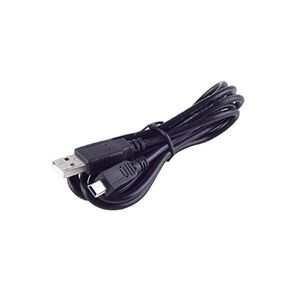 كابل بيانات/شاحن USB لمحرك Garmin 50 50LM 50LMT 51 60 60LM 61 61LM 61LMT
KWD 2.500
كابل بيانات/شاحن USB لمحرك Garmin 50 50LM 50LMT 51 60 60LM 61 61LM 61LMT
KWD 2.500



