- التسوق ، اصبح سهلا.
- /
- احصل على التطبيق!
Backlight Keyboard Case for iPad Air 11 inch
√Compatible with iPad Air 11 inch (M3) 2025 (Model Number: A3266/A3267/A3270 )
√Compatible with iPad Air 11 inch (M2) 2024 (Model Number: A2902/A2903/A2904 )
Product Features:
Built in pen slot prevents loss or misplacement of your pencil
Designed honeycomb interior of the iPad case can help to dissipate heat for improved performance
Rechargeable keyboard be fully charged in 2-3 hours by a Type-C fast charging cable
There is multimedia Shortcut Keys including Hompage, Search, Cope,Paste, Cut, Volume, Brightness, ect
Press "Fn" and "Q/W/E" to switch 3 system: Android, Windows, IOS
How to Link the Keyboard
1.Push the button to the "ON" position, the POWER light is on
2.Press the "CONNECT" button, the BT light is on
3.Search and click to connect the keyboard Bluetooth on your iPad
About Backit Keyboard
Press the "💡" button to turn on/off the backlit
Press the "Fn +💡" button to adjust 3 levels of brightness
Press the "RGB" button to manually change the backit color
Package List:
1 x iPad Air 11-inch (M3/M2) Case (ipad and apple pencil not included)
1 x Wireless Keyboard
1 x Type-C fast charging cable
1 x User Manual
 حافظة آيباد الجيل التاسع مع لوحة مفاتيح، متوافقة مع آيباد الجيل التاسع / الجيل الثامن / الجيل السابع / آيباد برو 10.5 / آيباد إير 3، 2021، لوحة مفاتيح لاسلكية قابلة للفصل، حافظة فوليو ذكية 10.2 بوصة، أسود
KWD 7.500
حافظة آيباد الجيل التاسع مع لوحة مفاتيح، متوافقة مع آيباد الجيل التاسع / الجيل الثامن / الجيل السابع / آيباد برو 10.5 / آيباد إير 3، 2021، لوحة مفاتيح لاسلكية قابلة للفصل، حافظة فوليو ذكية 10.2 بوصة، أسود
KWD 7.500
 -10%
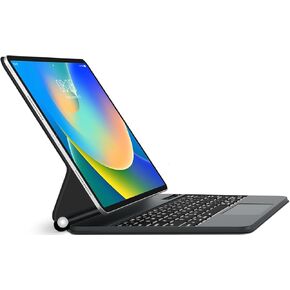
حافظة iPad Pro 12.9 مع لوحة مفاتيح (الجيل السادس والخامس والرابع والثالث) - بإضاءة خلفية، لاسلكية، بلوتوث، قابلة للفصل - حافظة فوليو للوحة المفاتيح الذكية لجهاز iPad Pro 12.9 بوصة مع حامل أقلام (أزرق)
KWD 35.500
-10%
حافظة iPad Pro 12.9 مع لوحة مفاتيح (الجيل السادس والخامس والرابع والثالث) - بإضاءة خلفية، لاسلكية، بلوتوث، قابلة للفصل - حافظة فوليو للوحة المفاتيح الذكية لجهاز iPad Pro 12.9 بوصة مع حامل أقلام (أزرق)
KWD 35.500
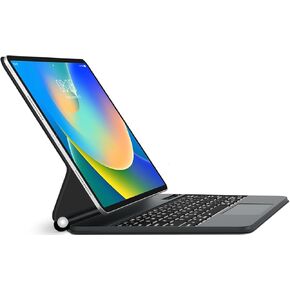 حافظة لوحة مفاتيح لجهاز iPad Air 11 بوصة (M2) 2024 وiPad Pro 11 بوصة (الجيل الرابع/الثالث/الثاني/الجيل الأول)، لوحة مفاتيح مغناطيسية لجهاز iPad Air (الجيل الخامس/الرابع)، لوحة تتبع متعددة اللمس، إضاءة خلفية 7 ألوان، سحرية لوحة المفاتيح، رمادي
KWD 31.500
حافظة لوحة مفاتيح لجهاز iPad Air 11 بوصة (M2) 2024 وiPad Pro 11 بوصة (الجيل الرابع/الثالث/الثاني/الجيل الأول)، لوحة مفاتيح مغناطيسية لجهاز iPad Air (الجيل الخامس/الرابع)، لوحة تتبع متعددة اللمس، إضاءة خلفية 7 ألوان، سحرية لوحة المفاتيح، رمادي
KWD 31.500
 -7%
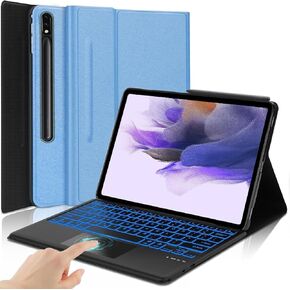
حافظة Galaxy Tab S7 FE مقاس 12.4 بوصة مع لوحة مفاتيح لهاتف Samsung Galaxy Tab S8 Plus/Tab S7 Plus S7+ S8، لوحة مفاتيح لاسلكية ذكية تعمل باللمس بـ 7 ألوان مع حامل قلم S
KWD 12.500
-7%
حافظة Galaxy Tab S7 FE مقاس 12.4 بوصة مع لوحة مفاتيح لهاتف Samsung Galaxy Tab S8 Plus/Tab S7 Plus S7+ S8، لوحة مفاتيح لاسلكية ذكية تعمل باللمس بـ 7 ألوان مع حامل قلم S
KWD 12.500




